
Category: Lesson plans

End of Year Activities

From our files, here are great articles about activities popular at the end of the school year:
5 Favorite Activities to End the School Year
The end of the school year is a time when both students and teachers alike are distracted by thoughts of vacation, sleeping in, and no deadlines. For many, this means, during the last few weeks of school, learning limps to a grinding halt but increasingly, teachers use this time productively to introduce curricular- and standards-aligned activities that “color outside the lines” — step away from the textbook to blend learning with dynamic activities that remind students why they want to be life-long learners. Many of these, educators would love to teach but “just don’t have time for“, even though they align well with broad goals of preparing students for college and career.
If you’re looking for meaningful lessons to wrap up your school year, here are my top picks:
-
-
- Digital Passport
- Cool book reports
- Practice keyboarding
- Dig into cyberbullying
- Applied Digital Skills
-
10 Ways to Wrap Up the School Year
It’s the end of school. Everyone’s tired, including you. What you want for these last few weeks are activities that keep the learning going but in a different way. You want to shake things up so students are excited and motivated and feel interested again.
Change your approach. Provide some games, simulations, student presentations–whatever you don’t normally do in your classroom. If you’re doing PowerPoints, use the last few weeks for presentations. Make them special–invite teachers. Invite parents. If you never serve food in your lab, do it for these presentations.
Here are my favorite year-end Change-up activities:
-
-
- 6 Webtools in 6 weeks
- Class Debate
- Digital Citizenship review
- Games and Simulations
- Genius Hour
- Group Discussion
- Khan Academy
- Presentation Boards
- Service Learning
- Write an Ebook
-

Why Earth Day May be the Most Important Event at School
 Every year, the world celebrates Earth Day on April 22nd, a day the United Nations recognizes as International Mother Earth Day. It is a day to remind ourselves of the importance of clean air, fresh water, and unlittered land. It’s when we can all participate in making that happen rather than accepting the trash-filled oceans, the smoggy skies, and the debris-laden land that is becoming the norm in our lives.
Despite the questionable health of our world, we have made progress. Back in 1970, when Earth Day was first celebrated, trucks spewed black smoke as they drove down the highways, toxic waste was dumped into oceans with no repercussions, and the general opinion was that the Earth took care of itself. That changed when U.S. Senator Gaylord Nelson, Earth Day’s founder, witnessed the ravages of the 1969 massive oil spill in Santa Barbara California and decided it was time for someone to do something. When he looked around for that “someone”, it turned out to be himself. He started with a “national teach-in on the environment” with a simple goal: Encourage people to recognize the importance of protecting the Earth:
“It was on that day [Earth Day] that Americans made it clear they understood and were deeply concerned over the deterioration of our environment and the mindless dissipation of our resources.”
How effective is Earth Day
In the 49 years since the inception of Earth Day, there have been more than 48 major environmental “wins”. Here are some of those:
- The U.S. Clean Air Act was passed, a comprehensive federal law that regulates air emissions.
- The U.S. Clean Water Act was passed to regulate the discharge of pollutants into U.S. waters.
- The U.S. Environmental Protection Agency (EPA) was passed.
- The U.S. Endangered Species Act was passed to protect animal species that are disappearing.
- The Acid Rain (what happens when normal rain becomes loaded with offensive chemicals and scalds the skin) Program obtained emission reductions of sulfur dioxide and nitrogen oxides.
- The importance of the ozone layer to the health of the Earth is better understood.
- The consequences of too much plastic in the Earth’s oceans is coming home to roost.

Subscriber Special: 15% Discount Sitewide
Every month, subscribers to our newsletter get a free/discounted resource to help their tech teaching. This month, take your pick:
January 15th-18th:
15% Discount Sitewide on
Structured Learning.net
Code: HAPPYHOLIDAY15

Thanksgiving Activities That Keep the Learning Going
 Teaching the days before big holidays is challenging. Students and teachers alike are ready for a break. Both struggle to pay attention regardless of how innovative and engaging are the lesson plans.
I’ve been there often. As a result, I’ve come up with fun ways to support learning while students power through the last few days of school. Here are seven I use during the pre-Thanksgiving season:
ASCII Art
Time required: Less than one class
ASCII Art is the graphic design technique of creating images by typing the letters, numbers, and symbols defined by ASCII Standards. Holiday examples include this Thanksgiving pumpkin and these holiday bells. Here’s how you do it:
- Open your word processing program (MS Word, Google Docs, or another).
- Add a watermark of a picture you’d like to use, preferably a single image rather than one that includes a background. Silhouettes are perfect for this sort of project.
- Type over the image with the letters, symbols, and numbers that best fit the outline. It’s fine to use one letter throughout (like an X).
- Add color by highlighting the letters, numbers, and symbols typed over the parts you’d like colored (such as the stem of a pumpkin or the bow on Christmas bells in the linked samples above).
- When you’ve covered the image with characters, delete the watermark. That leaves just your typing.
- Save, print, share, publish as is customary in your classes.
Tie-ins: Use this not only for holidays but any academic class by creating an artistic image of the topic being discussed. Click the link for an example of Abraham Lincoln to align with study of the American Civil War. This is also a fun and authentic way for students to practice keyboarding.

Halloween Projects, Websites, Apps, Books, and a Costume
 Three holidays are fast-approaching–Halloween, Thanksgiving, and Christmas. If you’re a teacher, that means lots of tie-ins to make school festive and relevant to students.
Here are ideas for Halloween projects, lesson plans, websites, and apps:
Websites and Apps
- Carving Pumpkins
- Carve-a-Pumpkin from Parents magazine – Resolute Digital, LLC (app)
- Enchanted Learning
- Halloween games, puzzles–clean, easy to understand website and few ads!
- Halloween ghost stories
- Halloween counting & words games – IKIDSPAD LLC (app)
- Halloween WordSearch – FinBlade (app)
- Halloween Voice Transformer (app)
- Landon’s Pumpkins – LAZ Reader [Level P–second grade] – Language Technologies, Inc. (app)
- Make A Zombie – Skunk Brothers GmbH (app)
- Meddybemps Spooky
- Pumpkin Toss
- Signing Halloween–a video
- Skelton Park
- The Kidz Page
- WordSearch Halloween – AFKSoft (app)
Projects

Great Activities for the First Week of School
 The first week of school is different from all others. During this week, teachers and students alike spend time getting to know each other, become comfortable in the classroom where they’ll spend countless hours for the next nine months, and take time to reach a comfort level with leaving summer behind. I’ve gathered suggestions below from some of the leading education folks, those who are all about project-based learning rather than the application of pedagogy, to share with you. I’ve also included a few general back-to-school activities with a digital spin to get you back into school quickly and agilely.
Activities include:
- Authentically use forms
- Build a puzzle to decorate class walls for Back to School night
- Let students prepare how-tos to share with classmates
- Prepare English Language Learners to participate fully in class
- Review class tech tools so students are comfortable with them and not surprised when they pop up
- Review the class LMS
- Set individual goals
- Share back-to-school thoughts with a #hashtag
- Take class selfies
- Write a Back-to-school story
Authentically use Forms
Digital forms have become a go-to activity for polls, bell-ringers, exit tickets, quizzes, and more. When used early in the school year, they become an easy way to show students how technology can update classroom activities. Many teachers use forms the first week of school to collect student background information that is not only useful for you as the teacher but helps students get to know each other. Click her link and check out the complete lesson plan. She includes a video and a template you can use of her survey.
@Catlin_Tucker

Tech Ed Resources–K-8 Tech Curriculum
I get a lot of questions from readers about what tech ed resources I use in my classroom so I’m going to take a few days this summer to review them with you. Some are edited and/or written by members of the Ask a Tech Teacher crew. Others, by tech teachers who work with the same publisher I do. All of them, I’ve found, are well-suited to the task of scaling and differentiating tech skills for age groups, scaffolding learning year-to-year, taking into account the perspectives and norms of all stakeholders, with appropriate metrics to know learning is organic and granular.

K-8 Technology Curriculum
Overview
The K-8 Technology Curriculum is Common Core and ISTE aligned, and outlines what technology should be taught when so students have the necessary scaffolding to use tech in the pursuit of grade level state standards and school curriculum.
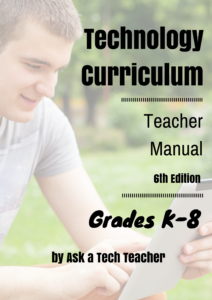
Each book is between 212 and 252 pages and includes lesson plans, assessments, domain-specific vocabulary, problem-solving tips, Big Idea, Essential Question, options if primary tech tools not available, posters, reproducibles, samples, tips, enrichments, entry and exit tickets, and teacher preparation. Lessons build on each other, kindergarten through 5th grade. For Middle School, they are designed for the grading period time frame typical of those grade levels, with topics like programming, robotics, and community service with tech.
Most (all?) grade levels include base topics of keyboarding, digital citizenship, problem solving, digital tools for the classroom, and coding.
Included are optional student workbooks (sold separately) that allow students to be self-paced, responsible for their own learning. They include required weblinks, rubrics, exemplars, weekly lessons, full-color images, and more.
The curriculum is used worldwide by public and private schools and homeschoolers.
Who needs this
Tech teachers, tech coordinators, library media specialists, curriculum specialists
Classroom grade level teachers if your tech teacher doesn’t cover basic tech skills.

4 Innovative Ways to Co-Author a Book
 Everyone wants to write a book — right? Studies show that 74% of people think they have a book in them. Teens are no exception. With the ease in which that can be done, thanks to word processors like Word and Docs, online editors like Grammarly, and automated publishers like Kindle, there’s no reason why teens can’t do just that. Look at this list of kids who wrote successful books in their teens — or in one case, before:
- Alexandra Adornetto — published The Shadow Thief at age 14 and Halo at 18.
- Christopher Paolini — published Eragon at age 16 (he is now over 30)
- Steph Bowe — published Girl Saves Boy at age 16.
- Cayla Kluver — published Legacy at age 16
- Alec Greven — published How to Talk to Girls at age 9
As a teacher, I recognize that writing a book ticks off a range of student writing skills by providing organic practice in many required standards such as descriptive detail, well-structured event sequences, precision in words and phrases, dialogue, pacing, character development, transition words, a conclusion that follows what came before, research, and production/distribution of the finished product. I’ve tried novel-writing activities with students several times to varied results. Everyone starts out fully committed and enthusiastically engaged but by the end of the project, only the outliers on the Bell Curve finish. The rest have too much trouble balancing the demands inherent to writing a 70,000-word book (or even its shorter cousin, the novella). That I understand, as a teacher-author struggling with the same problems. As a result, usually I settle for less-impassioned but easier-accomplished pieces like short stories or essays.
Then I discovered co-authoring, a way to get all of the good achieved from writing a book without the intimidating bad. Many famous books have been co-authored, most recently, Bill Clinton and James Patterson’s The President is Missing but there’s also Neil Gaiman and Terry Pratchett’s Good Omens, Stephen King and Peter Straub’s The Talisman, and Preston and Child’s Special Agent Pendergast series. Done right, co-authoring encourages not just the writing skills we talked about earlier but perspective-taking, collaboration, and the teamwork skills that have become de rigueur in education.
The most common approach to co-authoring a book is to have students write alternate chapters but this doesn’t work for everyone. Today, I want to talk about four alternative co-authoring approaches that allow students to differentiate for their unique needs:
- vignettes
- multiple POV
- themed collections
- comics

Free Lesson Plans from Study.com
 Study.com is an online distance learning portal that provides over 70,000 lessons in fifteen subjects (including algebra, calculus, chemistry, macro- and microeconomics, and physics) aligned with many popular textbooks. Resources include not only videos but study tools, guides, quizzes, and more. You can read more detail on my Study.com review here.
What a lot of educators don’t know is that Study.com offers thousands of lesson plans for teachers — hundreds of them for free — to simplify lesson preparation and save time that is needed for student guidance. These lesson plans were created by teachers for all different grade levels and subject areas. They include:
- learning objectives
- materials
- length of time
- curriculum standards alignment
- key vocabulary
- instructions
- extensions
- related lessons
Once you select the lesson plan you’re interested in, you’ll see the credentials of the teacher who is providing the lesson as well as where it fits into a bigger course if that’s your interest (Though standalone, lessons often are aligned with a particular textbook). Many lesson plans include a video overview and a quiz to assess understanding of the material (though you can’t grade it without an account).

3 Free SEL Activities from SafeSchools
 Life is much simpler when you–as a parent or teacher–can point to one solution for a problem, solve it, and everything is golden. Success in school was like that when grades were the barometer and studying harder was the tool. Now, we know that academic achievement is much more complicated.
“Students are telling us there’s a big missing piece in their education” –John Bridgeland, CEO of Civic
Today’s educators realize it has as much to do with academics as how students get along with themselves and others. This is called “Social Emotional Learning” or SEL. It’s akin to the importance of play in teaching kids to socialize with others, develop tenacity, and learn respect for those around them. If you’re not convinced of the importance of SEL, here’s what students say:
“Students and young adults believe SEL schools would create a more positive social and learning environment” — report by the Collaboration for Academic, Social and Emotional Learning (CASEL)
A positive attitude about themselves and others is linked to not only academic success but positively correlated to lessening the negative impact of future-ending problems such as drug use. It should surprise no one that twenty-three states are now working on SEL standards.
Free Holiday Activities to Promote SEL
An emerging leader in SEL is Sunburst SafeSchools and their suite of products and curricula that focus on building safe and positive school environments. This holiday season, Sunburst is offering three free activities for parents and kids (click for the bundle of all three and page through for the one you want).
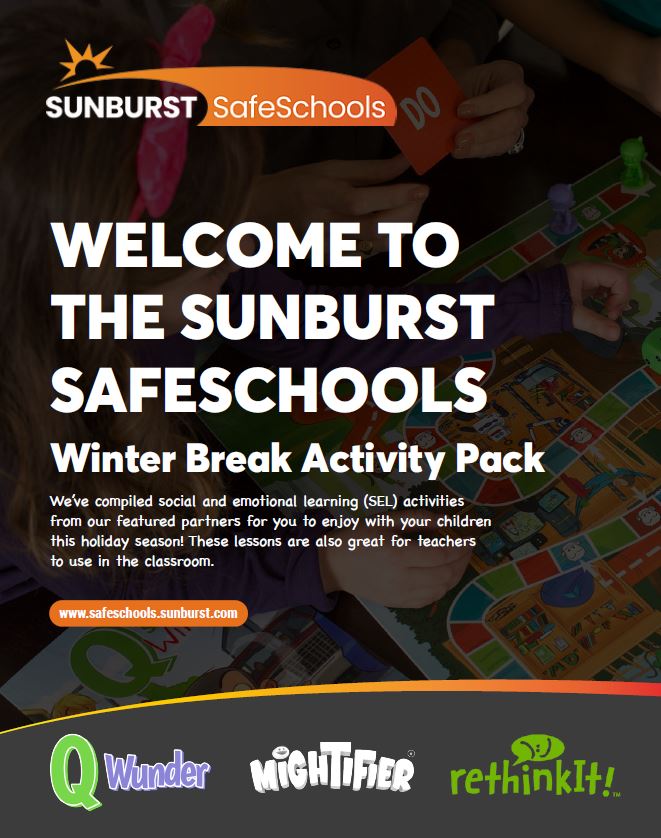
They’re fun, positive, supportive to kids, and–while based on Sunburst’s award-winning Safe School tools (Q Wunder, reThinkIt, and Mightifier)–designed as stand-alone activities rather than part of their comprehensive SEL-oriented curricula.





