
Category: Teaching Strategies

What Student Assignments and Projects Are Considered Most Difficult: Myths and Truths

What Student Assignments and Projects Are Considered Most Difficult: Myths and Truths
Are you a student who has ever wondered which assignments and projects are the most challenging? We’ve all been there, faced with daunting tasks that seem insurmountable. In this comprehensive guide, we will delve into the myths and truths surrounding the difficulty of student assignments and projects. By the end, you’ll gain a deeper understanding of these academic challenges, along with expert insights and tips to help you excel.

Case Study Resources for Modern Teachers
In education, case studies are widely used as a pedagogical tool to encourage critical thinking, problem-solving skills, and the application of theoretical knowledge. They serve as a bridge between theory and practice, promote active learning and the development of practical skills that improve their teaching methods. Our Ask a Tech Teacher crew has several resources for you to consider when you’re looking for case studies that relate to your next project:

Case Study Resources for Modern Teachers
Introducing case studies in your course can help prepare your students to deal with real-world situations. Well-planned case studies can challenge students’ problem-solving and critical-thinking skills. This teaching approach can help them analyze and find realistic solutions to complex problems.
As educators embarking on the application of case studies, creating your individual case studies or incorporating existing ones is pivotal. If the pursuit is to provide students with a custom assignment as you get started, opting for an online case study writing service is highly beneficial; services such as EduBirdie or Studybay extend premier case study writing services tailored to your needs. (more…)

4 Proven Strategies To Boost Exam Preparation
Preparing for exams requires a systematic approach to ensure you cover all the necessary material and feel confident on test day. Here are some effective strategies to help you prepare from the Ask a Tech Teacher crew:
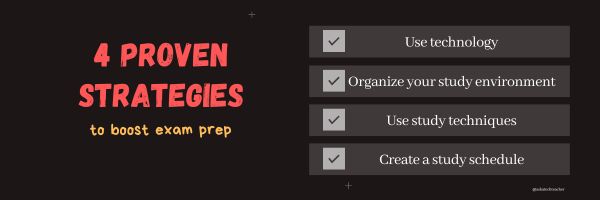
The 4 Proven Strategies To Boost Your Exam Preparation
One of the most stressful periods in a person’s life is when exams are looming. Whether it is for the SATs in high school, or for finals in college, when the time comes, you will feel a lot of pressure to do well. This pressure can actually hurt your chances of doing well on the exams. Stress can dramatically affect your thinking process and ability to concentrate.
This means that you have to find a way to eliminate the stress and pressure from the equation so you can study well. Preparation is the best way to not feel stressed and go into the exams with a clear mind. The better prepared you are, the better your chances at success. In this article, we will go over some proven strategies to help you prepare for exams.
1 – Use technology
Pretty much everything is digital these days so we rely on software and technology to even basic tasks. This is good news for exam preparation, however. There are a lot of apps and software programs that can help you study and be prepared in a way that fits best with your schedule and also your learning style.
Using technology can help you pack studying into your schedule to make sure you get the most out of your time. For instance, a mobile application can help you study while you are commuting on the train, or even getting your morning coffee. You can use an extra twenty or thirty minutes to pack in some studying without having to set yourself up ahead of time.
Software and online tools can also help you break down the materials into a better form for you to understand. For instance, NotesEdu gives you practice tests, guided solutions, and detailed explanations to help you grasp complex concepts better. To see how these resources could improve your study sessions, learn more about NotesEdu’s comprehensive test packs on their website.
There are many educational platforms that offer courses so you can expand on your knowledge by using some of them in addition to your other study materials. From basic algebra to advanced quantum physics, you can find resources suitable for all levels. They use interactive videos, quizzes, and peer discussions to make learning engaging and effective. (more…)

3 Fun Tech Classroom Projects for Summer
Here are great ideas from the Ask a Tech Teacher crew on how to keep tech fresh this summer.

3 Fun Ways to Use Tech in the Classroom in the Run-Up to Summer
Summer is right around the corner and as a teacher, you might be in search of creative ways to leverage technology to ensure your classroom remains an entertaining, engaging and educational space.
Fear not, we’ve got you covered! Buckle up and join us on this delightful journey through tech-savvy classrooms – from elementary school to high school – we’ll unlock a treasury of innovative ideas guaranteed to amuse the young minds while also preparing them for their future. Let’s dive in!

What You Might Have Missed in April–What’s up in May

Here are the most-read posts for the month of April:
- Tech Tip #90 Doc Saved Over? Try This
- 18 Things Teachers Do Before 8am
- Earth Day Class Activities
- How to Create a Paperless Classroom
- 11 Online Resources About Physics
- Online Reading for National Library Week
- Human Body Websites for 2nd-5th Grade
- #32: How to Use Art to Teach Grammar
- Tech Tips #170: Cover your webcam!
- How to Stop Hating Your Computer
What You Might Have Missed in March–What’s up in April
Here are the most-read posts for the month of March:
- 11 Online Resources About Puzzles
- Software vs. Online Tools
- 19 Tech Problems Every Student Can Fix
- 25 Sites to Add Rigor and Authenticity to Word Study
- How to Compare and Contrast Authentically
- 6 Ways to Make Classroom Typing Fun
- AI and ChatGPT in Education
- Use the SAMR Model to Energize Class Tech
- Beginning Graphs in MS Excel
- Invention Convention 2023 is coming

Does Flipped Classroom Work? Check out this Article
I’ve used flipped classrooms in my Middle School classes. After the initial excitement that something changed, it fell into a routine with not much better results than any other teaching method. But not worse, either. I tossed it into the category of something to try when whatever I was using didn’t work.
That’s why this article from EdSurge caught my attention:

Does ‘Flipped Learning’ Work? A New Analysis Dives Into the Research
A new meta-analysis looked at the effectiveness of flipped learning, a model that asks students to watch lecture videos before class so that class time can be used for active learning. The authors argue that while the approach can be done well, there’s lots of hype and failed attempts.

Use the SAMR Model to Energize Class Tech
 This is a question I get often from teachers: Technology is always an extra layer of work in my classroom. How can I blend it into what I already do without taking time I don’t have? When I first addressed this issue fifteen years ago, it was all about replacing traditional classroom tools with one on a computer. For example, book reports were typed on the computer instead of handwritten, or math facts were practiced with a math game instead of flash cards. But that quickly became cumbersome. Teachers didn’t know how to use the digital tools and there was never enough training to untip that balance. At the end of the day, paper-and-pencil was easier, faster, and perfectly understood. Soon, even the most stalwart tech-infused teachers discovered it was just as effective to use traditional tools and pull out the tech stuff for special occasions.
What happened? How did such a good idea go so wrong? The problem was four-fold:
- students didn’t have the technology foundation to smoothly incorporate digital tools into projects. Too often, the effort to provide evidence of learning suffered as students (and teachers) became mired in efforts to get the technology to work. Where is the tool? How do you do **? Why is the program not working?
- teachers didn’t have training in the tools. Even schools that made herculean efforts to train teachers in technology found themselves flailing. Even teachers who understood the tool would struggle with the inadequate infrastructure, the undependability of the technology itself, and the non-intuitive nature of so many of the programs they wanted to use. As a result, they used tools they understood rather than those best-suited for the project and learning.
- projects always–really, always–took longer using technology than the traditional low-tech approach.
- school infrastructure often struggled to support the exciting plans that tech-savvy teachers wanted to try. Computers froze or the network became over-burdened or the internet went down just as students required them the most. The money required to fix these problems was measured in the thousands of dollars–tens of thousands. Too many schools just didn’t have that budget.

Teach Vocabulary with the Frayer Model
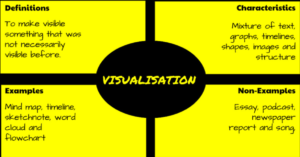 In a perfect world, vocabulary is learned in context: The phrases and sentences around the unknown word define the meaning. If that isn’t sufficient, students use affixes — prefixes, suffixes, and roots — to decode meaning. But because the world isn’t always that pristine, Dorothy Frayer and her colleagues at the University of West Virginia came up with a vocabulary teaching tool that has come to be known as “the Frayer Model”. Now used by thousands of educators, this approach to word study relies on analyzing words rather than memorizing definitions. Somewhat like Concept Circles, the Frayer Model uses a graphical organizer that asks students to describe words by much more than a memorized definition. They must:
- define the term
- describe essential characteristics
- provide examples
- provide non-examples
Because the Frayer Model digs deeply into understanding the word, it promotes critical thinking and a granular familiarity with unfamiliar vocabulary. It draws on a student’s prior knowledge to build connections among new concepts and creates a visual reference by which students learn to compare attributes and examples.

Incorporate Mindfulness into Your Class
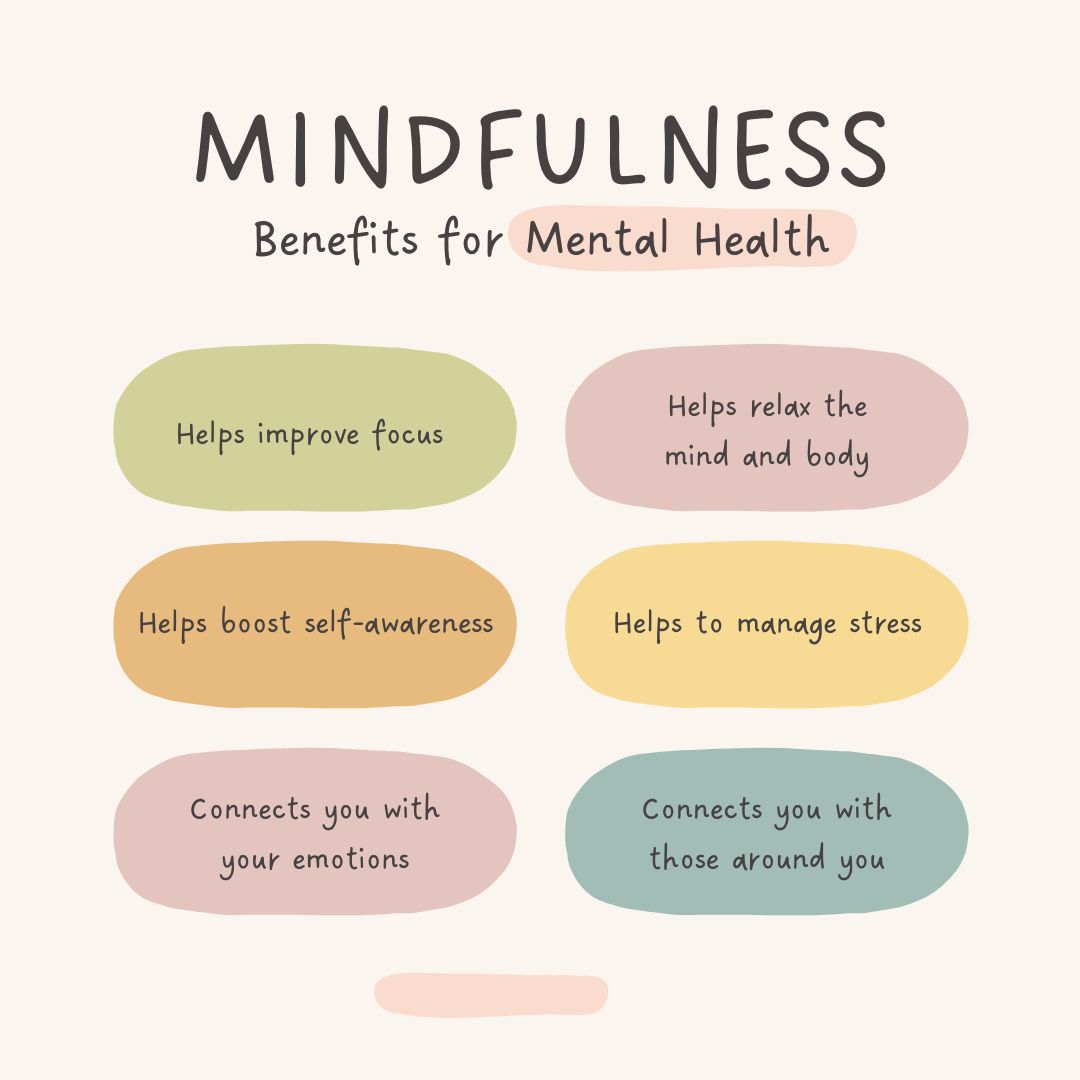 Students learn best when they are relaxed, happy, and feeling loved. It is challenging to include those characteristics in classes when you are concurrently trying to achieve school goals, comply with curriculum timelines, juggle parent concerns, and blend your lessons with those of colleagues.
This is where mindfulness becomes important. It reminds teachers that the fulcrum for learning is the student’s emotional well-being.
Let’s back up a moment: What is mindfulness? Buddha once said:
“Do not dwell in the past, do not dream of the future, concentrate the mind on the present moment.”
If that’s the plan, mindfulness is the path. It teaches students how to quiet themselves — get to a place where their mind is settled sufficiently to pay full attention to the task at hand. Experts offer many suggestions for incorporating mindfulness into your classroom experience. Consider:
- pause and take a deep breath before beginning an activity
- reflect on an activity as a group
- reflect on the student’s experience and background and how that relates to the topic
Here are five ideas on how to incorporate mindfulness into your classes:





