
Category: 4th Grade

20 Websites to Learn Everything About Landforms
If your third grader has to write a report about landforms, try these websites (check here for updates to list):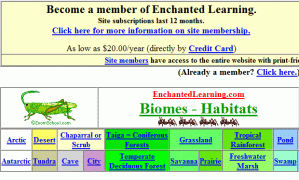
- About Rivers www.42explore.com/rivers.htm
- Biomes/Habitats http://www.allaboutnature.com/biomes/
- Deserts http://www.42explore.com/deserts.htm
- Explore the Colorado http://www.desertusa.com/colorado/explorriver/du_explorrv.html
- Geography Activities—for teachers www.enchantedlearning.com/geography/
- Geography Game—Geospy kids.nationalgeographic.com/Games/GeographyGames/Geospy

- Geography Quiz Game www.quia.com/pop/114591.html

- Geography Reading Problems www.tv411.org/lessons/cfm/reading.cfm?str=reading&num=8&act=4&que=1
- GeoNet Game www.eduplace.com/geonet/
- Labeling Maps www.iknowthat.com/com/L3?Area=LabelMaps
- Landforms make a greeting www.geogreeting.com/main.html
- Landforms www.edu.pe.ca/southernkings/landforms.htm
- Landforms—matching games, etc. www.quia.com/jg/29.html
- Los Angeles River Tour http://www.lalc.k12.ca.us/target/units/river/tour/index.html
- Map skills www.tv411.org/lessons/cfm/reading.cfm?str=reading&num=8&act=3&que=1
- Mapping Game www.sheppardsoftware.com/states_experiment_drag-drop_Intermed_State15s_500.html
- Rivers Seen from Space http://www.athenapub.com/rivers1.htm
- The Colorado River http://www.desertusa.com/gc/gcd/du_glencaydam.html
- What’s on a Map www.tv411.org/lessons/cfm/reading.cfm?str=reading&num=8&act=2&que=1
- Zambezi River Tour http://www.on-the-matrix.com/africa/zambezi.asp

10 Great Virtual Field Trips
Schools and kids love field trips, but they take a lot of time, money and extra adult supervision that may or may not be available. Thanks to the internet, there are now alternatives that are only as far away as your technology lab.
Here are some of the best available across the wild web of the internet:
- Smithsonian Museum
- Forest Life
- The Moon via Google Earth
- Mars via Google Earth
- Planet in Action via Google Earth
- Ellis Island
- Eternal Egypt
- A Collection of Virtual Field Trips
To:
- science museums
- farms
- Blackwell’s Best Virtual Field Trips
- strife-torn countries
- factories
- more
Want a quick tour right now, via YouTube. This is Mars, complements of Google Earth:
[youtube=http://www.youtube.com/watch?v=GjcCF6cIlPw&hl=en&fs=1&]Jacqui Murray has been teaching K-18 technology for 30 years. She is the editor/author of over a hundred tech ed resources including a K-12 technology curriculum, K-8 keyboard curriculum, K-8 Digital Citizenship curriculum. She is an adjunct professor in tech ed, Master Teacher, webmaster for four blogs, an Amazon Vine Voice, CSTA presentation reviewer, freelance journalist on tech ed topics, contributor to NEA Today, and author of the tech thrillers, To Hunt a Sub and Twenty-four Days. You can find her resources at Structured Learning.

#40: Wonders of Google Earth
Students create their own tour on Google Earth using locations selected by the classroom teacher. They add the locations to Google Earth, add a fact about it and turn it into a tour.
[gallery columns="2" ids="44486,44485,44487,44484"]

Weekend Websites #56: 23 Websites to Support Math Automaticity in K-5
This is the time of year when teachers worry about math facts and the automaticity of math skills. The following websites focus solely on that facet of math. I’ve broken them down by grade level, but you can decide if your second graders are precocious enough to try the websites for grades 3-5 (click here for an UTD list):
K
1st
2nd

Weekend Website #54: 20 Great Research Websites for Kids
Here are quick, safe spots to send your students for research (for updates to this list, click here):
- All-around research site libraryspot.com

- Dictionary www.dictionary.com
- Edutainment site—requires subscription www.brainpop.com/
- General info research www.infoplease.com/yearbyyear.html
- Internet research sites for kids http://ivyjoy.com/rayne/kidssearch.html
- Kids search engine for the internet kids.yahoo.com (more…)

Weekend Website #53: 41 Websites for Teachers to Integrate Tech into Your Classroom
This list has a little bit of everything, and will kick-start your effort to put technology into your lesson plans:

#33: Grow Your Story
Use a first-grade or second-grade story. Show students how to add description to it, setting details, sensory details, characterization, so it sounds more mature and interesting. I use thought bubbles to make it more fun.
Click on them for a full size alternative. Or visit the original post on Ask a Tech Teacher (more…)

#30: A Cover Page in Publisher
Use the Quick Publication template to make a fast cover page for a report, project, etc, in the classroom. Pay attention to layout, grammar, spelling, design.
[caption id="attachment_5021" align="aligncenter" width="614"] computer lesson plan[/caption]

Nineteen Ways to Use Spare Classroom Time
I keep a list of themed websites that are easy-in easy-out for students. They must be activities that can be accomplished enjoyably in less than ten minutes. In the parlance, these are called “sponges”.
What exactly are sponge activities? The term, originally coined by Madeline Hunter, refers to an activity designed to produce learning during the time taken up by “administrivia.” They stem from Hunter’s teaching philosophy that there should be no wasted moments in her classroom.
Here’s my list, by topic: (more…)

#12: Create Simple Shapes in Excel
What’s the first thing you think of when I say, Excel. Numbers, right–turning data into information. That is Excel’s ‘killer app’, but the ingenious human brain has come up with another striking use for Excel: Drawing. I spent a long time trying to find a lesson that taught drawing in Excel and/or offered example. I finally gave up and created my own. (more…)





