
Author: Jacqui

Labor Day–How Teacher-Authors Do It

Labor Day, the first Monday in September, is an American holiday (though celebrated world-wide by different names) dedicated to the achievements of workers. Take today to think about it. Me, I’ll take it literally–labor! I enjoy labor, the good feeling of finishing, meeting goals, working hard.
“I learned the value of hard work by working hard.” — Margaret Mead
“You always pass failure on your way to success.” — Mickey Rooney
“Hard work keeps the wrinkles out of the mind and spirit.” — Helena Rubinstein
“Dedication, hard work all the time, and belief.” — Cristiano Ronaldo

If you’re devoting Labor Day to your writing (rather than teacher prep) but need a kick start, here are suggestions for favorite labor-saving tools for writers:
- Reedsy’s Best 23 Writing Tools of 2024
- 25 Top Tools for Writers to Crush it in 2024
- The 14 Best Writing Tools for Writers in 2024
- The 30 Best Tools for Writers
- Plot Generator
- AI Plot Generator

A few Labor Day websites to enjoy for teaching: (more…)

8: Fifth Grade Cloning in Photoshop

Adobe Photoshop is kind of KidPix for grown-ups, as well as the default photo-editing program for anyone serious about graphics. This series of projects (available in the first volume of the book, 55 Technology Projects for the Digital Classroom) introduces students to a traditionally-challenging program in an easy to understand way, each project scaffolding to the next, thus avoiding the frustration and confusion inherent in most Photoshop training.
Here are the skills fifth graders can learn in Photoshop if you’ve prepared them with basic computer skills. I’ve provided links. The bolded ones are published, unbolded coming soon:
- Photoshop artwork–live
- Photoshop actions–live
- Photoshop basics #5 live
- Photoshop filter and rendering tools
- Photoshop starters–auto-correct with the auto-correction — live quick fixes that make a photo look cleaner #6
- Photoshop crop tool–Live
- Photoshop clone tool– live
- Photoshop–change the background–live
- Photoshop tools–add custom shapes–live
- Photoshop–start with Word –live (a little dated but still useful)
Today: Cloning
The clone tool duplicates a hard to crop-and-copy image (like the flowers below) or deletes part of a background—a sign or a post in a nature scene—you don’t want there. You can clone within a picture (as with the flowers), (more…)

#3: Windows Skills: Make Your Own Wallpaper

One of the best ways to get students interested in technology is allow them to personalize their work area. That starts with placing wallpaper of their choice on their desktop. (more…)

Tech Ed Resources for your Class–Survival Kits
I get a lot of questions from readers about what tech ed resources I use in my classroom so I’m going to take time this summer to review them with you. Some are edited and/or written by members of the Ask a Tech Teacher crew. Others, by tech teachers who work with the same publisher I do. All of them, I’ve found, are well-suited to the task of scaling and differentiating tech skills for age groups, scaffolding learning year-to-year, offering inclusive solutions to the issue of tech tools–taking into account the perspectives of stakeholders, with appropriate metrics to ensure learning is organic and granular.
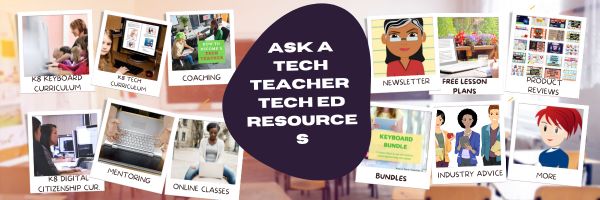
Today: K-12 Survival Kits
Overview
Collections of resources for specific teacher needs to address technology. Options include:
- K-5 All-in-one Tech Integration Kit
- K-5 New Teacher Survival Kit
- MS All-in-one Tech Integration Kit
- MS New Teacher Survival Kit
- Homeschool Tech Survival Kit
K-5 All-in-one Tech Integration Kit
Tech Ed Resources for your Class–Digital Citizenship
I get a lot of questions from readers about what tech ed resources I use in my classroom so I’m going to take a few days this summer to review them with you. Some are edited and/or written by members of the Ask a Tech Teacher crew. Others, by tech teachers who work with the same publisher I do. All of them, I’ve found well-suited to the task of scaling and differentiating tech skills for age groups, scaffolding learning year-to-year, taking into account the perspectives and norms of all stakeholders, with appropriate metrics to know learning is organic and granular.
Today: K-8 Digital Citizenship Curriculum
Overview
K-8 Digital Citizenship Curriculum––9 grade levels. 17 topics. 46 lessons. 46 projects.
A year-long digital citizenship curriculum that covers everything you need to discuss on internet safety and efficiency, delivered in the time you have in the classroom.
Digital Citizenship–probably one of the most important topics students will learn between kindergarten and 8th and too often, teachers are thrown into it without a roadmap. This book is your guide to what children must know at what age to thrive in the community called the internet. It blends all pieces into a cohesive, effective student-directed cyber-learning experience that accomplishes ISTE’s general goals to:
- Advocate and practice safe, legal, and responsible use of information and technology
- Exhibit a positive attitude toward using technology that supports collaboration, learning, and productivity
- Demonstrate personal responsibility for lifelong learning
- Exhibit leadership for digital citizenship
#7: Fifth Grade Cropping in Photoshop
Here are the basic skills fifth graders can learn in Photoshop if you’ve prepared them with basic computer skills. I’ve provided links but they aren’t live until publication:
- Photoshop artwork–live
- Photoshop actions–live
- Photoshop basics #5 live
- Photoshop filter and rendering tools
- Photoshop starters–auto-correct with the auto-correction — live quick fixes that make a photo look cleaner #6
- Photoshop crop tool–Live
- Photoshop clone tool– within a picture and to another picture #8
- Photoshop–change the background–live
- Photoshop tools–add custom shapes–live
- Photoshop–start with Word –live (a little dated but still useful)
Before trying this lesson, start here. Don’t worry. It’s not hard–just the basics.
Getting Started
Ready? Let’s start with what Adobe Photoshop is–a grown-up KidPix, and the default photo-editing program for anyone serious about graphics. This series of projects (available in 55 Technology Projects for the Digital Classroom Volume I) introduces students to a traditionally-challenging program in an easy to understand way, each scaffolding to the next, thus avoiding the frustration and confusion inherent in most Photoshop training.
There are three ways to crop in Photoshop:
Tech Ed Resources–Lesson Plans
I get a lot of questions from readers about what tech ed resources I use in my classroom so I’m taking a few days this summer to review them with you. Some are from members of the Ask a Tech Teacher crew. Others, from tech teachers who work with the same publisher I do. All of them, I’ve found well-suited to the task of scaling and differentiating tech skills for age groups, scaffolding learning year-to-year, taking into account the perspectives and norms of all stakeholders, with appropriate metrics to know learning is organic and granular.
Today: Lesson Plans
There are lots of bundles of lesson plans available–by theme, by software, by topic, by standard. Let me review a few:
- STEM Lesson Plans
- Coding Lesson Plans
- By Grade Level
- 30 K-5 Common Core-aligned lessons
- 110 lesson plans–integrate tech into different grades, subjects, by difficulty level, and call out higher-order thinking skills.
- singles–for as low as $.99 each. Genius Hour, Google Apps, Khan Academy, Robotics, STEM, Coding, and more.
- Holiday projects–16 lesson plans themed to holidays and keep students in the spirit while learning new tools.
Who needs this
These are for the teacher who knows what they want to teach, but need ideas on how to integrate tech. They are well-suited to classroom teachers as well as tech specialists.

What You Might Have Missed in July–What’s up in August

Here are the most-read posts last month
- Need a New Job? Here’s What You Do
- Photoshop Skills–Custom Shapes
- Tech Tip #88: Use Shortkeys with Students
- Tech Ed Resources–K-8 Keyboard Curriculum
- Is Online Schooling a Good Fit for Teens?
- USA Moon Landing July 20 1969
- Photoshop for Fifth Graders–Change Backgrounds

Here’s a preview of what’s coming up (more…)
Photoshop Basics

Here are the basic skills fifth graders can learn in Photoshop if you’ve prepared them with basic computer skills. I’ve provided links but they aren’t live until publication:
- Photoshop artwork–live
- Photoshop actions–live
- Photoshop basics #5 (this lesson)
- Photoshop filter and rendering tools
- Photoshop starters–auto-correct with the auto-correction — quick fixes that make a photo look cleaner #6
- Photoshop crop tool–with the lasso and the magic wand #7
- Photoshop clone tool– within a picture and to another picture #8
- Photoshop–change the background–live
- Photoshop tools–add custom shapes–live
- Photoshop–start with Word –live (a little dated but still useful)
Get started
Open Photoshop. What you see will vary depending upon your Photoshop version. Adapt the lesson to what your school offers.
Notice the tool bars at the top. These will change depending upon the tool you choose from the left side. These are the crux of Photoshop. Cover about ten in fifth grade. The rest will have to wait. The right-hand tools are used independent of the left-hand tools. They are more project oriented.
- Click the File Browser tool. It shows you the folders on your computer. From here, you can select the picture you’d like to edit (or use File-open) (more…)

How Fast Should Kids Type
I posted this four years ago, but turned comments off. What I didn’t connect at that time was that a similar post on my old WordPress blog had dozens of comments on an ongoing basis. People like talking about their typing speed! So, I am reposting this with comments open. Be sure to visit the old post (almost 15 years old) for some amazing comments from keyboard enthusiasts

I get this question a lot from readers and purchasers of my technology curriculum: How fast should kids type? What about Kindergartners? When are their brains mature enough to understand speed and accuracy?
When I reviewed the literature on this subject, it is all over the place. Some say third grade, some leave it until sixth. I say–decide based on your own set of students. Me, I’ve come to conclusions that fit my particular K-8 students. Their demographics include:
- private school
- parents support emphasis on keyboarding
- most have computers at home; actually, most have their own computer at home
- students are willing to practice keyboarding in class and submit homework that is oriented to keyboarding
Based on this set of students, here’s what I require:

Kindergarten
An introduction. We use Type to Learn Jr. We also use Brown Bear Typing as a challenge for students, an activity that moves them into another of their choice. I focus on:
-
- posture
- hand position (hands on the keyboard)
They tolerate TTL Jr. and love Brown Bear. Often, even when they’ve achieved a score that allows them to move on, they continue. When it’s free choice time, they often select this program.
I also use a variety of games to support learning the most common keys on the keyboard–enter, spacebar, backspace, delete, etc.





