
Tag: summer

Help Students Select the Right Summer School
Ask a Tech Teacher contributor, Alex Briggs, has an interesting take on summer school, why you should start thinking about it now–in the Fall–and how to do that. I think you’ll find this interesting:
Helping students to select the right summer school
 School has just gotten back into session so it seems like an odd time of year to talk about summer school, right? Everyone is just now reacclimating themselves with the school routine, and the last thing kids ever want to talk about is more school.
But here’s the thing: Summer schooling is one of the most beneficial investments a teen can make into their educational future. Studies have shown that the lazy summer months have a massive impact on learning loss. If a teen stays engaged in their academic pursuits during the summer months – even if they’re only a few hours a week on academics – they will have a huge advantage going into the next school year and any upcoming standardized tests.
Summer schooling is something that should excite students as well, so long as they choose the right summer program. Where grade school can feel a bit repetitive to students at times, summer school can be highly privatized to help a child find and follow the fields of study that interest them. Considering the fact that up to half of all college students enter college undecided on their major, this is another perk that will help students as they try to find the right college for them.
That makes the fall a great time to start looking at summer schools. By keeping summer school in mind now, students can start thinking about what subjects interest them without the pressure of hasty applications. If you’d like to help guide a student towards the right summer schools, here’s what you need to consider.
Research their interests
Let’s say a student has an interest in architecture.
A license in architecture is going to require some specific skills. A strong mathematical background is crucial; algebra, statistics, and probability are all going to play a huge role in an architect’s ability to do their job. A background in historical architectural designs will be extremely helpful as well.
But the demands of becoming an architect go further than that. Getting a college degree won’t make an architect; they have to go through the National Council of Architectural Registration Boards (NCARB) to earn their license. The NCARB has its own registration exam that goes beyond what’s learned in college.
These are the things that a student has to consider. It requires time; and oftentimes, teenagers don’t have an interest that is as defined as “I want to study architecture.” That’s why it’s smart to start thinking about it early in the school year. Parents and teachers can help them to frame their thoughts as the school year goes along. If they encounter a lesson that appeals to them, tell them to write it down. Over the course of a month or two of school, it’s easier to identify interest and begin properly investigating those topics.

5 Favorite Apps for Summer Learning
 Summer has a reputation for being nonstop relaxation, never-ending play, and a time when students stay as far from “learning” as they can get. For educators, those long empty weeks result in a phenomenon known as “Summer Slide” — where students start the next academic year behind where they ended the last.
“…on average, students’ achievement scores declined over summer vacation by one month’s worth of school-year learning…” (Brookings)
This doesn’t have to happen. Think about what students don’t like about school. Often, it revolves around repetitive schedules, assigned grades, and/or being forced to take subjects they don’t enjoy. In summer, we can meet students where they want to learn with topics they like by offering a menu of ungraded activities that are self-paced, exciting, energizing, and nothing like school learning. We talk about life-long learners (see my article on life-long learners). This summer, model it by offering educational activities students will choose over watching TV, playing video games, or whatever else they fall into when there’s nothing to do.
Here are favorites that my students love:

12 Tech Tasks To End the School Year
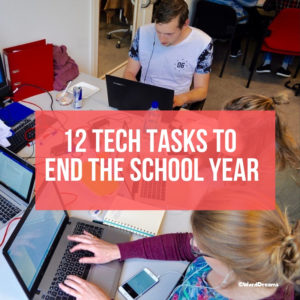 Wrapping up your school technology for the summer is as complicated as setting it up in September. There are endless backups, shares, cleanings, changed settings, and vacation messages that — if not done right — can mean big problems when you return from summer vacation. If you have a school device, a lot of the shutdown steps will be done by the IT folks as they backup, clean, reformat, and maybe re-image your device. If you have a personal device assigned by the school but yours to take home, the steps may be more numerous but really, not more complicated.
Here’s a list. Skip those that don’t apply to you and complete the rest. I won’t take time in this article (I’m at about 1000 words right now) for a how-to on each activity so if you don’t know how to complete one, check with your IT folks or Google it:
Make sure your firewall and antivirus programs are working.
Many computers come with a built-in one to keep viruses and malware out that slow your computer. Sometimes, they seem to turn off by themselves (I have no idea why). Check to be sure yours is active. If you have a Chromebook or an iPad, don’t even worry about this.
Clean out your documents.
Sort through the documents you collected this year and get rid of those you don’t need anymore. It’s intimidating, like a file cabinet that hasn’t been opened in months –- or years — and is covered with spider webs. If you don’t do this regularly, the computer must finger through these unused files every time you search. If you hate throwing anything away, create an ‘Old’ folder, toss them all in it, and save that to a flash drive or in the cloud.

Seven Fun Math Activities for the Summer Break
Summer can be a challenging time not just for parents but kids. They are accustomed to cerebral challenges that keep them motivated and summer arrives with its sports, naps, and vacations. If your kids miss the thrill of problem-solving or if you worry about them sliding backward without the mental exercise that is integral to school, ORIGO has come up with seven fun math activities that use a blend of popular math apps and everyday activities (like cooking) to fill the summer break with the excitement of math:
***
Seven Fun Math Activities for the Summer Break
The long weeks of summer break are wonderful for family time and vacations, but not so wonderful at keeping students on a positive learning curve. The Summer Slide is a very real issue, especially in mathematics instruction where students lose about one month of learning during the break and in some cases, 2.6 months of learning.

How to Wrap up Tech for the School Year
 Wrapping up your school technology at the end of the school year is as complicated as setting it up in September. There are endless backups, shares, cleanings, changed settings, and vacation messages that — if not done right — can mean big problems when you return from summer vacation. If you have a school device, a lot of the shutdown steps will be done by the IT folks as they back up, clean, reformat, and maybe re-image your device. If you have a personal device, assigned by the school but yours to take home, the steps will be more numerous but really, not more complicated.
Here’s a list. Skip those that don’t apply to you and complete those that do. I won’t take time in this article for a how-to on each activity so if you don’t know how to complete one, check with your IT folks or Google it:

How to Blend Learning with Play for a Kid-friendly Summer
 With summer fast approaching all over the Northern Hemisphere, kids are eager for time away from teachers, textbooks, and To-do lists. In Ireland, Italy, Greece, Russia, and other Eurasian nations, summer vacation lasts about three months. In Australia, Britain, The Netherlands, Canada, and Germany, it’s six to eight weeks. American students get roughly ten weeks.
While kids celebrate, teachers and parents worry students will lose their academic edge. It turns out that concern is valid. Statistics say over the summer, kids lose over two months of math skills, two months of reading skills, and one month of overall learning. Efforts to prevent summer learning loss propel often-unpopular year-round school initiatives and all manner of summer school and summer camps that focus on cerebral topics.
Worry no more. The cure is much simpler: Disguise learning as play. Using the websites below, kids will think they’re playing games while actually engaging in the leading [mostly] free games and simulations in the education field.
A note: some must be downloaded and a few purchased, so the link provided might take you to a website that provides access rather than play.
General
Here are two gamified options that can be tweaked to address any topic:
- Digital Breakouts — Players of all ages use teamwork and critical thinking to solve a series of challenging puzzles that ultimately enable them to achieve a goal. Digital Breakouts are an update to the traditional and popular webquests that have students explore the web as they gather content in a particular field — history, math, literacy, or others. A great collection of free, ready-made digital breakouts can be found over at Tom’s Digital Breakouts. These don’t have to be played online; for a fee, students can play unplugged.
- Flash cards — apps like the free Brainscape provide topical flash cards kids can memorize in between the rest of summer stuff. You might even provide badges for the lists students finish.
Financial Literacy
Summer is a great time to learn topics that require dedicated periods of time — like a financial literacy program. These are important for high schoolers, but often not required for graduation. That means many students transition to that almost-adult point in their life where they need to understand credit cards, bank accounts, paying bills, and other financial concepts but have no real knowledge of how these work.
Here are a few sites that gamify financial literacy topics and can be completed over the summer:
- Banzai – online free comprehensive financial literacy program
- You are here – kids learn to be smart consumers

Need Tech Next Year? Start Here
If you’re new to Ask a Tech Teacher, here’s what you do:
 Sign up for a newsletter

They’re (kinda) weekly and always free.
Check out our columns
They are numerous and varied, including:
- Weekly tech tips
- Weekly websites
- How-to’s–how to use web tools, software, hardware, more
- Dear Otto–questions from educators on tech questions
- Pedagogy that impacts tech in ed
- Reviews of books, apps, web tools, websites, tech ed products used in your classroom
- Common Core issues and advice
- Subscriber Specials–monthly discounts (or FREE) on tech ed products
- Holidays with technology
- Humorous life of a tech teacher
Read the most popular articles
Find favorite articles in one spot–the Ask a Tech Teacher Hall of Fame. These are the ones we heard about the most from you, were reposted and referenced, and had the biggest impact on your classrooms. It includes topics on classroom management, digital citizenship, the future of education, how technology blends into the classroom, and more.

New from ORIGO Stepping Stones for This Summer

ORIGO Stepping Stones (see my review here), a comprehensive print and digital math program, has a variety of free math resources available for summer learning. Check these out:
- Access a library of over thirty ORIGO 1 videos (and growing) through YouTube (search ORIGO Education) and on their Vimeo Channel www.vimeo.com/channels/ORIGO1
with strategies and models to build fluency and understanding. Topics include strategies for all four operations, using the number line, fractions, the counting principles, and more! Be sure to check these out and subscribe to the channels. - Join a new learning community called Mathematics for Young Learners on edWeb.net – www.edweb.net/mathlearners to get access to live and recorded webinars on relevant math topics.
- Sign up for the next math webinar, like this one called The Number Line: More on Making the Most of Math Models.
- Builds conceptual understanding through language and discourse, powerful visual models, and engaging activities that foster student thinking.
- Drives the connections between and across concepts.
- Supports computational fluency with extendable strategies and meaningful practice.
- Incorporates rich problem solving, practical application, and open investigation.

15 Skills Teachers Can Learn this Summer and Use in Next Year’s Classroom
 It’s summer, that time of rest and rejuvenation, ice cream and bonhomie. Like the American plains or the African savannas, it stretches endlessly to a far horizon that is the Next School Year. It represents so much time, you can do anything, accomplish the impossible, and prepare yourself quintessentially for upcoming students.
So what are the absolute basics you should learn this summer that will make a difference in your class in the Fall? Here are fifteen ideas that will still leave you time to enjoy sunsets and hang out with friends:
Learn how to handle basic tech problems
You probably know the most common tech problems faced last year (like hooking digital devices to the school WiFi, this list you might face running a tech-infused lesson, or this one students might face using technology). These are collected from students when they tried to use tech for class projects, parents when their children couldn’t finish their homework because of tech issues, and members of your grade-level team who wanted to use tech for a lesson plan but Something Happened. Know how to solve all of them. If you need help, add a comment at the bottom. I’ll give you some ideas.

9 Must-have Tools for Ed Conferences
 It’s summer, time for teachers to recharge their cerebral batteries. That could mean reading, going on field trips, spending time with online PLNs, or taking calls from family members who usually end up at voice mail. For many, it means attending conferences like ISTE and NEA to learn how the heck to integrate technology into their lesson plans. If you aren’t a veteran conference attendee, you may wonder what you should bring. That’s a fair question considering learning is no longer done sitting in auditoriums nodding off to the wisdom of a guest speaker behind a podium. These days, you might be asked to scan a QR code and visit a website, access meeting documents online, interact digitally, or use a backchannel device to share your real-time thoughts with the presenter. Besides a toothbrush and aspirin, what should you take to your upcoming conference? Here are five tools that will make you look and act like the Diva of Digital:
Besides a toothbrush and aspirin, what should you take to your upcoming conference? Here are five tools that will make you look and act like the Diva of Digital:
Google Maps
Some conferences take multiple buildings spread out over several blocks, and depending upon the number of attendees, your hotel may not be around the corner from the Hall. Bring the latest version of Google Maps on your smartphone or iPad, complete with audio directions. All you do is tell it where you’re going, ask for directions, and Siri (the voice behind the iPhone) will lock into your GPS and hold your hand the entire way. If friends are looking for a Starbucks or Dunkin’ Donuts near the conference, Google Maps will find one. If you want Chinese, use an app like Yelp to find one patrons like (although I’m becoming a tad leery about Yelp. Anyone have a good alternative?)
Conference App
Most educational conferences have one. I find these more useful than the conference website. They are geared for people who are manipulating a digital device one-handed, half their attention on the phone and the rest on traffic, meaning: they’re simple and straightforward. Test drive it so you know where the buttons are, then use it to find meeting rooms, changes in schedules, and updates.





