
Category: Social media

10 Ways to Use X/Twitter in Class
 For anyone who missed the April announcement, X (formerly known as Twitter) switched its app category from ‘social media’ (where it consistently ranked in the top ten with Facebook, Instagram, Messenger, WhatsApp, and Pinterest) to ‘news’ (now ranked #1, ahead of apps like CNN, Fox News, and Reddit). It makes sense; tweets and streams have been part of hard-core news reports for years as an effective way for leaders and politicians to reach their constituents and pollsters to gauge what interests people. A good example is this series of tweets explaining the Brexit vote.
As an educator, I am thrilled. X’s gossipy reputation among administrators and most parents negates its dynamic applications in the classroom. With the not-so-recent addition of audio and video files (easily embedded from sites like Instagram and Periscope), educators can easily use it as a student-friendly approach to everything from assessment to sharing notes.
Before unpacking Xin your classroom, here are a few guidelines:
- Clear its use with your administration. Be prepared to educate them on why what seems to be social media is actually educational.
- Inform parents that their children will be using X to collaborate, share information, study for tests, and other uses specific to your program. Again, as with your administration, be prepared to explain the benefits of a X-powered class.
- X doesn’t have a lower age limit, but does reference ‘thirteen’ as a suggested minimum age. You decide what fits your group. You may also decide that setting the X stream as private (called ‘protected Tweets’) is a good educational decision.
- Demonstrate how to use X and what the symbols mean (tie this into a class discussion on math symbols).
- Establish rules for X use. Remind students it is for educational uses only; chatting and socializing must be done through other means. Then enforce it by suspending privileges, warning abusers, or whatever works best in your classroom climate.
- Check out the streams of other educators before starting. Here’s one for a first-grade class to get you started. The visual of how they use it to enhance education is powerful.
Here are my ten favorite uses of X in my classroom:

3 Creative Tech Tools to Teach Writing
 What is ‘writing’? If you look it up in the Free Dictionary, you find this definition:
The act or process of producing and recording words in a form that can be read and understood
This focuses on recording words that are then communicated to others. In fact, if you ask students (and too often, teachers), to define ‘writing’, they probably agree with the Free Dictionary, adding that writing uses a pencil and paper (maybe a word processing program), requires language skills such as grammar, spelling, sentence fluency, and paragraph construction, and revolves around activities such as taking notes, conducting research, writing an essay, or composing a story.
Today in the 21st Century schools, they’d be wrong. What they have defined as ‘writing’ is actually writing conventions, tools, and activities rather than its purpose, goals, and definition. Let’s look at a different definition, this one from Merriam-Webster:
…the way you use written words to express ideas or opinions
This one is well-aligned with the goals of most popular writing curricula and the Common Core Standards:
To build a foundation for college and career readiness, students need to learn to use writing as a way of offering and supporting opinions, demonstrating understanding of the subjects they are studying, and conveying real and imagined experiences and events. They learn to appreciate that a key purpose of writing is to communicate clearly to an external, sometimes unfamiliar audience, and they begin to adapt the form and content of their writing to accomplish a particular task and purpose. They develop the capacity to build knowledge on a subject through research projects and to respond analytically to literary and informational sources.

Dear Otto: How Do Students Access Twitter in the Classroom

Dear Otto is an occasional column where I answer questions I get from readers about teaching tech. If you have a question, please contact me at askatechteacher at gmail dot com and I’ll answer it here. For your privacy, I use only first names.
Here’s a great question I got from Paul:
We are considering the appropriate role for Twitter in schools and as part of my research I read your article “13 Reasons to Use Twitter in the Classroom.” While I understand the points that you are making in the article, one question I didn’t see answered is how students access Twitter — is this done on their personal devices; or is this something that is allowed on district equipment?
If schools are allowing twitter on district-/school-owned equipment, how do they deal with the risks involved with a completely open environment in which students could share anything (pornography, threats, etc.) with little ability of the school or district to monitor direct messages, etc.
I appreciate your perspectives and we continue to consider the best way to reach our digital native students.
Twitter can be a revolutionary tool for students, used correctly. It meets students where they wish to learn and energizes pretty much any activity that takes place on the stream.
Most schools do not let students set up or access Twitter accounts at school earlier than high school. I’ve seen Middle School, but this is for unique student groups, certainly with parent approval and administration knowledge and support. Younger, accounts are usually set up as private class accounts.

6 Tips I Wish I’d Known When I Started Blogging
 I’ve been blogging for about six years, some professionally (for my tech ed career) and others on topics of interest to me (writing, USNA, that sort). That first post–putting myself on the line, ignoring that I had no hits, wanting to approve comments from spammers because that would look like someone loved me–I thought that was the hard part. The second post was easier and so it went.
But somewhere around the twentieth post, I figured out I had to do blogging right. I couldn’t simply show up, spout off and slink away. There was a lot more to ‘blogging’. I could have quit–it was getting to be a lot like work–but I enjoyed the camaraderie with like-minded souls. I learned a lot about writing by doing it and could transfer those lessons to my students. So I honed my skill.
Now, years later, there are a few items I wished I’d known early rather than late. Let me share them with you so you don’t have the hard lessons I did:
- only reblog 10% of someone else’s post. If you’re on WordPress and push the ‘reblog’ button, they take care of it for you. But if you copy someone’s post and give them attribution, you blew it. You have to get permission if you are reposting more than 10% of someone’s work. Where was I supposed to learn that?

3 Problems to Address Before Blogging at Your School
Dear Otto is an occasional column where I answer questions I get from readers about teaching tech. For your privacy, I use only first names.
Here’s a great question I got from Molly:
I really enjoyed your article on students blogging. It seems like a great way to get them writing willingly since they love to be online. I was wondering, what are some of the problems you have run into and how did you solve them? What pitfalls can teachers watch out for long-term?
Three big–not necessarily ‘problems’ as much as issues to address:
Digital rights and responsibilities
You don’t want to roll out blogging in your classroom without a sturdy program educating students on digital citizenship–privacy, profiles, footprints, safety, fair use/copyrights. I have lots of information on those topics on my blog. Another good resource is Common Sense Media.

29 Online Educational Activities Kids Will Love This Summer
 What are we as parents and teachers most worried about over the summer? That kids will lose that education sharp edge. It will be dulled by sun and sand and something else.
Worry no more. Here’s your cure: learning disguised as play (inspired by the fascinating website, Playful Learning). Kids will think they’re playing games, but they’ll actually be participating in some of the leading [mostly] free simulations available in the education field. A note: some must be downloaded and a few purchased, so the link might take you to a website that provides access rather than play:
- Bridge Builder—learn how to design and test bridges
- Dimension U–games that focus on math and literacy–fee-based
- Electrocity—how does electricity contribute to the growth of communities
- iCivics—experience what it means to be part of a democracy
- Second Life—simulates just about anything if you can find it
- West Point Bridge Building Contest–build a bridge for the right price and win a contest
Economics/Money
- Admongo–explore, discover and learn about online ads while playing a game
- Coffee Shop—run a coffee shop business
- Lemonade Stand—run a lemonade stand business

7–no 10, wait 12–OK, 13 Skills I Teach With Blogging
 Blogging has become de rigeur in the Grade 3-8 classroom. It is flexible, scalable, and encourages diversity in both learning and teaching. Handled right, blogs can be used for pretty much any need that arises in the classroom. It has the added benefit of being an activity that students want to do. They like that it’s online, with lots of multimedia options, and a focus not on writing but communication.
I decided to track the skills I teach through blogging. When I started, I had seven, but as I continued, it exploded to this long list that I’m adding to even as I write this post. Read through these, tell me other ways you use it in your class:
Collaboration
Students collaborate on blogs when they comment on the ideas of others. They can also take it a step further by collaborating on the blog itself. Be co-owners of the blog, themed to a particular topic, and work together to fulfill goals.
Developing a profile
Blog profiles must be pithy, concise, and clear. What a great way for students to think through what makes them who they are and share it in as few words as possible. I am constantly reworking my own as I figure out a better way to communicate the gist of who I am.
Differentiation

Twitter and the Teacher
Before I discuss Twitter, Tweets, and the K-12 teacher, watch this video (click the image), see what you think:
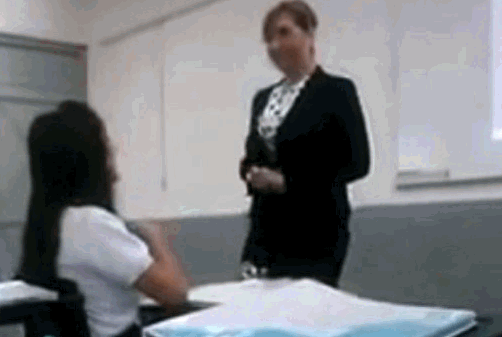
I don’t speak Spanish, so I’m relying on a CNN story to summarize what happened. Here is the gist of it:
After a student made obscene comments about a high school teacher in northern Mexico, she taught a lesson with an online post of her own: a video showing her confronting the girl in class. Now the teacher is on administrative leave. The student has been suspended. The video has gone viral, with hundreds of thousands of views on YouTube.
In the balance of the article, you find out that a student in the teacher’s class posted defamatory comments about her on Twitter and the teacher confronted the student in front of the class as part of a discussion on the power/potency of social media in people’s lives. The teacher admittedly crosses a line when she sinks to the student’s level and says to her (in front of the class), “Listen to me well: I will not allow anyone to call me that, especially a young brat like you and you.”

6 Things I Wish I’d Known When I Started Blogging
 Yesterday, I talked about students blogging. Today, let’s look at teachers blogging. I’ve been doing this for about four years and have a short list of things I wish I’d known before starting. That first post–putting myself on the line, ignoring that I had no hits, wanting to approve comments from spammers because that would look like someone loved me–I thought that was the hard part. The second post was easier and so it went.
But somewhere around the twentieth post, I figured out that I had to do blogging right. I couldn’t simply show up, spout off and slink away. There was a lot more to ‘blogging’. I could have quit–it was getting to be a lot like work–but I enjoyed the camaraderie with like-minded souls. I learned a lot about writing by doing it and could transfer those lessons to my students. So I honed my skill.
Now, years later, there are a few items I wished I’d known early rather than late. Let me share them with you so you don’t have the hard lessons I did:
- only reblog 10% of someone else’s post. If you’re on WordPress and push the ‘reblog’ button, they take care of that for you. But if you copy someone’s post and give them attribution, you blew it. You have to get permission if you are reposting more than 10% of someone’s work. Where was I supposed to learn that?
Dear Otto: What Are Good Guidelines for Younger Bloggers?
Dear Otto is an occasional column where I answer questions I get from readers about teaching tech. If you have a question, please complete the form below and I’ll answer it here. For your privacy, I use only first names.
As we roll into a new year, recommitting to goals of improved writing and collaborating on learning, here’s a great question I got from Chaya:
I’d like to help my teachers start class blogs, but would love some kind of document on policies such as what to post/not to post, what needs passwords, etc. I’d like to get the student work out there while continuing to protect their safety and privacy.
Thanks!
I spent some time digging into what most people are using. Turns out, there’s a list that seems pretty good adapted from Academy of Discovery wiki wiki. Everywhere I checked, this is the list I got (often, personalized to the school’s unique situation):





