
Category: Classroom management

Tech Tip #53: How to Pin Any Program to the Start Menu
As a working technology teacher, I get hundreds of questions from parents about their home computers, how to do stuff, how to solve problems. Each Tuesday, I’ll share one of those with you. They’re always brief and always focused. Enjoy!
Q: There’s a program I use all the time, but it’s not on my desktop. I have to click through All-Programs-(etc–wherever it is you must go to find it). Is there a way to add it to my start menu so I can find it more easily? (more…)

Weekend Website #61: Brainy Widgets from Wolfram Alpha
Every Friday, I’ll send you a wonderful website (or more) that my classes and my parents love. I think you’ll find they’ll be a favorite of your students as they are of mine.
[caption id="attachment_5665" align="aligncenter" width="614"]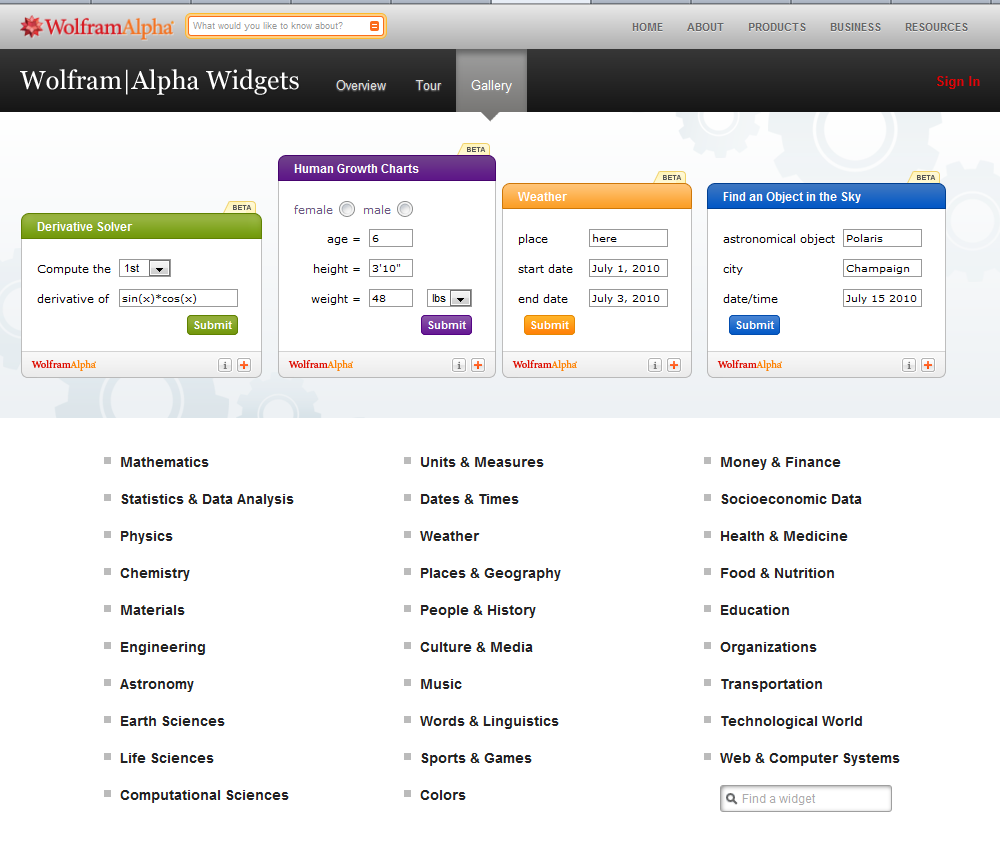 Educational widgets for your blog or website[/caption]

Weekend Website #60: Google Tools and Bloom’s Taxonomy
Every Friday, I’ll send you a wonderful website (or more) that my classes and my parents love. I think you’ll find they’ll be a favorite of your students as they are of mine.
[caption id="attachment_5658" align="aligncenter" width="614"]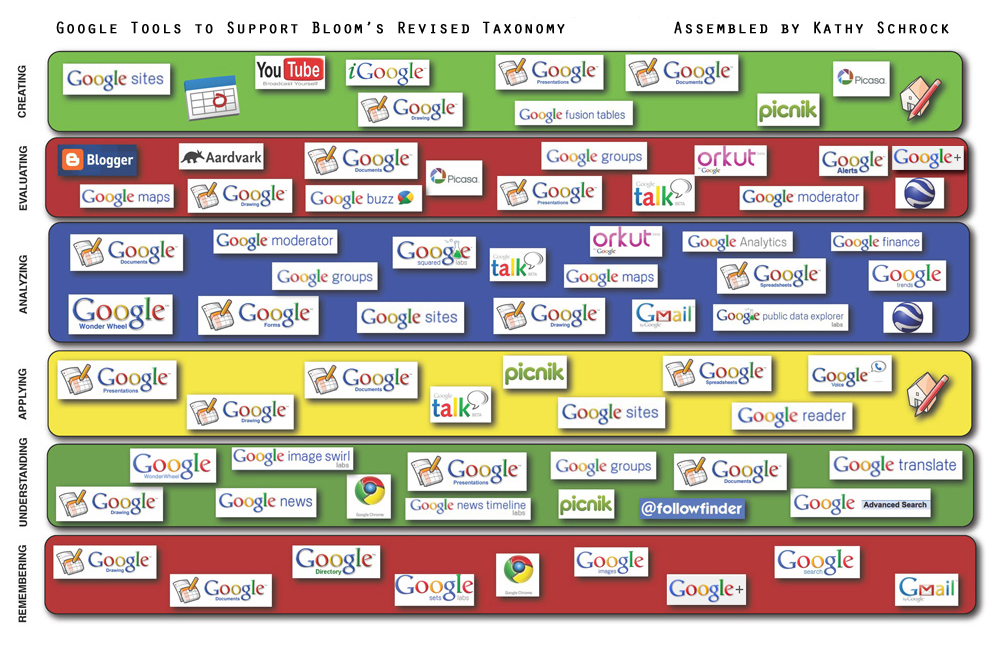 Support Blooms Taxonomy with Google Tools[/caption]
(more…)

Tech Ten Commandments–the Christian Version
I posted this list of tech ten commandments. It’s a great list, a way to generally address how to make friends with your computer and the geeks who take care of it for you.
Here’s another list, focused on Lutheran principles. Just as good with a few changes.
The 10 Lutheran Tech Commandments (in new standard version) (more…)

Tech Tip #43: Back Up Often
 As a working technology teacher, I get hundreds of questions from parents about their home computers, how to do stuff, how to solve problems. Each Tuesday, I’ll share one of those with you. They’re always brief and always focused. Enjoy!Q: How often should I back up my current project? How about my whole hard drive?
A: I teach my students to save early, save often when they’re working on a project. You decide what you can tolerate losing. Ten minutes or Ten hours. After all, if the computer loses your work, you’re the one who has to start over.
As for the entire computer, once a week is good. Me, I save each project I’m working on and then save-as to a back-up location. I hate losing my work.
BTW, most people skip this. Don’t! It’s easy.
Questions you want answered? Leave a comment here and I’ll answer it within the next thirty days.

ISTE Debrief: Don’t Hide the Internet from Today’s Kids
If you didn’t make it to ISTE 2011, you missed a great time. There was more going on than any sane person could absorb in a month and all 30,000+ of us  attendees tried to do it in four days. The seminars cover every topic from tech integration to how to use specific programs to general trends. I tried to attend a few of each to not only learn new material but to make sure what I’m teaching is as relevant this year as when I first taught it to my classes.
Here are some of my thoughts:
- Teachers are not lecturers. We are guides, even fellow-learners
- Students learn by doing more than being taught. Encourage this
- There are a lot of ‘right’ ways to learn
- Students are problem-solvers. Let this happen
- Technology is about offering options in learning styles
- Technology offers different ways to teach different learners. Use it that way.
- Work beyond the classroom because class is too short, kids aren’t engaged the entire five hours
- Paperless classroom is possible. Figure it out.
- Virtual presentations so kids hear from the experts in real time (more…)
Tech Tip #39: My Computer Won’t Turn Off
As a working technology teacher, I get hundreds of questions from parents about their home computers, how to do stuff, how to solve problems. Each Tuesday, I’ll share one of those with you. They’re always brief and always focused. Enjoy!
Q: I’m pushing the power button on my laptop (or desktop, but more commonly this happens with laptops), but it won’t turn off. What do I do?
A: Push the power button and hold it in for a count of ten. That’ll work. If not (there’s always that one that breaks all the rules), hold it for a count of twenty (more…)

Nineteen Ways to Use Spare Classroom Time
I keep a list of themed websites that are easy-in easy-out for students. They must be activities that can be accomplished enjoyably in less than ten minutes. In the parlance, these are called “sponges”.
What exactly are sponge activities? The term, originally coined by Madeline Hunter, refers to an activity designed to produce learning during the time taken up by “administrivia.” They stem from Hunter’s teaching philosophy that there should be no wasted moments in her classroom.
Here’s my list, by topic: (more…)

#27: Internet Skills for K-8: Blogs
Blogs are the most exciting educational tool to come along since… well, wikis, twitter and email. Without any effort on the teacher’s part, students become enthralled with writing. (more…)
Tech Tip #24: How to Open A New Word Doc Without the Program
As a working technology teacher, I get hundreds of questions from parents about their home computers, how to do stuff, how to solve problems. Each Tuesday, I’ll share one of those with you. They’re always brief and always focused. Enjoy! (more…)





