
Year: 2026

How Online Education Programs Are Reshaping the Path to Teaching
In our ongoing series on college-to-career, the Ask a Tech Teacher team has three new topics to share ideas on how t prepare for sought-after careers. Today, “How Online Education Programs Are Reshaping the Path to Teaching“:

If you’re thinking about becoming a teacher, the route into the classroom no longer looks the way it did ten or even five years ago. Online education programs have changed how you can study, train, and balance real life with career goals. That matters even more in places like Missouri, where working adults, paraprofessionals, and rural students often need flexible options that still lead to serious professional outcomes.

Flexibility helps more people enter the profession
One of the biggest advantages of online study is that it widens access. If you live in a rural area, commute long distances, or already work in a school support role, flexibility can be the difference between starting a degree and putting it off for another year.
This is where programs like online schools for education become relevant in a practical sense. They give aspiring teachers options to earn credentials while managing jobs and personal responsibilities. For many students, that setup isn’t a luxury. It’s the only workable path.
You can also see why this appeals to career changers. Someone moving from childcare, corporate training, or community work may already have teaching-adjacent skills. A flexible degree format lets them build formal qualifications without hitting pause on rent, bills, or family obligations. (more…)

What You Might Have Missed in September–What’s up in October

Here are the most-read posts last month:
- World Letter Writing Day
- Happy Productive Labor Day
- How to Teach Writing to Non-writers
- How Parents Can Inspire Curiosity and Spark Lifelong Learning in Kids
- Is a Liberal Studies Degree Online Actually Worth It?
- 5 Cures for Technophobia
- Be Featured on Ask a Tech Teacher
- Here’s How to Get Started with Ask a Tech Teacher
- Autumn Websites
- Online Sites to Teach Mouse Skills

We’re almost half way through October already–hard to believe–but here’s what’s still to come in this Halloween month: (more…)

Subscriber Special: Sale! Sale! Sale!

Every month, subscribers to our newsletter get a free/discounted resource to help their tech teaching.
October
On sale on our website this month:
https://www.structuredlearning.net/product-category/on-sale/
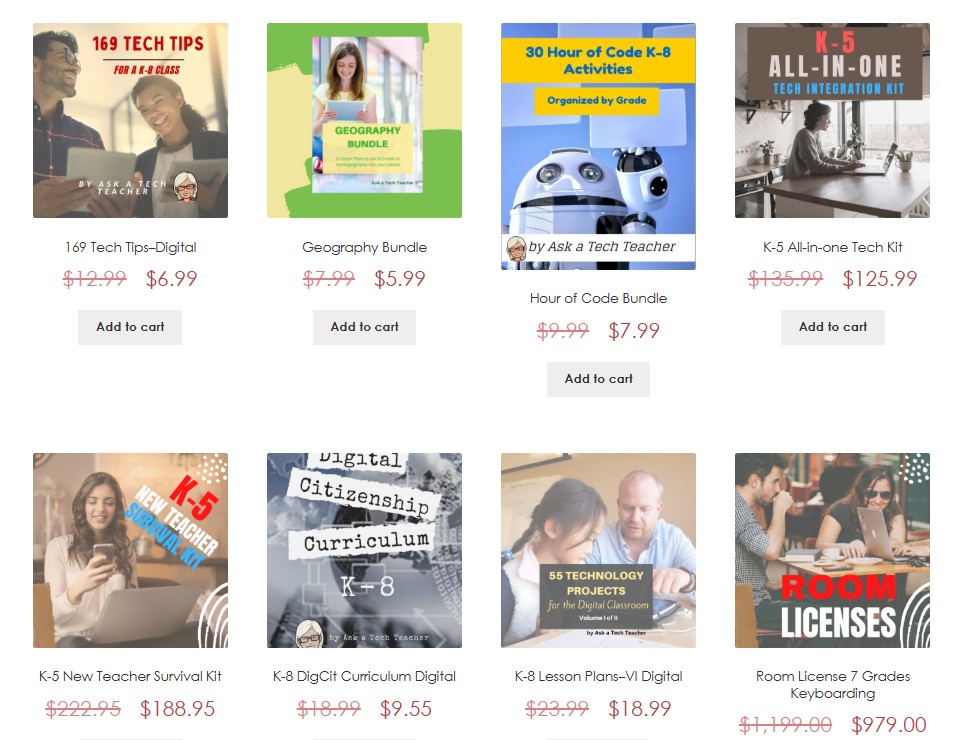

Here’s the sign-up link if the image above doesn’t work:
https://forms.aweber.com/form/07/1910174607.htm
“The content presented in this blog are the result of creative imagination and not intended for use, reproduction, or incorporation into any artificial intelligence training or machine learning systems without prior written consent from the author.”
Jacqui Murray has been teaching K-18 technology for 30 years. She is the editor/author of over a hundred tech ed resources including a K-12 technology curriculum, K-8 keyboard curriculum, K-8 Digital Citizenship curriculum. She is an adjunct professor in tech ed, Master Teacher, freelance journalist on tech ed topics, and author of the tech thrillers, To Hunt a Sub and Twenty-four Days. You can find her resources at Structured Learning.

Beyond the Prototype: How Medical Device Engineering Should Be Taught
In our ongoing series on college-to-career, the Ask a Tech Teacher team has three new topics to share ideas on how t prepare for sought-after careers. Today:

A medical device can begin as an elegant engineering solution and still fail where it matters most: in the hands of a patient or clinician. Designing technology for healthcare requires engineers to think beyond mechanics, electronics, or software. They need to understand human behavior, biological systems, manufacturing constraints, risk, regulation, and the consequences of failure. That makes medical device engineering particularly challenging to teach. Students need technical depth, but they also need opportunities to see how separate engineering decisions collide in the real world. The strongest education therefore does not treat device development as a collection of isolated subjects. It teaches students to follow a medical technology from an identified problem through design, testing, production, regulation, and eventual use.
Teach the Entire Device, Not Just the Engineering
Traditional engineering courses often separate subjects because doing so makes complex principles easier to learn. Medical device education eventually has to put those pieces back together. (more…)

Family Visiting Oct. 5th-10th–See you in a Week

My sis is visiting from Oct. 5-10th. I will have difficulty thinking of anything other than family. We have a lot to talk about.
See you-all Oct. 12th!


6 Practical Ways Teachers Can Use AI Voice Tools in the Classroom
This article hits many of my core tech beliefs–that it shouldn’t be difficult to use, that it should solve a problem, and that it should make your teaching tasks easier. One of the members of the Ask a Tech Teacher team applied this thinking to AI voice tools:

Technology earns its place in the classroom when it solves a problem.
If it adds another platform to learn and another headache on Friday afternoon, it may not be worth using.
Voice tools are one useful category. Used well, they can offer students another way to take in information, practice speaking, or, in the case of voice typing, show what they know without turning the teacher into a full-time tech assistant/troubleshooter.

1. Give Long Instructions an Audio Option
Some kids simply take in information better when they hear it alongside reading it. But there’s no need to reformat an entire lesson to accommodate them. Instead, the teacher can provide an audio version of the instructions at a fraction of the cost of recording everything.
This can be especially helpful for instructions that guide kids through multistep projects. Instead of pausing to dissect the process, they can go back to the audio file.

2. Let Students Listen to Their Own Writing

How Advanced Business Education Can Support Career Growth and Leadership
Have you wondered if taking additional classes in business would benefit your career? Maybe an MBA? Or a certificate in data analysis? The Ask a Tech Teacher team as a few ideas for you to consider as you ponder your options:

Every career reaches a point where hard work alone no longer leads to the next step. Many professionals find that promotions start to depend on a wider set of abilities, such as guiding teams, planning for the long term, and understanding how every part of an organization fits together.
Advanced business education helps close that gap. It gives people the knowledge, habits, and confidence they need to move from doing good work to leading others who do good work. For anyone who wants to grow into a leadership role, learning the language and logic of business can make a lasting difference. (more…)

Where Technology Meets Compassion: Exploring the Future of Mental Health Nursing
Learning to use technology has become as important in most jobs as being comfortable with computers was for any post-high school job twenty years ago. Now, thanks to advances, even hands-on professions benefit from solid tech skills. In this article, the Ask a Tech Teacher team explores that reality as it relates to mental health nursing:
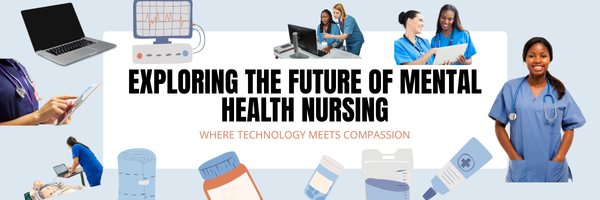
Technology has changed the way people learn, communicate, and access healthcare, but that does not mean meaningful careers are limited to computers and engineering. In fact, healthcare increasingly depends on professionals who can combine digital confidence with strong human skills. Mental health nursing sits directly in that space. It requires scientific knowledge, communication, critical thinking, and the ability to use evolving healthcare technology while supporting people through some of their most difficult moments. For students who enjoy problem-solving, digital tools, and work that creates a direct impact, this career path offers an interesting combination of innovation and personal connection. (more…)

National Bullying Prevention Month
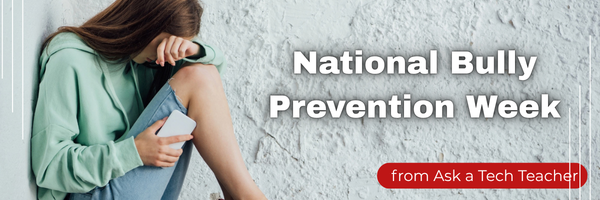
October is National Bullying Prevention Month. Bullying is no longer relegated to the playground or the neighborhood. It now regularly happens in the cyberworld. Kids don’t expect that and often don’t know how to handle it. In fact, according to StopBullying.gov, 52 percent of young people report being cyberbullied and over half of them don’t report it to their parents.
Everyone knows what bullying is — someone being taunted physically or mentally by others — and there are endless resources devoted to educating both students and teachers on how to combat bullying. But what about cyberbullying? Wikipedia defines “cyberbullying” as:
the use of information technology to repeatedly harm or harass other people in a deliberate manner
Cyberbullying occurs on not just social media like Twitter, Facebook, and topical forums, but multiplayer games and school discussion boards. Examples include mean texts or emails, insulting snapchats, rumors posted on social networking sites, and embarrassing photos or videos.

How serious is it? (more…)

Tech Tip #83: How Do I Use a ‘Read Only’ Doc?

As a working technology teacher, I get hundreds of questions from parents about their home computers, how to do stuff, how to solve problems. Each week, I’ll share one of those with you. They’re always brief and always focused. Enjoy!
Q: The file I’m trying to use say’s ‘read only’. I need to edit it. What do I do?
A: A ‘read only’ document does not allow editing the author’s original work. You can read, but not make any changes–or save it.
Here’s how you solve that: Save it by a different name, say, call it ‘edited’, and then you can edit it. There might be an amber bar at the top of the document asking you to do just that.
Questions you want answered? Email me at askatechteacher@gmail.com and I’ll answer within the next thirty days. (more…)





