

Monday Freebies #24: Holiday Newsletter
This year more than any before, classroom budgets have been cut making it more difficult than ever to equip the education of our children with quality teaching materials. I understand that. I teach K-8. Because of that, I’ve decided to give the lesson plans my publisher sells in the Technology Toolkit (110 Lesson Plans that I use in my classroom to integrate technology into core units of inquiry while insuring a fun, age-appropriate, developmentally-appropriate experience for students) for FREE. To be sure you don’t miss any of these:
…and start each week off with a fully-adaptable K-8 lesson that includes step-by-step directions as well as relevant ISTE national standards, tie-ins, extensions, troubleshooting and more. Eventually, you’ll get the entire Technology Toolkit book. If you can’t wait, you can purchase the curriculum here.
I love giving my material away for free. If everyone did, we would reach true equity in international education.
A Holiday Newsletter
Have students collaborate on a newsletter for a classroom unit of inquiry or a theme (colonies, animals, etc). Pick a template. Add text and pictures. Pay attention to layout details. Allow several class periods to complete

Weekend Website #77: Blackle
Every Friday I’ll send you a wonderful website that my classes and my parents love. I think you’ll find they’ll be a favorite of your students as they are of mine.
Blackle.com is a search engine. It’s pretty much like Google–in fact, it’s run by Google–but you notice right away you’re not at Google.com or Yahoo or any other search engine you’ve every used. Why?
The background is black.
That itty bitty change in surfing saves energy. In fact, Blackle had saved 2,440,165.420 Watt hours as of the hour I checked. (more…)
Product Review: Luna Projection Camera
As webmaster and an active tech teacher, I am sometimes asked to review products for my readers. Since
[caption id="attachment_6635" align="alignright" width="145"]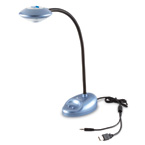 Luna’s simplified document camera Photo credit: Learning Resource’s website[/caption]
I don’t work for the company doing the asking and receive no compensation (other than the product), I am able to provide an unbiased review of my experiences and conclusions based on the 400 students I teach.
Recently, I had the opportunity to review Learning Resource’s Luna™ Interactive Projection Camera. I don’t have a document camera in my classroom and there are times when I would trade all the chocolate in my snack drawer for the ability to share a 3D object or picture with students. So, when Learning Resource’s marketing group asked, I quickly agreed. The box arrived containing the projection camera, a CD with the Easi-View software, and a few pages of documentation (very very brief).
The projection camera is a lightweight, gooseneck contraption exactly like the inset shows. It has a sturdy base that includes a snapshot button, a light and the microphone, and a wide head that holds the camera. I wanted to test the intuitiveness of installation so rather than read the directions, I just jumped in. The cord was obviously for a USB port, so I popped that into my computer, loaded the CD and started. Easy-view installed quickly with no hitches. Here’s a screen shot:
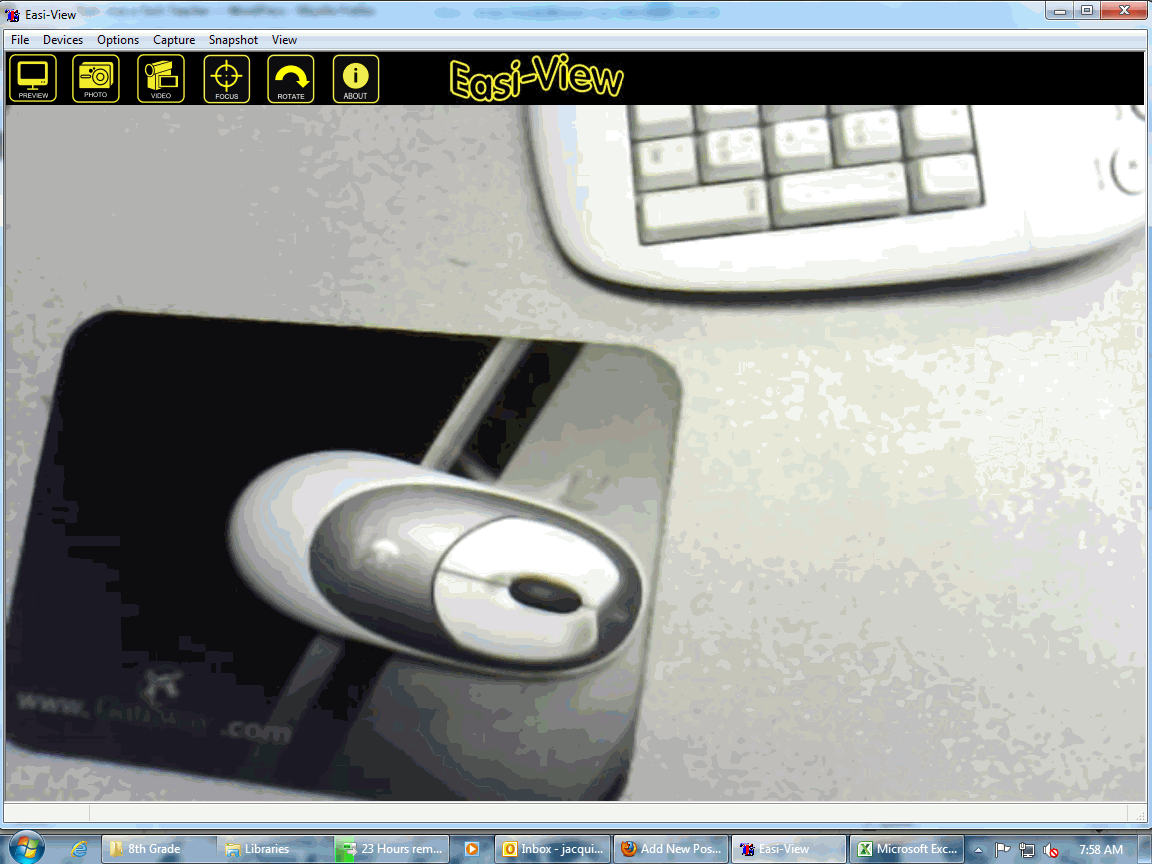
My school was in the middle of accreditation (which went well), so I didn’t have a lot of time to play. I decided to experiment as the need arose. In most cases, the process was easy to figure out, and worked as I hoped it would. Here’s a run down of how I used the Luna during the first two weeks:

Tech Tip #61: How to Get Youngers to Use the Right Mouse Button
In my fifteen years of teaching and tutoring tech, I’ve seen everything–and come up with solutions for all of it. I’ll share those with you. My goal: That students (of all ages) feel empowered not frightened by technology, that it is fun not frustrating. These tips will get you there with you and your kids.

Monday Freebies #20: Make a Holiday Card
This year more than any before, classroom budgets have been cut making it more difficult than ever to equip the education of our children with quality teaching materials. I understand that. I teach K-8. Because of that, I’ve decided to give the lesson plans my publisher sells in the Technology Toolkit (110 Lesson Plans that I use in my classroom to integrate technology into core units of inquiry while ensuring a fun, age-appropriate, developmentally-appropriate experience for students) for FREE. To be sure you don’t miss any of these:
…and start each week off with a fully-adaptable K-8 lesson that includes step-by-step directions as well as relevant ISTE national standards, tie-ins, extensions, troubleshooting and more. Eventually, you’ll get the entire Technology Toolkit book. If you can’t wait, you can purchase the curriculum here.
I love giving my material away for free. If everyone did, we would reach true equity in international education.
#20: How to Make a Card for Halloween, Thanksgiving or Christmas
Kindergarten-2nd Grade
Throughout the year, offer opportunities for students to reinforce learned skills by creating holiday cards geared toward whichever holiday is occurring. They will be excited and work hard to remember how to use old skills so they can create the festive card. Limit your assistance as you challenge them to draw on their problem-solving skills. Always use skills (i.e., paint brush, pencil tool, backgrounds, spray can, etc.) that have been learned in prior lessons.

#41: Where is That?
Use the research done for #40. Use a guidesheet to lay out what is on each slide, i.e., a cover, table of contents, what makes a geographic locations amazing (discuss this as a group), a map, and three locations from #40. Teach PowerPoint skills such as adding slides and text and pictures, animation, transitions, auto-forward, personalized backgrounds, adding music to multiple slides. Third graders may not be able to complete all skills.
[gallery columns="2" ids="44482,44481"]
Tech Tip #60: How to Add Shortcuts to the Desktop
As a working technology teacher, I get hundreds of questions from parents about their home computers, how to do stuff, how to solve problems. Each Tuesday, I’ll share one of those with you. They’re always brief and always focused. Enjoy!
Q: How do I create a shortcut on my desktop so I can find my programs easier?
A: There are two ways to do that: (more…)

Monday Freebies #3: How to Make Wallpaper
Today, I start a new program here on Ask a Tech Teacher. This year more than any before, classroom budgets have been cut making it more difficult than ever to equip the education of our children with quality teaching materials. I understand that. I teach K-8. To be sure you don’t miss any of these free lesson plans:
…and start each week off with a fully-adaptable K-8 lesson that integrates technology into core classroom subjects. Each has been tested on hundreds of students and includes step-by-step directions, as well as relevant ISTE national standards, tie-ins, extensions, troubleshooting and more. They’re all from the two-volume Technology Toolkit that integrates technology into classroom units of inquiry while insuring a fun, age-appropriate, developmentally–appropriate experience for students.
I love giving my material away for free. If everyone did, we would reach true equity in international education.
We’ll start with
#20: A Holiday Card for Halloween, Thanksgiving or Christmas
Kids love personalizing their computer stations. Show them how to create their own wallpaper using internet pictures, pictures on the computer or their own photos or drawings (more…)

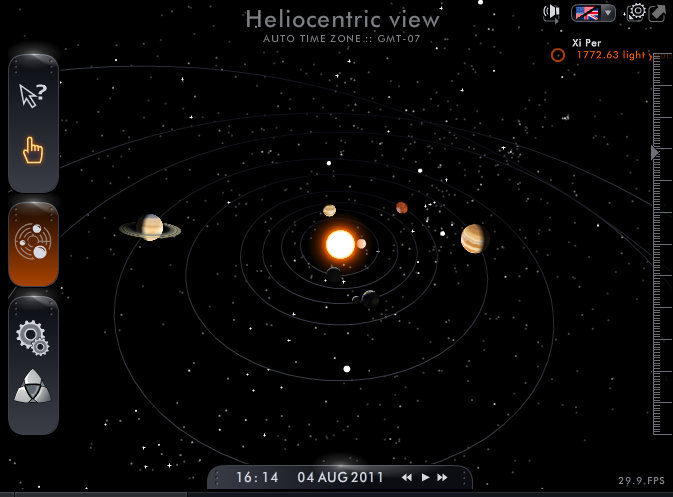
Weekend Website #75: Solar System Scope
Every Friday I’ll send you a wonderful website that my classes and my parents love. I think you’ll find they’ll be a favorite of your students as they are of mine.
Tech Tip #59: Shortkey for the Copyright Symbol
As a working technology teacher, I get hundreds of questions from parents about their home computers, how to do stuff, how to solve problems. Each Tuesday, I’ll share one of those with you. They’re always brief and always focused. Enjoy!
Q: How do you create the copyright symbol in Word? (more…)





