

Monday Freebies #28: My Storybook
Create a ten-sentence story, using characters, setting, plot, rising action, climax and resolution. One sentence per page with a picture to communicate the idea. Include a cover, About the Author. Use this lesson to teach students how to use Publisher’s design gallery
Monday Freebies #28: My Storybook
This year more than any before, classroom budgets have been cut making it more difficult than ever to equip the education of our children with quality teaching materials. I understand that. I teach K-8. Because of that, I’ve decided to give the lesson plans my publisher sells in the Technology Toolkit (110 Lesson Plans that I use in my classroom to integrate technology into core units of inquiry while insuring a fun, age-appropriate, developmentally-appropriate experience for students) for FREE. To be sure you don’t miss any of these:
…and start each week off with a fully-adaptable K-8 lesson that includes step-by-step directions as well as relevant ISTE national standards, tie-ins, extensions, troubleshooting and more. Eventually, you’ll get the entire Technology Toolkit book. If you can’t wait, you can purchase the curriculum here.
I love giving my material away for free. Thankfully, I have a publisher who supports that. If everyone did, we would reach true equity in international education.
My Storybook
Create a ten-sentence story, using characters, setting, plot, rising action, climax and resolution. One sentence per page with a picture to communicate the idea. Include a cover, About the Author. Use this lesson to teach students how to use Publisher’s design gallery

Tech Tip #65: Google Street View
As a working technology teacher, I get hundreds of questions from parents about their home computers, how to do stuff, how to solve problems. Each Tuesday, I’ll share one of those with you. They’re always brief and always focused. Enjoy!
Q: I can’t find enough detail about a particular area of the world that we’re studying in class. Any suggestions?
A: That’s a lot easier to do today than it used to be, thanks to Google Street View. Students love walking down the street that they just read about in a book or seeing their home on the internet. It’s also a valuable research tool for writing. What better way to add details to a setting than to go see it?
(more…)

Monday Freebie #27: Internet Skills for K-8: Blogs
Create a classroom blog. Show students how to interact on it, answer questions, add their ideas. Include pictures, student schedule, location of your wiki and more
(more…)

Tech Tip #64: Reset Default Font
In my fifteen years of teaching and tutoring tech, I’ve seen everything–and come up with solutions for most of it. I’ll share those with you. My goal: That students (of all ages) feel empowered not frightened by technology, that it is fun not frustrating. These tips will get you there with you and your kids.
Q: If you’re like me, you don’t like MS Office 2007 or 2010’s default font of Calibri, size 11 with a double space between paragraphs. Here’s how you fix that: (more…)
Monday Freebies #25: Intro to PowerPoint–with KidPix Pictures
Drawings are done in KidPix. Assign topics (me, my family, etc) for grades K-1 to reinforce the concept of following directions. With 2nd grade, use one picture for each of the parts of a story—characters, plot, setting, climax/resolution. Mix pictures and text. Students can show these to parents at Open House or a parent night using Windows slideshow function (something they can do without assistance after a bit of practice)

What Should You Include on a Younger Child’s Computer
Are you planning to get your child(ren) a computer for Christmas or Hanukkah? Here are some suggestions from one who’s worked with thousands of younger children. In a nutshell: Keep it simple.
[caption id="attachment_2255" align="alignright" width="322"]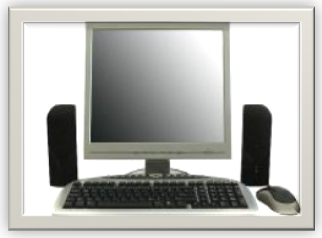 What should you include on a young child’s computer?[/caption]
What Should You Include on a Younger Child’s Computer
This is a question I get from parents all the time, with the addendum: At what age does a child need a computer at home, and what should be included? Most parents want to get what their child needs as affordably as possible, but they don’t want to save a few bucks at the expense of their child. If that sounds like you, here are my suggestions:
- Start by talking to the classroom teacher. What are their expectations of the child? If they’re like the ones in my school, they will want him/her to have access to basic software and the internet for research, maybe email. That’s it.
- You’re wondering whether a desktop is good for your child, or do they need a laptop? There are lots of reasons why a laptop might be a good decision for your particular family dynamics, but in general terms, a desktop is fine for a younger child (K-5). They don’t need to take it to friend’s house for group projects much until they reach middle school, and I would not suggest gearing a more-expensive laptop decision around an occasional project. I guarantee, the teacher won’t.
- There are other reasons why a desktop is a good decision. It is more durable (it isn’t carried around, so can’t be dropped). If the monitor breaks, you don’t have to replace the entire computer–just the monitor. Because it’s cheaper, it can be replaced if your child somehow destroys it or part of it (this should be expected of new users). And, a desktop has a larger hard drive, more memory and more drives/ports for input devices. That makes it more adaptable to unexpected needs.
- Now you need to select which level of desktop your child requires. Does s/he need the basic $350 on sale version or the everything-in-it upgrade? My suggestion is to start simple. Basic. See what the child uses, what else he needs before making an expensive decision. Most kids are fine with the lower end of productivity. Some, though, want the works. You’ll know by the time you’re ready for an upgrade.
Once you’ve selected laptop vs. desktop computer, here’s what you’ll want to be sure that piece of hardware includes:

Monday Freebies #21: Another Holiday Card
This year more than any before, classroom budgets have been cut making it more difficult than ever to equip the education of our children with quality teaching materials. I understand that. I teach K-8. Because of that, I’ve decided to give the lesson plans my publisher sells in the Technology Toolkit (110 Lesson Plans that I use in my classroom to integrate technology into core units of inquiry while insuring a fun, age-appropriate, developmentally-appropriate experience for students) for FREE. To be sure you don’t miss any of these:
…and start each week off with a fully-adaptable K-8 lesson that includes step-by-step directions as well as relevant ISTE national standards, tie-ins, extensions, troubleshooting and more. Eventually, you’ll get the entire Technology Toolkit book. If you can’t wait, you can purchase the curriculum here.
I love giving my material away for free. If everyone did, we would reach true equity in international education.
A Holiday Card
Create a holiday card using Publisher’s templates. Make it simple (don’t edit text, add only one picture) for youngers. Let olders change as much as they wish. Use this lesson to teach youngers about templates and olders about design, and menus. This project is very easy so shows students how fun and simple computers are.
Weekend Websites #79: 57 Kindergarten Websites That Tie into Classroom Lessons
Every Friday I’ll send you a wonderful website that my classes and my parents love. I think you’ll find they’ll be a favorite of your students as they are of mine.
[caption id="attachment_5559" align="aligncenter" width="614"] Here’s my internet start page for kindergarten–you’ll see the websites we focused on at the end of this school year[/caption]
(more…)
Tech Tip #62: Email from Word (Or PowerPoint or Excel)
In my fifteen years of teaching and tutoring tech, I’ve seen everything–and come up with solutions for all of it. I’ll share those with you. My goal: That students (of all ages) feel empowered not frightened by technology, that it is fun not frustrating. These tips will get you there with you and your kids.
I was helping one of the faculty at my school. She couldn’t print a document (server problems) so I suggested she email it to herself at home and print it there. She started going online to her Yahoo account and I stopped her. Click the email tool on the Word toolbar. She was so excited–an epiphany! What fun to share that with her. She was so happy about it, I’m going to email it to all the teachers in the school (I’m the tech teacher). (more…)





