
Category: Webtools

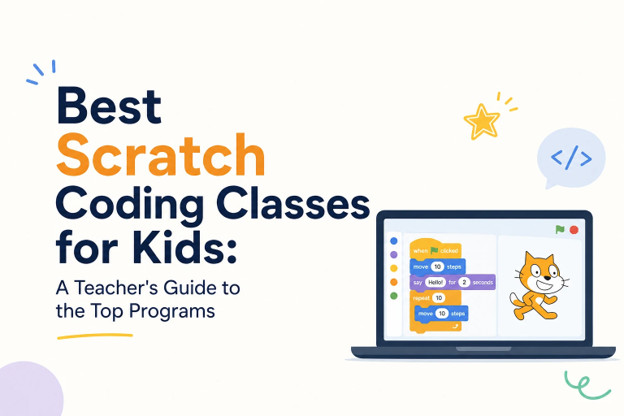
Best Scratch Coding Classes for Kids: A Teacher’s Guide to the Top Programs
One enduring favorite in K-12 classes is coding. Why? For educators, it’s because learning to code teaches essential problem-solving, logical thinking, and computational skills that are difficult to learn in any other class. For students, it’s often the game approach to the lessons as they learn to stretch their brains. The coding program accepted by many as the most student-friendly is Scratch. The Ask a Tech Teacher team has a list of great choices for how to teach students Scratch in creative, fresh ways:
Best Scratch Coding Classes for Kids: A Teacher’s Guide to the Top Programs
Scratch has become the standard entry point for teaching kids to code, and it’s easy to see why. Developed by MIT, this block-based programming language lets students build games, animations, and interactive stories without getting tripped up by syntax errors. For classroom teachers, tech coordinators, and homeschool parents alike, it’s often the first real introduction students get to computational thinking.
The challenge isn’t whether to teach Scratch — it’s figuring out which program actually delivers a structured, age-appropriate learning experience. Between live instruction, self-paced platforms, and free tools, the options can be overwhelming. Below, we’ve compared the leading Scratch coding programs for kids based on curriculum quality, instructional format, and outcomes, so you can make an informed choice for your students or your own children. (more…)

4 Ways Students Can Plan Their Writing

Few people can sit down and start writing. Most of us hem and haw as we mentally walk through how to get from introduction to conclusion. It’s called ‘prewriting’ and students are no different. Where they diverge from you and I is they haven’t tested all the available methods for planning a story, constructing non-fiction, or building the evidence-based argument. It’s up to us–as their teachers–to introduce these alternatives so they can pick one best suited to their learning and communication style.
Disclaimer: These are presented in random order because what works for your students will depend upon the writing method used in your school, whether its the 6+1 Traits, Common Core Writing Standards, or the tried-and-true who-what-when-where-why.

Brainstorm/Mindmap
Brainstorming, also called ‘mindmapping’, is a collaborative visual approach to thinking through and presenting ideas. It enables students to come up with many ideas without worrying about whether it’s realistic. It’s great for collaborative writing, notetaking, or an individual effort.
Here are basics for brainstorming in the classroom:
- There are no wrong answers.
- Get as many ideas as possible.
- Don’t evaluate ideas–just record them.
- Build on the suggestions of others.
- Stress quantity over quality–get as many ideas as possible. Sort them later.
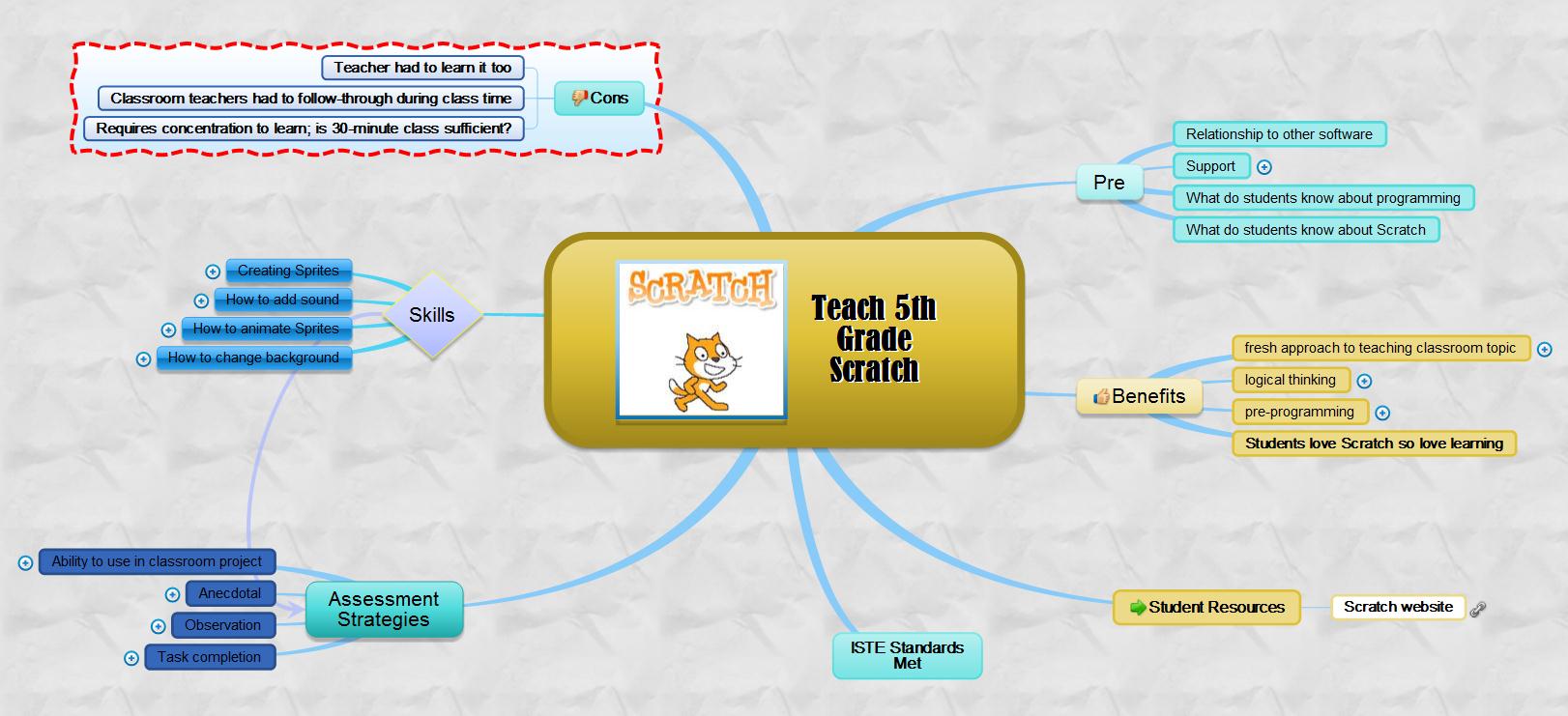
There are many online tools that facilitate this process. If you’re looking for a webtool, try one from this list. (more…)

Great Websites to Make Spring Sparkle

Last year was a boom year for edtech web tools. There were so many, I couldn’t keep up. I would discover what seemed to be a fantastic tool from one of the tech ed blogs I follow, give it about five minutes to prove itself, and then, depending upon that quick review, either dig deeper or move on. If it was recommended by a colleague in my professional learning network, I gave the site about twice as long but still, that’s harsh. I certainly couldn’t prove my worth if given only five minutes!
Nevertheless, that’s how it is because there are too many options. Here’s what I wanted to find out in the five minutes:
- Is the creator someone I know and trust (add-ons by Alice Keeler always fit that requirement)?
- Is it easy to access? Meaning, does it open and load quickly without the logins I always forget?
- Is it easy to use? Meaning, are links to the most important functions on the start page? For example, in Canva, I can create a flier for my class in under five minutes because the interface is excellent.
- For more complicated tools, how steep is the learning curve? Does the site offer clear assistance in the form of videos, online training, or a helpline?
- Is the content age-appropriate for the grades I teach?
- Is it free or freemium, and if the latter, can I get a lot out of it without paying a lot? I don’t like sites that give me “a few” uses for free and then charge for more. Plus, free is important to my students who may not be able to use it at home unless there’s no cost attached.
- Is there advertising? Yes, I understand “free” probably infers ads so let me amend that to: Is it non-distracting from the purpose of the webtool?
- How current is it? Does it reflect the latest updates in standards, pedagogy, and hardware?
- Does it fulfill its intended purpose?
- Has it received awards/citations from tech ed groups I admire?

After all that, here are websites that will brighten the Spring months: (click here for updates to lists): (more…)

70+ Online Resources to Gamified Education

Here are popular online resources to teach about using games in education (click here for updates to the list):
- Battleship on Google Sheets
- Breakouts by BreakoutEdu.com — a bit like Webquests but more comprehensive
- Breakout Room Template
- Game Show Templates–Frazzle, Jeopardy, Family Feud, Price is Right, more
- Gamified Syllabus–a template to create games
- A Google A Day
Economics and Finance
- BizKids–games to teach business and finance
History
- Beat the Bard–using Shakespearean characters
- Classtools History Timeline Game–read here for directions
- Oregon Trail–a browser-based edition
- Digital Breakouts–review or assessment in a gamelike format; includes mostly history, but other topics; high school

Math

18 Digital Tool Musts in the Classroom — a Video

18 Digital Tool Musts in the Classroom
This video is from a series I taught for school districts. It is now available for free, here on Ask a Tech Teacher:
Summary
18 essential digital tools for classrooms, emphasizing their impact on modern education.
Highlights
- ✏️ Annotation Tools: Essential for digital note-taking.
- 👤 Avatars: Promote digital citizenship and privacy.
- 💬 Backchannel Devices: Enhance classroom communication.
- 🗓️ Class Calendars: Keep students organized and informed.
- 🌐 Class Websites: Centralize classroom resources and communication.
- 📚 Digital Portfolios: Collect and showcase student work.
- 📊 Online Quizzes: Provide fun and quick assessments.
Key Insights
- 📝 Annotation tools like Notability and Adobe Acrobat empower students to engage with digital texts actively, fostering comprehension and retention.
- 🎨 Using avatars instead of personal images encourages student privacy and encourages creativity in digital representation, reinforcing digital citizenship principles.
- 🌍 Backchannel communication tools like Padlet and Twitter create a collaborative classroom environment where students can ask questions and share ideas in real time.
- 📅 Integrating class calendars keeps students accountable and involved in managing their schedules, enhancing organizational skills from an early age.
- 🖥️ Class websites serve as a hub for resources, helping parents and students stay connected and informed about class activities and expectations.
- 📂 Digital portfolios allow students to curate their work, promoting self-reflection and ownership of their learning journey while simplifying the grading process for teachers.
- 🎉 Online quizzes not only engage students but also provide instant feedback, enabling educators to identify learning gaps and adjust instruction accordingly.
–summarized by NoteGPT

This video is from a series I taught for school districts. It is now available for free to Ask a Tech Teacher subscribers. Videos include (in alphabetic order):
- 15 Webtools in 15 Weeks
- 18 Digital Tools in the Classroom
- A focus on strategies
- Alternative tools
- Assessment isn’t static
- Author doers
- BYOD
- Class warm-ups
- Collaboration
- Curriuculum Maps
- Differentiation–How to teach the hard-to-teach class
- Digital Citizenship: What to Teach When
- Flipping the classroom
- Gamification of education
- How to Teach a Tech Lesson
- Presentation Boards
- Tech-infused classroom
- Tech tools
- The 20% rule
- Using backchannel devices
- Warm-ups

Here’s the sign-up link if the image above doesn’t work:
https://forms.aweber.com/form/07/1910174607.htm
“The content presented in this blog are the result of creative imagination and not intended for use, reproduction, or incorporation into any artificial intelligence training or machine learning systems without prior written consent from the author.”
Jacqui Murray has been teaching K-18 technology for 30 years. She is the editor/author of over a hundred tech ed resources including a K-12 technology curriculum, K-8 keyboard curriculum, K-8 Digital Citizenship curriculum. She is an adjunct professor in tech ed, Master Teacher, webmaster for four blogs, freelance journalist on tech ed topics, contributor to NEA Today, and author of the tech thrillers, To Hunt a Sub and Twenty-four Days. You can find her resources at Structured Learning.
15 Webtools in 15 Weeks–the video
15 Webtools in 15 Weeks
This video is from a series I taught for school districts. It is now available for free to subscribers of Ask a Tech Teacher:
Summary
Teach 15 internet tools over 15 weeks, engaging students in exploration and teaching, while fostering digital citizenship and problem-solving skills.
Highlights
- 🌟 Engaging Project: Students teach each other 15 internet tools, promoting excitement and exploration.
- 👩🏫 Student-Centered: Learners take charge, becoming teachers and sharing newfound knowledge with classmates.
- 🤝 Collaboration: Students work in groups, enhancing teamwork and communication skills.
- 📚 Digital Citizenship: Emphasis on safe online practices and fair use of content is integrated into lessons.
- 🛠️ Tool Selection: Teachers curate tools based on input from grade-level colleagues to ensure relevance.
- 📅 Flexible Timing: Each presentation takes 20-30 minutes, allowing for other curriculum activities.
- 🎉 Fun Wrap-Up: The project serves as an engaging end-of-year activity, keeping students motivated.
Key Insights
- 🌍 Empowering Learners: By allowing students to select and teach tools, they develop ownership of their learning process, fostering independence and confidence.
- 💡 Authentic Learning: Teachers learn alongside students, creating a shared experience that models lifelong learning and curiosity.
- 🎯 Academic Relevance: Integrating tools relevant to future grades ensures that students are prepared for academic expectations, enhancing their transition to the next level.
- 📈 Reflective Practice: Incorporating reflections into the project promotes metacognition, helping students understand their learning journey and areas for improvement.
- 🏆 Focused Assessment: Clear grading rubrics guide students in expectations and encourage high-quality presentations, emphasizing knowledge and teaching ability.
- 🌐 Resource Creation: Students build a library of resources for future classes, promoting a culture of sharing and collaboration within the school community.
- 🎊 Exciting Conclusion: The project culminates the school year on a high note, emphasizing creativity and student engagement, making learning enjoyable.
–summarized by NoteGPT
This video is from a series I taught for school districts. It is now available for free to Ask a Tech Teacher subscribers. Videos include (in alphabetic order): (more…)

14 Essential Digital Tools for Educators to Streamline Daily Activities
There are a lot to digital tools people swear are essential to educators. Here’s a list of fourteen put together by the Ask a Tech Teacher team. I use about half of them. How about you?

14 Essential Digital Tools for Educators to Streamline Daily Activities
In 2024’s fast-paced educational environment, teachers and all those in the academe face the daily challenge of managing their school or course’s efficiency. From spanning out schedules and lesson planning to grading, the responsibilities seem a never-ending cycle and quite overwhelming.
Thankfully, however, today’s advancements brought digital tools to help streamline all these school-related activities. They make educators’ lives a whole lot easier, aside from improving the learning experiences for their students.
Today, you can count on these tools to make educators’ lives more seamless once you get them working through digital routines.
Top 14 Educators’ Tools in 2024

9 Must-have Tools for Ed Conferences

It’s summer, time for teachers to recharge their cerebral batteries. That could mean reading, going on field trips, spending time with online PLNs, or taking calls from family members who usually end up at voice mail. For many, it means attending conferences like ISTE June 24th or the NEA Aspiring Ed Conference June 29th to learn the newest ideas in AI, Chromebooks, Robotics, and more. If you aren’t a veteran conference attendee, you may wonder what to bring. That’s a fair question considering learning is no longer done sitting in auditoriums nodding off to the wisdom of a guest speaker behind a podium. These days, you might be asked to scan a QR code and visit a website, access meeting documents online, interact digitally, or use a backchannel device to share your real-time thoughts with the presenter.
Besides a toothbrush and aspirin, what should you take to your upcoming conference? Here are five tools that will make you look and act like the Diva of Digital:
Map App
Some conferences take multiple buildings spread out over several blocks, and depending upon the number of attendees, your hotel may not be around the corner from the Hall. Have a Maps app on your smartphone or iPad. All you do is tell it where you’re going, ask for directions.

Conference App
Most conferences have one. I find these more useful than the conference website. They are geared for people who are manipulating a digital device one-handed, half their attention on the phone and the rest on traffic, meaning: they’re simple and straightforward. Test drive it so you know where the buttons are, then use it to find meeting rooms, changes in schedules, and updates.

11 Online Resources About Animation
Creating animations for the web can be achieved using various tools, ranging from beginner to advanced, depending on your needs and expertise. Here are some webtools and tips to get you started:
Webtools
Beginner (more…)

3 Creative Teaching Resources That Save You Time and Money
Would you like innovative tech apps, DIY classroom materials, and budget-friendly solutions that save time and cut costs? Here are three from the Ask a Tech Teacher team:

3 Creative Teaching Resources That Save You Time and Money
Educators are increasingly expected to do more with less – ensuring that the next generation gets the quality of teaching they deserve while keeping budgets in check and making up for shortfalls in classroom resource availability.
This less-than-ideal scenario can be dealt with successfully if you’re savvy about how you approach it – so here are a few creative ways to reduce costs, free up more of your time, and still do your best for the youngsters you’re responsible for schooling. (more…)





