
Category: Websites

23+ Websites on Animals
Here are a few of the popular resources teachers are using to teach about animals (click headings for more resources):

Animals
- African animals–research site for these animals
- Alphabetimals–learn the alphabet with animal sounds
- Animals
- Audobon Bird Guide: North America (app)
- BrainPop Jr.
- Herd Tracker–watch the great migrations of East Africa in real time
- Plum’s Creaturizer--create new creatures; build a world around them (app)
- Shape of Life–videos for download
- Virry–animal cams (app)
- Yellowstone animal migrations--video
Dinosaurs
Food Chain
Games
- Animal Games II
- Animal Games III
- Mystery Animal--using Google Home or online, guess the animal in 20 questions
Habitats
Life Cycle
-
- Cockroach Life Cycle and more
Click here for updates to this list.

Public Domain Day and Happy New Year!
Every year, January 1st, is Public Domain Day. This is an observance of when copyrights expire and works enter into the public domain–free for all to use. According to Public Domain Review, here are some of the newly-available artistic works you might like a/o January 1, 2022:
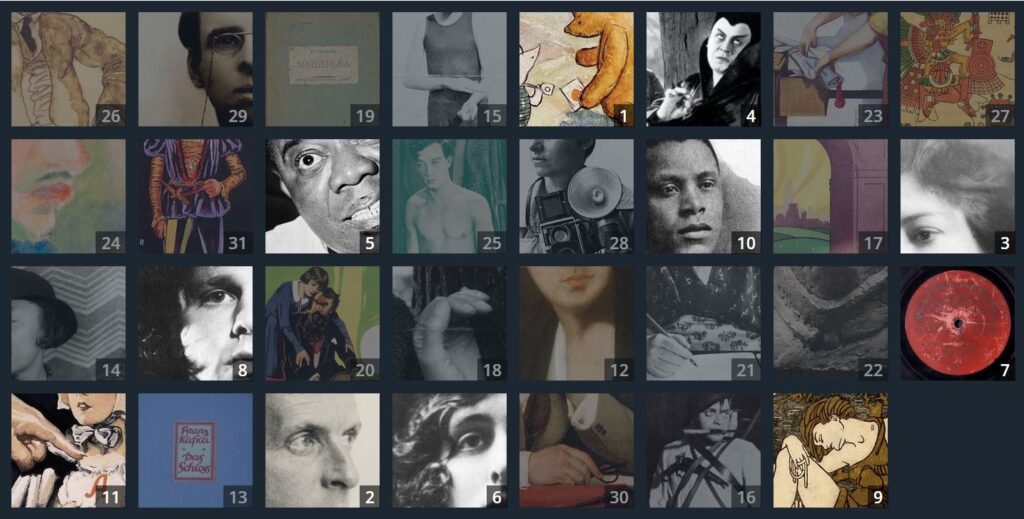
Click image for interactive content on PublicDomanReview.org

Here’s the sign-up link if the image above doesn’t work:

14 Holiday Websites and 9+ Projects

Need a few websites to fill in free minutes? Here are Holiday websites that will keep students busy while teaching them:
- 12 Days of Christmas
- Christmas Celebrations Across the World (video)
- Christmas puzzles and games
 Christmas—history—fun video
- Christmas Traditions Around the World (video)
- Gift Hunt–updated version of 12 Days of Christmas–just as much fun
- Holiday Crossword
- Holiday Elf Games
- Holiday Hangman II
- Holiday music II–sing along with the music–the site provides the words
- Holiday—Math Facts
- Holiday—North Pole Academy
- Phone call from Santa
- Santa Tracker

19 Ed Websites to Fill Spare Classroom Time

I keep a list of themed websites that are easy-in easy-out for students. They must be activities that can be accomplished enjoyably in less than ten minutes. In the parlance, these are called “sponges”. Here are 19 I think you’ll like:
Language Arts
- Contraction Games
- Contraction Crossword
- Contraction Practice
- Feast of Homonyms
- Grammar Gorillas
- Grammaropolis
- Plural Nouns
- Suffix Match
Math
Problem solving
- The Crossing–attempts to cross a gorge; some fail; all result in success
- Math Pickle–put student in a choatic situation and see how they solve the problem
Science

Lesson Plan: Online Art Sites

Lots of kids think technology is technical, another word for complicated/difficult/math-like. Here are six art-oriented websites students can visit that will change their minds. I’ve also included a link to a long list of education-appropriate art websites
Note: Mr. Picasso Head is no longer available
Click image to enlarge if it’s blurry.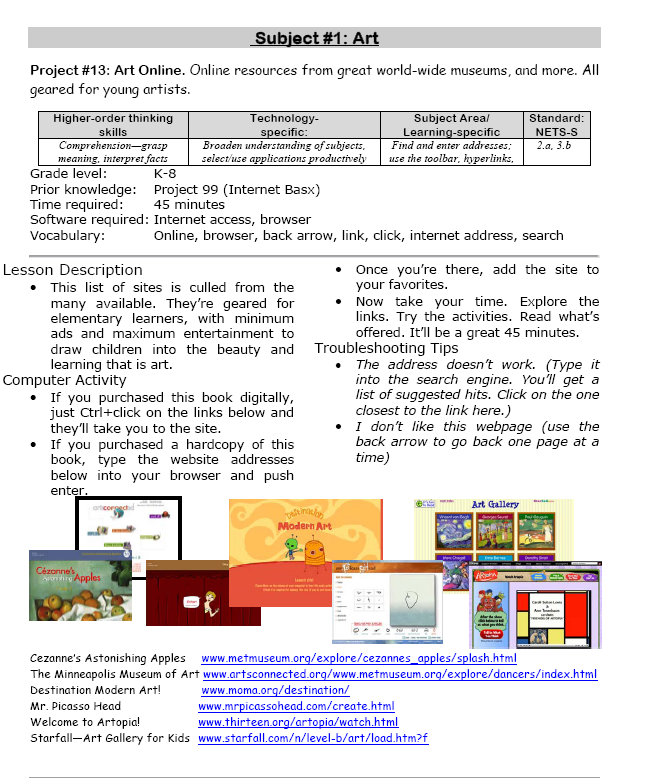
–from 55 Technology Projects for the Digital Classroom
Here are more online art websites:

17 Websites for Chemistry

Here are a few of the popular resources teachers are using to reinforce chemistry in MS and HS:
- Beaker–a digital beaker app
- Chemistry collection from Carnegie
- ChemCapers
- Chemistry instructional videos
- ChemmyBear–resources for Chemistry and AP Chemistry classes
- CK12 Chemistry simulations
- Concord Consortium–chemistry, earth science, engineering, life science, physics
- Crash Course: Chemistry (videos)
- EMD PTE — periodic table
- Interactive Periodic Table
- Molecules–Molecules is an application for viewing three-dimensional renderings of molecules and manipulating them using your fingers.
- NanoSpace Molecularium–virtual amusement park about atoms and molecules; from Rensselaer Polytechnic Institute
- Online Toolkit–science calculators and reference tools
- Periodic Table of Elements–interactive
- Periodic Table videos
- PhET Simulations for chemistry and physics
- Reactions–short videos on chemistry topics
- Slow Motion Chemistry — videos on chemistry
Click here for updates to this list.

12 Websites for High School Drivers Ed
 Here are a few of the popular resources teachers are using to reinforce Drivers Ed in High School courses:
- Crash Test Simulator
- Driver Education and Training Videos
- Edriving–driving simulations
- Operation Lifesaver
- Simulated driving (fee)
Driving and Texting
- It can wait — video showing simulation of driver distracted by texting
- Texting etc–Chicken Road YouTube
- Texting–a game that gauges your distraction while driving and texting
- Texting and Driving–video on the real-life implications
- Texting While Walking–from the NYT, a video op-ed
- The Last Text –video
- Wait for it — very sad video about texting and driving
Click here for updates to this list.

Websites that add sparkle to spring
 Last year was a boom year for edtech web tools. There were so many, I couldn’t keep up. I would discover what seemed to be a fantastic tool (most likely discovered in FreeTech4Teachers, Alice Keeler, or one of the other tech ed blogs I follow), give it about five minutes to prove itself, and then, depending upon that quick review, either dig deeper or move on. If it was recommended by a colleague in my professional learning network, I gave the site about twice as long but still, that’s harsh. I certainly couldn’t prove my worth if given only five minutes!
Nevertheless, that’s how it is because there are too many options. Here’s what I wanted to find out in the five minutes:
- Is the creator someone I know and trust (add-ons by Alice Keeler always fit that requirement)?
- Is it easy to access? Meaning, does it open and load quickly without the logins I always forget?
- Is it easy to use? Meaning, are links to the most important functions on the start page? For example, in Canva, I can create a flier for my class in under five minutes because the interface is excellent.
- For more complicated tools, how steep is the learning curve? Does the site offer clear assistance in the form of videos, online training, or a helpline?
- Is the content age-appropriate for the grades I teach?
- Is it free or freemium, and if the latter, can I get a lot out of it without paying a lot? I don’t like sites that give me “a few” uses for free and then charge for more. Plus, free is important to my students who may not be able to use it at home unless there’s no cost attached.
- Is there advertising? Yes, I understand “free” probably infers ads so let me amend that to: Is it non-distracting from the purpose of the webtool?
- How current is it? Does it reflect the latest updates in standards, pedagogy, and hardware?
- Does it fulfill its intended purpose?
- Has it received awards/citations from tech ed groups I admire?
After all that, here are five websites that I discovered last year, loved, and will use to brighten the Spring months:

5 (free) Posters on Internet and Websites 1

Every month, we’ll share five themed posters that you can share on your website (with attribution), post on your walls, or simply be inspired.
This month: Internet and Websites 1


9 Great Websites to Inspire 3rd Graders
 Here’s a great list of age-appropriate, safe websites that will inspire third graders whether they’re in your classroom or at home (check here for updates):
- Riding the Wind with Kalani
- Weather Websites
- Wild Weather Adventure
- All About America
- USA Puzzle
- 360o views from around the world
- Computer lab favorites
- How stuff works
- Quick quizzes—how much do you know?
- Thinking Skills–Riddles
- USA Puzzle
- Water Cycle–very visual; good tool for lower grades
- Water cycle–interactive
- Water cycle—label diagram
More resources for third graders
33 Resources for Read Across America Day
Hour of Code Lesson Plans by Grade
Jacqui Murray has been teaching K-18 technology for 30 years. She is the editor/author of over a hundred tech ed resources including a K-12 technology curriculum, K-8 keyboard curriculum, K-8 Digital Citizenship curriculum. She is an adjunct professor in tech ed, Master Teacher, webmaster for four blogs, an Amazon Vine Voice, CSTA presentation reviewer, freelance journalist on tech ed topics, contributor to NEA Today, and author of the tech thrillers, To Hunt a Sub and Twenty-four Days. You can find her resources at Structured Learning.





