Category: Teacher resources

New Students? 7 Tips to Differentiate with Tech
 There are two areas where technology can optimize learning better than any other educational strategy. I’m not talking about iPads or laptops or apps. I mean how you deliver your message–done in such a way that more students are able to achieve their goals.
11 Things I wish I’d Known Before Becoming a Tech Teacher
 Most of the teachers I know didn’t set out to be a tech teachers. They got here via the PE department or the 4th grade classroom or when laid off as an IT manager at some small company. Few took college classes to teach K-12 technology, nor did they say, “Gee, I have all the skills to be a top-notch tech teacher at my son/daughter’s elementary school. I think I’ll apply.” Most of us got here because 1) our current job disappeared (the Brits call it ‘made redundant’–isn’t that cool?) and this was the better alternative to unemployment, 2) our Principal offered us what Oprah calls a ‘life-defining moment’.
So here we are, doing our best, minute to minute hoping we can solve whatever catastrophe the Universe throws our way, usually with a solution that has something to do with servers and permissions. Fifteen years into it and still flummoxed on a daily basis, there are a few details someone should have told me when I first crossed the tech lab threshold. I mean, who forgot to mention these:
- You don’t need to know everything. Do what you can and the rest gets kicked upstairs. That’s right. You are human. You don’t wear a cape and you can’t leap tall buildings.
- You can make mistakes in front of the students. Really. Common Core is about problem solving–show how you work through a problem like sound doesn’t work or website won’t load. They’ll see your calm approach and emulate it when solving their own problems
- Tech isn’t a digital puzzlebox, the end of a Mobius strip, or the solution to an irrational number. There are only about twenty problems that occur 80% of the time. Know them and know how to solve them. I’d include them here, but that would make this a massive article. I’ll cover it in my next series (stay tuned)
- Common sense isn’t common. Don’t expect it to be. When a teacher frantically tells you their Smartscreen doesn’t work, start at the beginning: “Is it plugged in?” Every techie I know starts there and after fifteen years, I know why: It works.
- When you wake up in the morning, remind yourself that no one can scare you–you’re the tech teacher. You do know more than the teachers. Don’t start by apologizing because you don’t know what you’re doing or telling her/him how you’ve never seen this problem before. Take a deep breath, think about it, consider the options, and start. Chances are, you’ll figure it out.
- Tech works better integrated into classroom inquiry. Sure, you can create fun projects that use cool tech tools, but learning will be more authentic and scalable if students see you working with the classroom teacher. I use that term loosely–‘working with’. Sometimes, grade level teachers barely have time to breathe, much less meet to discuss tech tie-ins. I’ve been known to chat up parents about what’s happening in class, wander through and read room walls, ask students. I’m not above interrupting a teacher’s lunch with ‘just a few questions’.
- Don’t jump in to solve student computer problems. If they’ve already seen a solution, let them work it out on their own. I have three extra computers in my lab and parent helpers always want to move students to a new computer when their usual seat is ‘broken’. I don’t let them. I have the student explain what the problem is and think through solutions. Only if none of them work do I allow switches.
- There are days when coffee and aspirin count as two of the four food groups. Don’t let it bother it. It will pass. Your job as Go-to Geek requires you are always available. Tech teachers don’t get lunch hours or set breaks. When someone has a computer emergency, they need it taken care of NOW. Respect that. They’ve tried to make a tech lesson and now something doesn’t work and they’re frantic. Take care of them. It doesn’t happen that often. I promise.
- Let students redo and make up work. Without taking points off. Wait, you say–I’ll have double the work! Truth, I’ve been doing this since I started and get only a handful of redos for each project. Sometimes I grade it with students and use the opportunity for teaching. The students who really care will really benefit. The others won’t take you up on it.
- There will be days when you and Anything Tech are barely on speaking terms, when you wouldn’t fix another broken digital device if it came with a free puppy. When that happens, talk to other tech teachers. Online is a great way to do that. Join tech teacher groups, share problems, offer suggestions. You will feel brilliant and thankful for the kindness of others.
- A feature is not a bug. The computer or the iPad or laptops aren’t broken when doing what they’re supposed to do, even if the user doesn’t like it. Gently point that out.

Tech Tip #66: Zoom In/Out of Websites
As a working technology teacher, I get hundreds of questions from parents about their home computers, how to do stuff, how to solve problems. Each week, I’ll share one of those with you. They’re always brief and always focused. Enjoy!
Q: I can’t read the internet page. How do I zoom out of a browser window?
A: There are a few ways, but here’s the simplest of all: Hold down the “Ctrl” key and move your “mouse scroll wheel”. One direction zooms in; the other zooms out.
There are two other ways:
- Ctrl+ (the plus sign next to backspace) will zoom in one step at a time; Ctrl- will do the same zooming out
- Go to the menu bar. Select ‘View’, ‘Zoom’ and either ‘Zoom in’ or ‘Zoom out’
To return to the original setting, hold down the “CTRL” key and hit the number zero.

5 FREE Web Tools for a New School Year
When you were a child, your parents worried that the educational content you were learning might be out of date. Did history include the most relevant theories? Did science have the latest discoveries (and was Pluto still a planet)? When you became a teacher, you probably thought one of your big responsibilities was to stay current in your subject. You’re right–but today, ‘current’ is as much about content as how the message is delivered.
And delivery more and more often is powered by technology.
But when you read about tech tools used in cutting edge schools, your stomach churns. Is there enough PD time in your life to teach you all the tech you need to know? What if you can’t learn it?
Truth, you don’t have to know all 2878 (and counting) tech tools being used around the country. You just need to know five. Learn them. Use them with students. Expect them to use them. When those are solid, pick five more.
Ready? Here are your first five:
Tech Tips #114: Embed Google Docs
As a working technology teacher, I get hundreds of questions from parents about their home computers, how to do stuff, how to solve problems. Each week, I’ll share one of those with you. They’re always brief and always focused. Enjoy!
Q: So many colleagues are sharing their documents through Google Apps, but I don’t know how to do that. Can you help?
A: I love this part of Google Apps for Education. When your Google Doc is complete,
- save it by a name of your choice
- File>Publish to the Web (on the menu bar)
- Change the drop down choice ‘webpage’ to ‘HTML to embed in a page’
- copy html code
- paste into blog, wiki, website like I did below:

How to set up your tech classroom
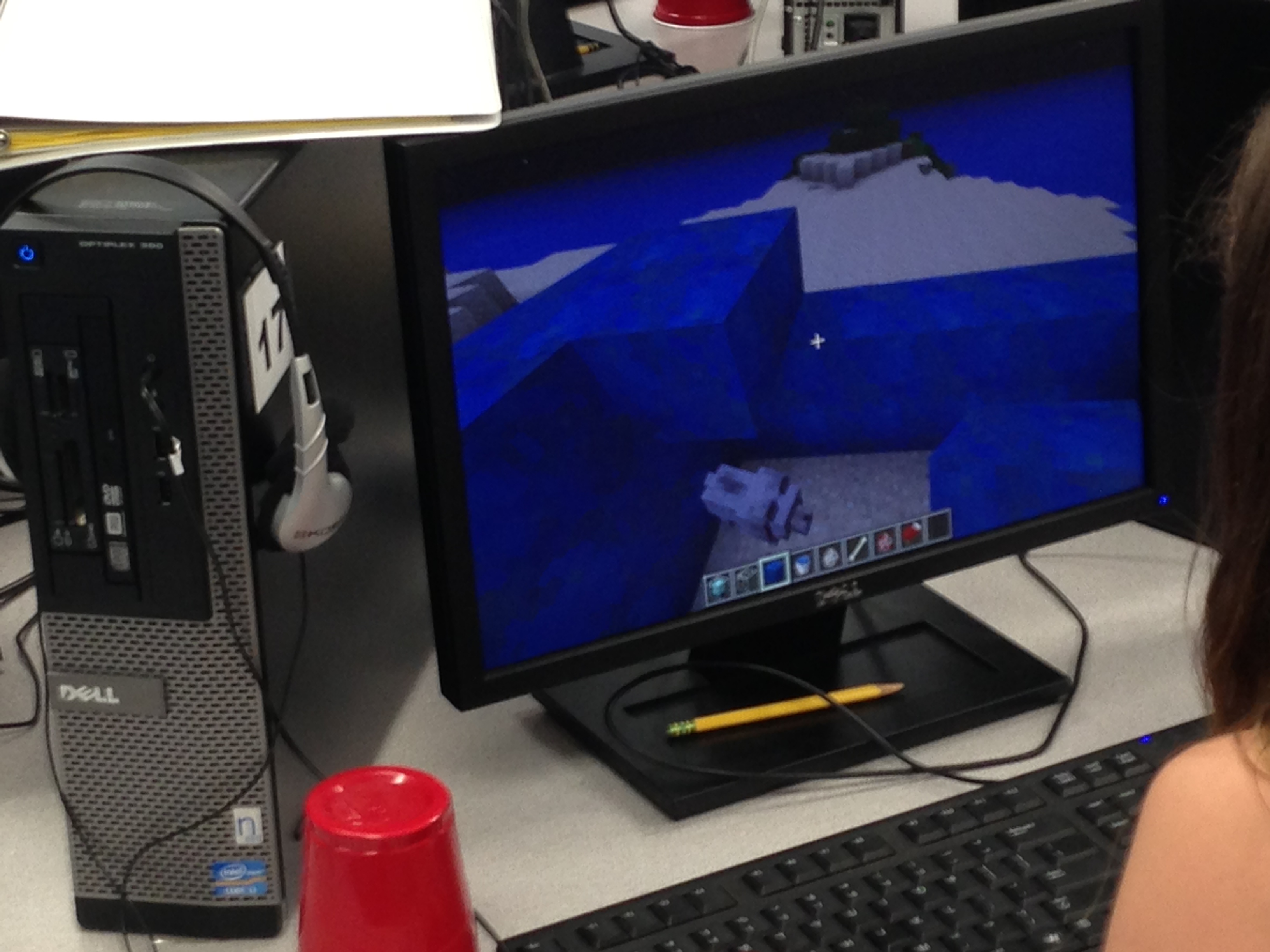 If you teach technology, you want to set the lab up so it’s inviting, non-intimidating, but doesn’t hide from the core ‘geek’ theme. In fact, from day one, exclaim that fact, be proud of your nerd roots. Even if you didn’t start out that way–say, you used to be a first grade teacher and suddenly your Admin in their infinite wisdom, moved you to the tech lab–you became a geek. You morphed into the go-to person for tech problems, computer quirks, crashes, and freezes. Your colleagues assumed you received an upload of data that allowed you to Know the answers to their every techie question. You are on a pedestal, their necks craned upward as they ask you, How do I get the Smartscreen to work? or We need the microphones working for a lesson I’m starting in three minutes. Can you please-please-please fix them?
As you organize your classroom, celebrate your geekiness. Flaunt it for students and colleagues. Play Minecraft. Use every new techie device you can get your hands on. That’s you now–you are sharp, quick-thinking. You tingle when you see an iPad. You wear a flash drive like jewelry. When your students walk into your class, they should start quivering with the excitement of, What new stuff will we experience today?
Here’s a summary of what happens your first day with a class. From this, you’ll figure out how to set up your classroom (no owl themes here. It’s all about bits and bytes):
- Introduce yourself—establish your bona fides. Share your blog, your background, your awards. Give them website addresses or post them to the class internet start page. You want to be easy to find.
- Tour the classroom with students. I walk K-2 around—they like getting out of their seats. Demystify any of the tech tools you will expect them to use—where they can get help in solving problems, what’s on the walls, where’s the printer/scanner/iPads/etc.

New Tech Teacher? I Understand You
If you teach technology, it’s likely you’re a geek. Even if you didn’t start out that way–say, you used to be a first grade teacher and suddenly your Admin in their infinite wisdom, moved you to the tech lab–you became a geek. You morphed into the go-to person for tech problems, computer quirks, crashes and freezes.
Overnight, your colleagues assumed you received an upload of data that allowed you to Know the answers to their every techie question. It didn’t matter that yesterday, you were one of them. Now, you are on a pedestal, their necks craned upward as they ask you, How do I get the Smartscreen to work? or We need the microphones working for a lesson I’m starting in three minutes. Can you please-please-please fix them?
Celebrate your cheeky geekiness. Flaunt it for students and colleagues. Play Minecraft. That’s you now–you are sharp, quick-thinking. You tingle when you see an iPad. You wear a flash drive like jewelry. The first thing you do when you get to school is check your email

5 Must-have tools for Ed Conferences
 It’s summer, time for teachers to recharge their cerebral batteries. That could mean reading, going on field trips, spending time with online PLNs, or taking calls from family members who usually end up at voice mail. For many, it means attending conferences like ISTE June 23-26th and NEA July 1-2 to learn how the heck to integrate technology into their lesson plans.
If you aren’t a veteran conference attendee, you may wonder what you should bring. That’s a fair questions considering learning is no longer done sitting in auditoriums nodding off to the wisdom of a guest speaker behind a podium. Now, you might be asked to scan a QR code and visit a website, access meeting documents online, interact digitally, or use a backchannel device to share your real-time thoughts with the presenter. Besides a toothbrush and aspirin, what should you take to your upcoming conference? Here are five tools that will make you look and act like the Diva of Digital:
Google Maps
Some conferences take multiple buildings spread out over several blocks, and depending upon the number of attendees (ISTE last year had about 20,000), your hotel may not be around the corner from the Hall. Bring the latest version of the Google Maps app on your smartphone or iPad, complete with audio directions. All you do is tell it where you’re going, ask for directions, and Siri (the voice behind the iPhone) will lock into your GPS and hold your hand the entire way. If friends are looking for a Starbucks or Dunkin’ Donuts near the conference, Google Maps will find one. If you want Chinese, use an app like Yelp to find one patrons like.
Conference App
Most educational conferences have one. I find these more useful than the conference website. They are geared for people who are manipulating digital device one-handed, half their attention on the phone and the rest on traffic, meaning: they’re simple and straight-forward. Test drive it so you know where the buttons are, then use it to find meeting rooms, changes in schedules, updates, and (as the ISTE conference app proclaims):

Dear Otto: Common Core requires publishing student work. How do I do that?

Dear Otto is an occasional column where I answer questions I get from readers about teaching tech. If you have a question, please complete the form below and I’ll answer it here. For your privacy, I use only first names.
Here’s a great question I got from Rox in South Africa:
In my lab I can only do with my learners software that I can get for free. I would like to do some publishing work with them – do you know of publishing software that is free and appropriate for Grade 4 to Grade 6. I have learnt so much from questions asked by others and your kind, informed answers – Thank you
- Kindergarten: CCSS.ELA-Literacy.W.K.6 With guidance and support from adults, explore a variety of digital tools to produce and publish writing, including in collaboration with peers.
- First grade: CCSS.ELA-Literacy.W.1.6 With guidance and support from adults, use a variety of digital tools to produce and publish writing, including in collaboration with peers.
- Second grade: CCSS.ELA-Literacy.W.2.6 With guidance and support from adults, use a variety of digital tools to produce and publish writing, including in collaboration with peers.
- Third grade: CCSS.ELA-Literacy.W.3.6 With guidance and support from adults, use technology to produce and publish writing (using keyboarding skills) as well as to interact and collaborate with others.
- Fourth grade: CCSS.ELA-Literacy.W.4.6 With some guidance and support from adults, use technology, including the Internet, to produce and publish writing
- Fifth grade: CCSS.ELA-Literacy.W.5.6 With some guidance and support from adults, use technology, including the Internet, to produce and publish writing
- Sixth grade: CCSS.ELA-Literacy.W.6.6 Use technology, including the Internet, to produce and publish writing
- Seventh grade: CCSS.ELA-Literacy.W.7.6 Use technology, including the Internet, to produce and publish writing
- Eighth grade: CCSS.ELA-Literacy.W.8.6 Use technology, including the Internet, to produce and publish writing

What’s a Tech Teacher Do With Their Summer Off?
 What I did on my summer vacation (click to see original)[/caption]
UPDATE
Are you going on road trips? Are you playing with your children, seeing friends you forgot existed, or engaging in retail therapy?
If I have time in between what I HAVE to do, I’ll join you. It might be a virtual trip, but we’ll make it happen.
Here’s what’s on my plate (so far) this summer of 2012:
- Attending ISTE 2012. It’s in my backyard this summer–San Diego.
- Attending training my school signed me up for on UbD, our new grading program (forgot the name), and robotics. One of the training sessions comes with a free lunch.
- Editing a K-6 technology curriculum and a keyboard book for Structured Learning (a great publisher of edtech resources for the classroom)
- Working on a tech thriller I hope to finish and get off to publishers. Of course it has lots of cutting edge technology in it and a quirky AI named Otto.
- Picking the brains of my two children. One works in cybercom for the Navy; the other the Signal Corps for the Army. Most of the stuff they can’t tell me, but I love hearing what they can.
- Working with tech teachers at my local school district on a technology curriculum for their K-6 classes.
- Presenting at several schools on tech ed topics. If you’re interested in working with me on that, please contact me at this link.
- Consulting with a Denver school district online to train their new tech teachers in what to teach in their computer labs next year.
- Getting back to my inquisitive, curious roots. I used to spend hours figuring out how to solve problems, find solutions, determine what made something tick. Now, I’m too busy. I can feel the rift in my spirit, my sapped energy, my fuzzy brain. This summer, I’m getting back to that. Here’s my promise:
For the next six weeks, when I see something techie I don’t understand, I’ll stop and ask the essential questions: