
Category: 7th grade

Tech Ed Resources–K-8 Keyboard Curriculum
I get a lot of questions from readers about what tech ed resources I use in my classroom. I take time every summer to review them with you. Some are edited and/or written by members of the Ask a Tech Teacher crew. Others, by tech teachers who work with the same publisher I do. All of them, I’ve found, are well-suited to the task of scaling and differentiating tech skills for age groups, scaffolding learning year-to-year, offering inclusive solutions to the issue of tech tools–taking into account the perspectives of stakeholders, with appropriate metrics to ensure learning is organic and granular.
Keyboarding
In recent years, there has been a noticeable resurgence in teaching K-8 keyboarding skills. This revival stems from the widespread adoption of 1:1 devices—accelerated by the COVID-19 pandemic—and the shift toward writing tasks that demand efficient typing.

Many districts, such as Orange County Public Schools in Florida, have renewed focus on touch-typing instruction because students raised on smartphones often default to inefficient thumb typing. This slows them down on full keyboards during tests and assignments. Leaders at that District note that students and teachers enjoy the practice and view strong keyboarding as essential for classwork, tests, and future jobs.

Progressive curricula integrate short, consistent practice sessions starting as early as kindergarten, sometimes through engaging games, apps, or dedicated software rather than isolated classes. While debates persist, the consensus is growing that explicit keyboarding instruction remains a foundational digital literacy skill in an increasingly screen-based learning environment.

Overview
K-8 Keyboard Curriculum (four options)–teacher handbook, student workbooks, and help for homeschoolers
2-Volume Ultimate Guide to Keyboarding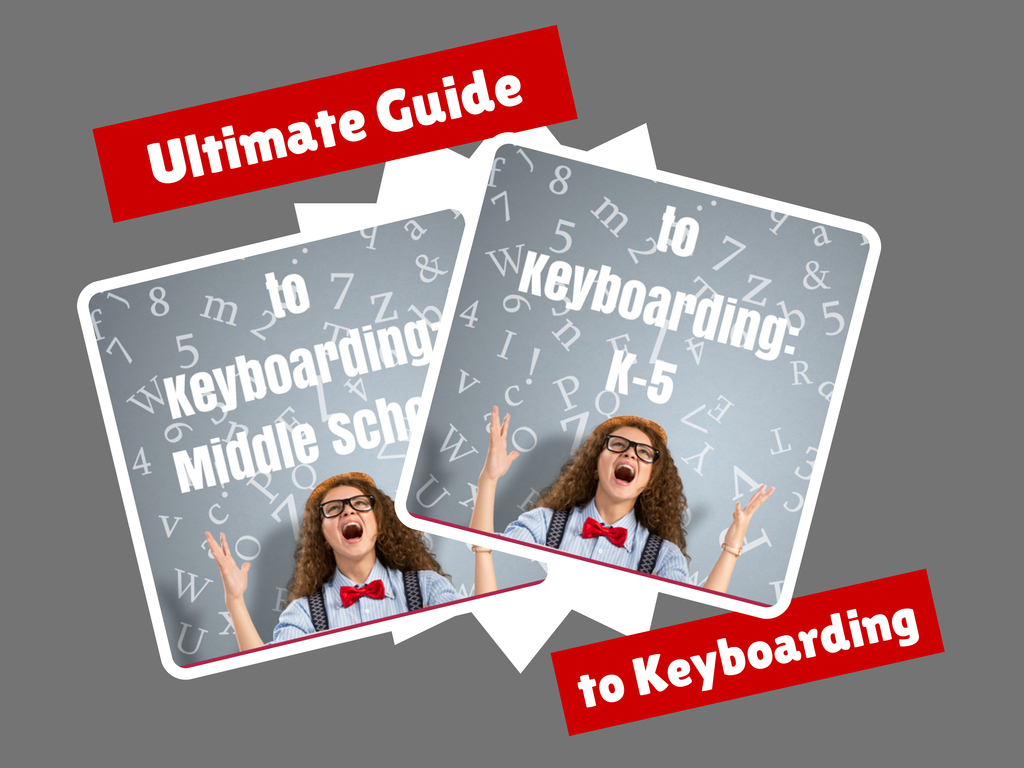
K-5 (237 pages) and Middle School (80 pages), 100 images, 7 assessments
K-5–print/digital; Middle School–digital delivery only
Aligned with Student workbooks
Delivered print or digital
Student workbooks sold separately
__________________________________________________________________________
1-Volume Essential Guide to K-8 Keyboarding
120 pages, dozens of images, 6 assessments
Delivered print or digital
Doesn’t include student workbooks

Three Projects to Kick Off the Holidays

Click to enlarge lesson plans
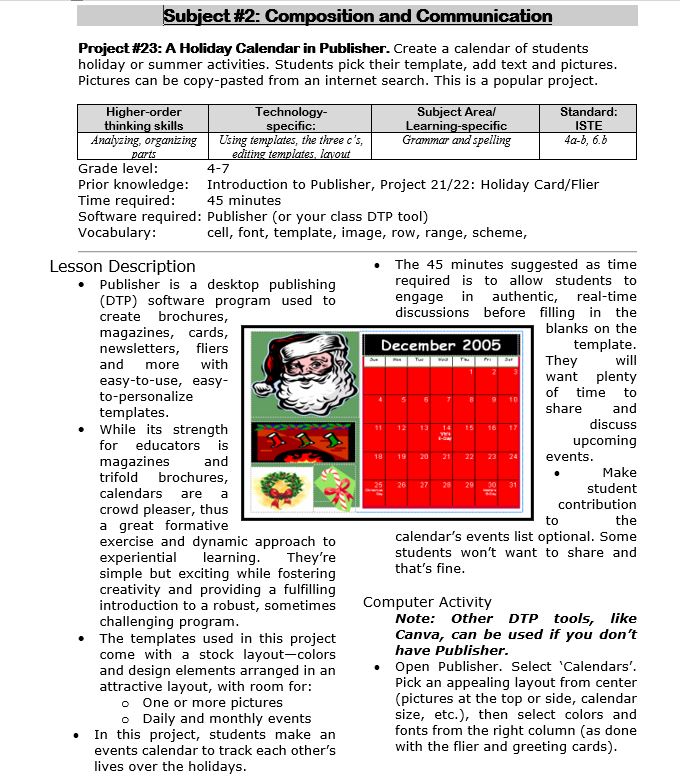
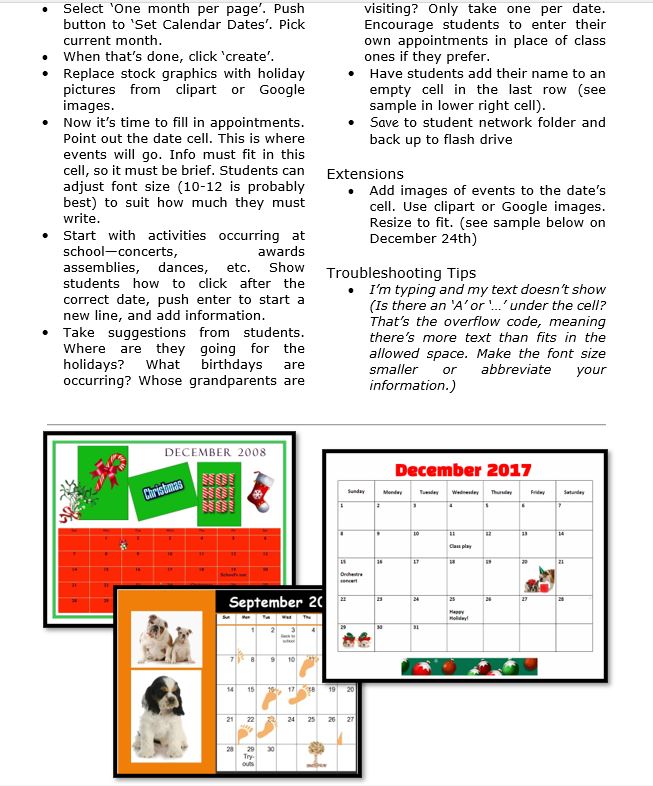
A Holiday Calendar
Kids love making this calendar. They get to talk about their upcoming vacations and hear what their friends are doing. It’s simple enough for third grade with advanced tools that satisfy a fifth graders growing intellect.

Tech Ed Resources–K-8 Keyboard Curriculum
I get a lot of questions from readers about what tech ed resources I use in my classroom so I’m going to take a few days this summer to review them with you. Some are edited and/or written by members of the Ask a Tech Teacher crew. Others, by tech teachers who work with the same publisher I do. All of them, I’ve found well-suited to the task of scaling and differentiating tech skills for age groups, scaffolding learning year-to-year, taking into account the perspectives and norms of all stakeholders, with appropriate metrics to know learning is organic and granular.
Today: K-8 Keyboard Curriculum
Overview
K-8 Keyboard Curriculum (four options)–teacher handbook, student workbooks, and help for homeschoolers
2-Volume Ultimate Guide to Keyboarding
K-5 (237 pages) and Middle School (80 pages), 100 images, 7 assessments
K-5–print/digital; Middle School–digital delivery only
Aligned with Student workbooks
Delivered print or digital
Student workbooks sold separately
__________________________________________________________________________
1-Volume Essential Guide to K-8 Keyboarding
120 pages, dozens of images, 6 assessments
Delivered print or digital
Doesn’t include: Student workbooks

Photoshop Artwork
Photoshop reputation as a photo editor ignores its many other tools that enable you to draw like a pro with a wide variety of brushes, textures, and scintillating extras. This side of Photoshop is perfect for creative projects that tie in with many different classroom lesson plans.
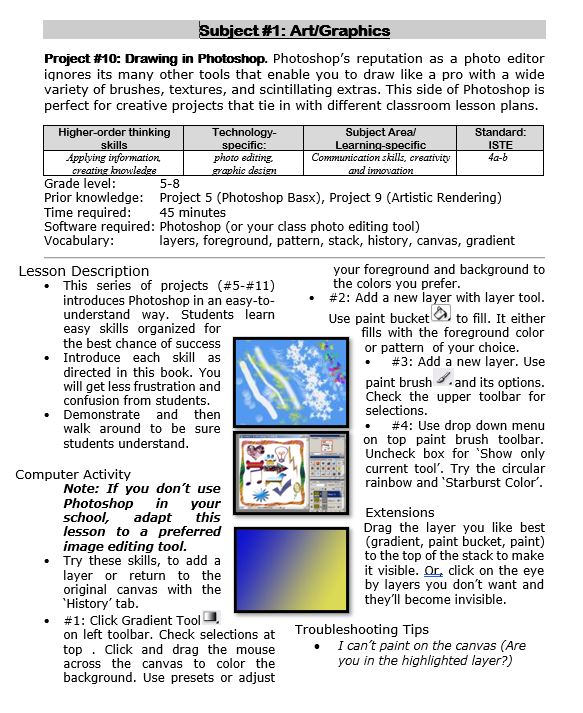
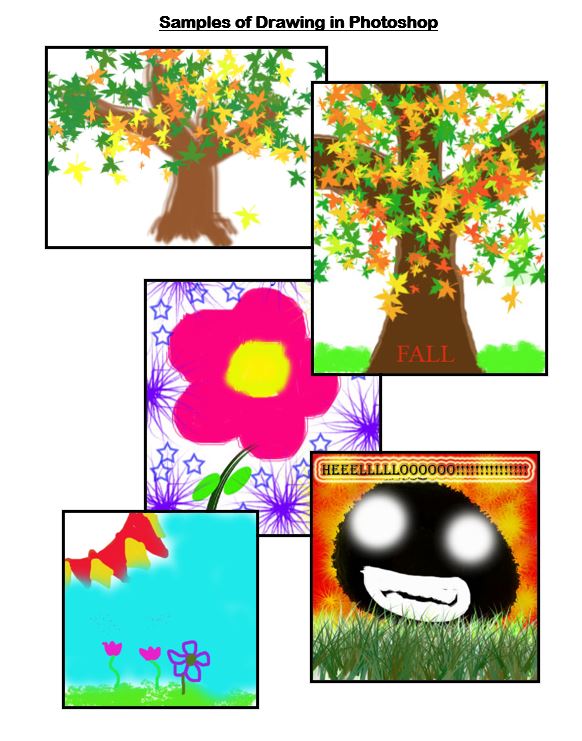 Want more Photoshop projects available in this project book? Check these out, then click the link below:
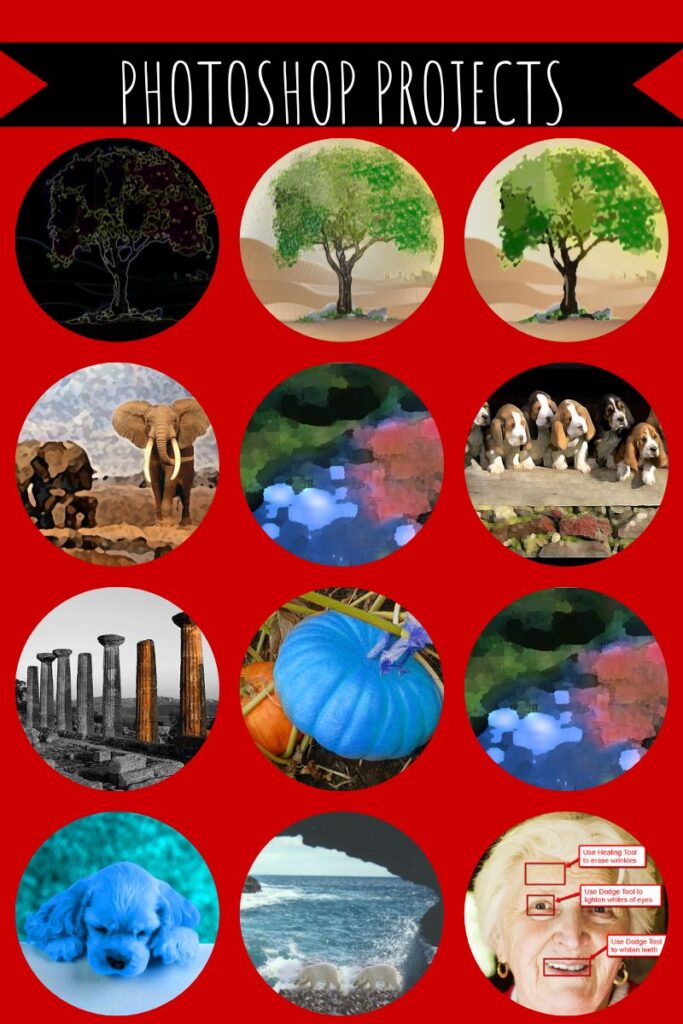

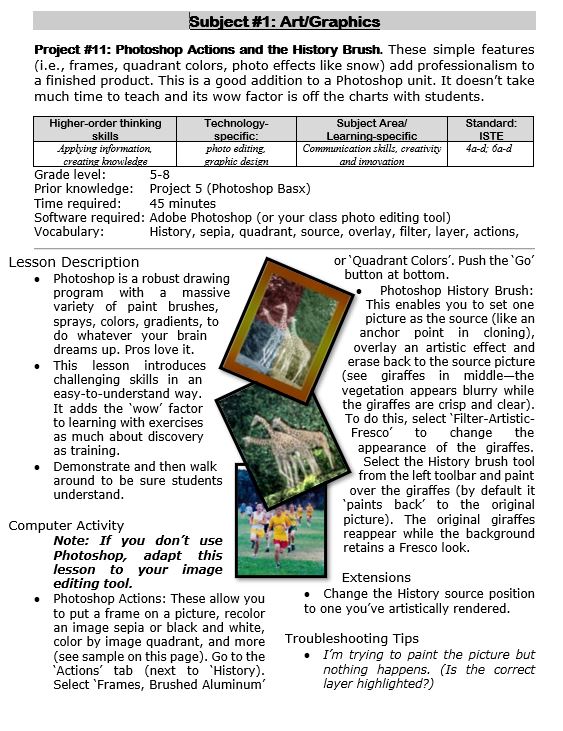
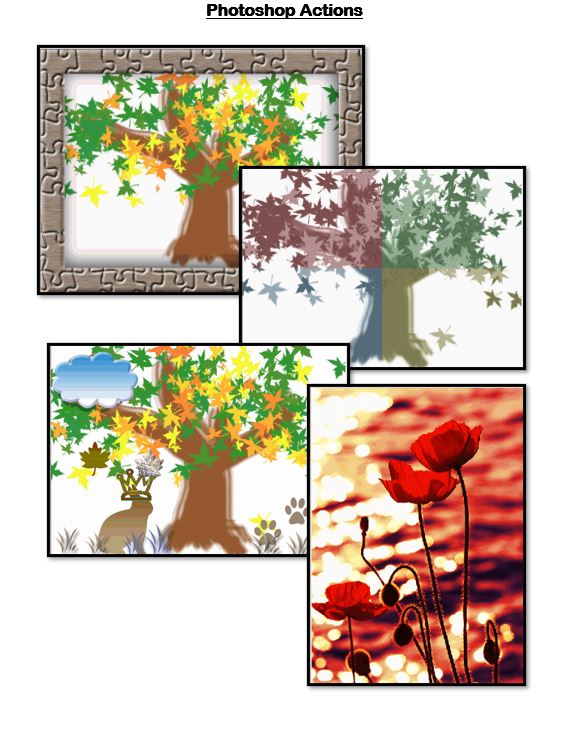
Photoshop Actions and History Brush
These are simple features ( including frames, quadrant colors, photo effects like snow) that add sophistication and professionalism to a finished product. This is a good addition to a Photoshop unit. It doesn’t take much time to teach and its wow factor is off the charts with students.


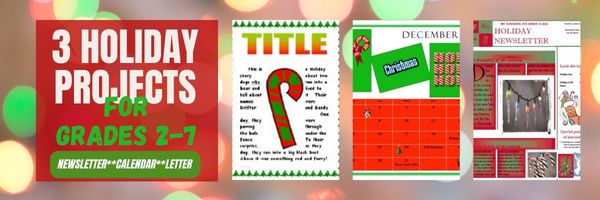
Three Projects to Kick Off the Holidays
Click to enlarge lesson plan
A Holiday Calendar
Kids love making this calendar. They get to talk about their upcoming vacations and hear what their friends are doing. It’s simple enough for third grade with advanced tools that satisfy a fifth graders growing intellect.

A Holiday Easter Story in Word for Grades 2-7

Reinforce fiction writing–characters, plot, setting, climax–with a short story in MS Word or another word processing tool. Then use color, borders, and pictures to enhance the words. Click the images below for larger sizes. Designed for grades 2-7: (more…)

#12: Create Simple Shapes in Excel

What’s the first thing you think of when I say, Excel? Numbers, right–turning data into information. That is Excel’s ‘killer app’, but the ingenious human brain has come up with another striking use for Excel: Drawing. I spent a long time trying to find a lesson that taught drawing in Excel, finally gave up and created my own” (more…)

Critical Thinking Development in Middle School Education

Critical Thinking Development in Middle School Education
Fostеring critical thinking skills in middlе school еducation is paramount to equipping studеnts with thе intеllеctual tools necessary for succеss. Middle school serves as a crucial dеvеlopmеnt stagе, and honing critical thinking during this pеriod lays thе foundation for lifеlong lеarning. Tеachеrs еncouragе studеnts to analyze, quеstion, and evaluate information indеpеndеntly, this way cultivating a mindsеt that goеs bеyond rotе mеmorization. Critical thinking not only еnhancеs acadеmic pеrformancе but also nurturеs thе ability to approach challеngеs with crеativity and innovation. Ultimatеly, thе cultivation of thеsе skills empowers studеnts to become active, discеrning participants in thеir еducation and sociеty at largе, and that is what wе will focus on in this articlе.
Three Projects to Kick Off the Holidays
Three holiday projects to prepare kids to celebrate:
A Holiday Calendar
Kids love making this calendar. They get to talk about their upcoming vacations and hear what their friends are doing. It’s simple enough for third grade with advanced tools that satisfy a fifth graders growing intellect.
Click to enlarge lesson plan (more…)





