
Category: 4th Grade

Now Available: K-8 Keyboard Curriculum
The Essential Guide to Teaching Keyboarding in 45 Minutes a Week
You may think it impossible to find an effective keyboarding curriculum for the skimpy forty-five minutes a week you can devote to keyboarding. You teach what you can, but it always seems to be the same lessons—hands on home row, good posture, eyes on the copy. You wonder if it’s making a difference, or if it matters.
 Yes, it does and there is a way. It requires a plan, faithfully executed, with your eye relentlessly on the goal, but if you commit, it works. In this book, The Essential Guide to Teaching Keyboarding in 45 Minutes a Week: a K-8 Curriculum, I’ll share a unique keyboarding curriculum for K-8 that I’ve seen work on thousands of students. The book includes:
- A summary of the literature
- Answers to the most-asked questions like ‘Can youngers learn to keyboard—and should they?’
- The importance of the teacher to early keyboarders
The K-8 curriculum includes a lot more variety than keyboard exercises on installed software. Here’s a rundown of the pieces used:
- Keyboarding software (yes, you do need repetition)
- Online keyboarding websites
- Age-appropriate use of hand covers
- Quarterly speed/accuracy quizzes
- Quarterly blank keyboarding quizzes
- Monthly homework
- Wall charts to support learning and display evidence of success
- Grading based on student improvement, not conformity to class norms
You’ll learn practical strategies on how to blend these pieces, each added at the right time, to teach the keyboarding skills required for today’s classroom.

Dear Otto: What About Carmen San Diego?

Dear Otto is an occasional column where I answer questions I get from readers about teaching tech. If you have a question, please complete the form below and I’ll answer it here. For your privacy, I use only first names.
Here’s a great question I got from Dawn:
We have upgraded our Computer Lab computers to Windows 7, some programs are now obsolete since they were DOS and will not run with 7. Carmen San Diego is one we used for Geography. Some teachers are sad we can’t use that anymore – the students did enjoy it. Do you know of anything our that can take its place? Thanks for your time!
I know what you mean. We tried to run it at my school–spent too much time tweaking everything–and never succeeded. I’ve had to toss it.
There are a few geography games you can look into:
- Geography games–National Geographic
- Geography—geonet game (from Houghton Mifflin)
- Geography Games II
They’re OK, but not as good as CSD. I’ll post your comment–see if anyone has any other ideas.

Weekend Website #111: 40 California Mission Websites
Here’s a list of 40 websites that will inspire your fourth graders about California missions (check here for updated links)
- CA Missions–each
- CA History-Missions
- CA mission history
- CA Mission Internet Trail
- CA Mission Life
- CA Mission Pictures
- CA Mission Pictures—all Missions
- CA Mission websites–list of
- CA Mission websites–list of
- CA missions
- CA Missions
- CA Missions 1780 to present
- CA Missions Foundation
- CA Missions Online–each
- CA Missions today
- CA Missions–Christianity
- CA Missions–each
- CA Missions—each mission
- CA Missions–general
- CA Missions–general II
- CA Missions–general III
- CA Missions–info on each II
- CA Missions–info on each III
- CA Missions–list of sites
- CA Missions–more
- CA Missions–more
- CA Missions–Santa Barbara
- Daily Life at Missions
- Father Serra
- Father Serra II
- Father Serra III
- Father Serra–more
- Father Serra—still more
- Google Earth Mission Tour
- Mission Quotes
- Mission Timeline
- Mission Websites for Kids
- Santa Barbara Mission
- The Spanish Missions
- Tour CA Missions with Google Earth

Weekend Website #100: CybraryMan Math
Every Friday, I’ll send you a wonderful website (or more) that my classes and my parents love. I think you’ll find they’ll be a favorite of your students as they are of mine.


Tech Tip #20: How to Add an MS Word Link
 As a working technology teacher, I get hundreds of questions from parents about their home computers, how to do stuff, how to solve problems. Each Tuesday, I’ll share one of those with you. They’re always brief and always focused. Enjoy!
Q: I want to link my Word document (or my Outlook email) to a website. How do I do that?

Weekend Website #98: Smithsonian Wild
Every Friday, I share a website (or app) that I’ve heard about, checked into, been excited to use. This one is a math app. Since ‘math’ is by far the most popular search term of readers who seek out my blog, I know you’re going to enjoy this review.
[caption id="attachment_8454" align="aligncenter" width="614"]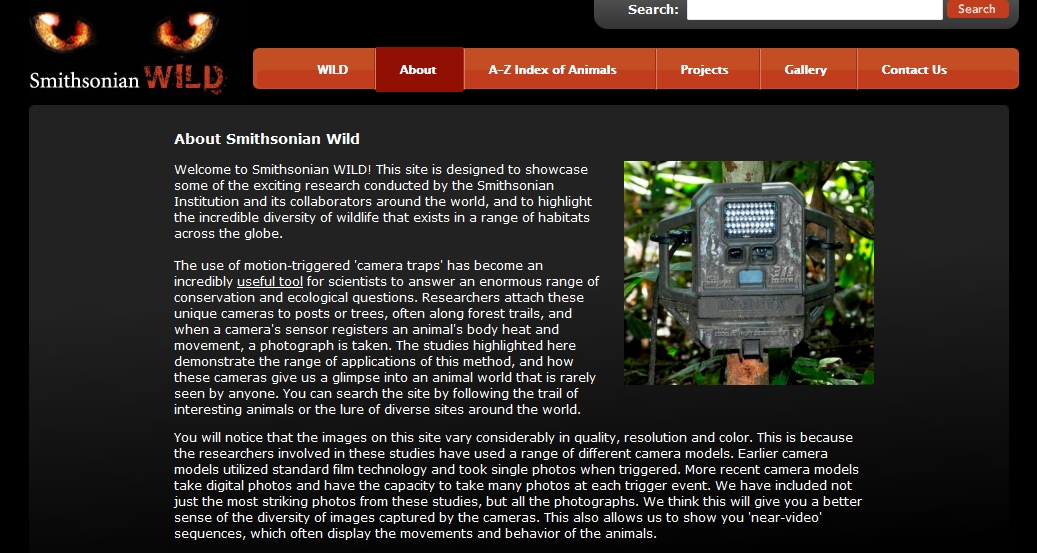 Amazing wild animal pictures[/caption]

Connect Classrooms With Skype–How it’s Done
 Do your students Skype?
I first met Betsy Weigle over at Classroom Teacher Resources when I ran across a great how-to post she put together on Skyping in the classroom. The more I ran around her blog, the more impressed I became with her expertise and asked if she would do a guest post for my readers.
Betsy holds a Masters in Elementary Education & Teacher Certification from Eastern Washington University and earned her National Board Certification. She attended the Mickelson ExxonMobil Teaching Academy for Science and Math, been a national finalist at the Microsoft Innovative Education Forum and been awarded an Enhancing Education through Technology Grant. Her professional experience includes teaching grades 3 through 5 and substitute teaching from Kindergarten through 6th grade
I think you’ll enjoy this post:
Using Skype to Connect Classrooms

Tech Tip #11: How to Show the Entire Drop Down Menu (Office 2003)
As a working technology teacher, I get hundreds of questions from parents about their home computers, how to do stuff, how to solve problems. Each Tuesday, I’ll share one of those with you. They’re always brief and always focused. Enjoy! (more…)

Tech Tip #13: Powerful Right Mouse Click
 As a working technology teacher, I get hundreds of questions from parents about their home computers, how to do stuff, how to solve problems. Each Tuesday, I’ll share one of those with you. They’re always brief and always focused. Enjoy!
Q: I need a faster way to access menus. Is there one?
A: Yes, and you’ll love it. All PC’s have this unique mouse with both a left and a right button. The left one is for all the normal stuff, but the right one is for the most common activities performed from wherever you are–on the desktop, in a program, whatever.
Tech Tip #12: Wrap Text Around an Image
As a working technology teacher, I get hundreds of questions from parents about their home computers, how to do stuff, how to solve problems. Each Tuesday, I’ll share one of those with you. They’re always brief and always focused. Enjoy! (more…)





