
Author: Jacqui

What You Might Have Missed in September–What’s up in October

Here are the most-read posts for the past month:
- 18 Digital Tool Musts in the Classroom — a Video
- Introducing the Makeblock mBot2: A Fun and Educational AI Robot for Coding
- 9 Reasons to Use Digital Books
- The Role of Phosphorus Properties in Sustainable Technology for Classrooms
- Tips for Teachers to Balance the Demands of School Events and Their Personal Lives

Here’s a preview of what’s coming up:
- Warm Ups–watch the video
- 6 Online Resources About Letters
- Subscriber Special
- Tech Tips
- Online Resources About Gamified Education
- Digital Citizenship
- Google Street View
- Speaking and Listening Skills
- Canva in Your Classroom
- Tips on Internet Research
–image credit to Deposit Photo (more…)

Autumn Websites

- Autumn Facts for Kids
- Don’t “Leaf” Out Fall’s Most Valuable Lesson
- EEK! A Tree’s True Color
- Fall Bucket List For Families Printable
- Fall Crafts, Decorations, and Printouts
- Fall Books & Short Stories For Kids about Autumn
- Primary Games’ Fall Fun
- Science Made Simple: Why Do Leaves Change Color in Fall?
- Why Leaves Change Color
Click for an updated list (more…)

America, We Remember
9-11 Day has become Patriot Day here in America, but it doesn’t change its purpose: to show how much we love our country.
[youtube https://www.youtube.com/watch?v=mwcWVs4Eejg?si=nfBd6Unur6CmgiUH&start=35]
If you aren’t familiar with this terrorist attack, here’s a 2-minute overview:
[youtube https://www.youtube.com/watch?v=A9oPmD6XJD0?si=LBKrjDQzQnYmLey2] [youtube=http://www.youtube.com/watch?v=6TPgJSZf5Vw&w=420&h=315]
–Comments are closed to enjoy the day more completely.

Here’s the sign-up link if the image above doesn’t work:
https://forms.aweber.com/form/07/1910174607.htm
“The content presented in this blog are the result of creative imagination and not intended for use, reproduction, or incorporation into any artificial intelligence training or machine learning systems without prior written consent from the author.”
Jacqui Murray has been teaching K-18 technology for 30 years. She is the editor/author of over a hundred tech ed resources including a K-12 technology curriculum, K-8 keyboard curriculum, K-8 Digital Citizenship curriculum. She is an adjunct professor in tech ed, Master Teacher, webmaster for four blogs, freelance journalist on tech ed topics, contributor to NEA Today, and author of the tech thrillers, To Hunt a Sub and Twenty-four Days. You can find her resources at Structured Learning.

Tech Tip #139: 9 Reasons to Use Digital Books

In these 169 tech-centric situations, you get an overview of pedagogy—the tech topics most important to your teaching—as well as practical strategies to address most classroom tech situations, how to scaffold these to learning, and where they provide the subtext to daily tech-infused education.
Today’s tip: Using digital books
Category: Problem-solving
As you discuss reading and the technology tools that inspire students in this activity, here’s a poster with nine reasons why students will love digital books:

They’re light-weight, easy to transport, provide links for deeper learning, differentiate for student needs (like zoom to see better or a change of font), allow for the addition of notes that can be erased, and pages never rip. What more could you ask?
Sign up for a new tip each week below or buy the entire 169 Real-world Ways to Put Tech into Your Classroom.
What’s your favorite tech tip in your classroom? Share it in the comments below.
What You Might Have Missed in August–What’s up in September

Here are the most-read posts for the past month:
- 40+ Word Study Websites
- 15 Webtools in 15 Weeks–the video
- Creating and Using Curriculum Maps Video
- Tech Ed Resources for your Class–K-8 Keyboard Curriculum
- Tech Ed Resources for your Class–Digital Citizenship
- Tech Ed Resources–K-12 Tech Curriculum
- Tech Ed Resources–Lesson Plans
- 35+ Online Audio Resources
- 20 Online Resources About Digital Storytelling
- Here’s How to Get Started with Ask a Tech Teacher
Here’s a preview of what’s coming up:
- mBot2: An Educational AI Robot for Coding
- 18 Digital Tool Musts–a video
- I’m traveling most of September–see you in October!
–image credit to Deposit Photo (more…)

Happy Labor Day! Now Get to Work

Monday, September 2nd, is America’s Labor Day. It was originally organized to celebrate labor association strengths and contributions to the United States economy. Now, it has become a day of rest, the traditional end of the summer, and a last chance to make trips or hold outdoor events.
Here are some wonderful websites that will generate organic conversations about The Day:
- Child Labor
- Cybraryman’s Labor Day page--comprehensive as is his way
- History of Labor Day–Movie
- Labor Day activities, games, drawings for kids
- Labor Day infographic
- Labor Day for Kids: Read-aloud book
- Labor Day’s Violent Beginnings
- PBS Kids: Labor Day
- Ten Labor Day Facts (from Forbes)
- Today in History (Labor Day)–from Library of Congress
- Why Americans and Canadians Celebrate Labor Day–YT video
- Why do we celebrate Labor Day (from How Stuff Works)

Tech Ed Resources–Mentoring and Coaching
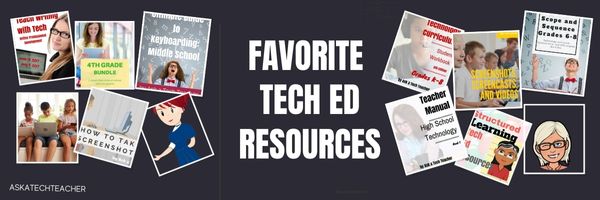
I get a lot of questions from readers about what tech ed resources I use in my classroom so I’ll take a few days this summer to review them with you. Some are edited and/or written by members of the Ask a Tech Teacher crew. Others, by tech teachers who work with the same publisher I do. All of them, I’ve found well-suited to the task of scaling and differentiating tech skills for age groups, scaffolding learning year-to-year, taking into account the perspectives and norms of all stakeholders, with appropriate metrics to know learning is organic and granular.
Today: Mentoring and Coaching

Tech coaching/mentoring is available from experts who work with you via email or virtual meetings to prepare lesson plans, teach to standards, integrate tech into core classroom time. If you’re new to tech education and wonder how to teach kindergartners to use the mouse, first graders to keyboard, third graders to sagely search the internet, pick the brains of our seasoned team of technology teachers.
Note: If your District has purchased a license, you get some coaching for free. Check on that before signing up.
- How do you start kindergartners who don’t know what ‘enter’, ‘spacebar’, ‘click’ or any of those other techie words mean?
- What do you do with third graders who join your class and haven’t had formal technology classes before?
- You’ve been thrown into the technology teacher position and you’ve never done it before. How do you start? What do you introduce when?
- You’ve been teaching for twenty years, but now your Principal wants technology integrated into your classroom. Where do you start?
- How do you differentiate instruction between student geeks and students who wonder what the right mouse button is for?
- How do you create a Technology Use Plan for your school?
- How do you create a Curriculum Map?
- As an edtech professional, what’s your career path?
For more information on coaching, mentoring, PD, online classes, and consulting, click here.
For a start-up discount on Coaching-Mentoring, use this code: FK5SZM2A Sept. 1-10th.

22 Back To School Websites

Here are a few of the popular resources teachers are using to
- BTS resources from Microsoft
- BTS resources from Teachers Pay Teachers
- Back to School Survival Kits
- BTS Toolkit from Education.com
- Make a class photo in Pixton EDU
 –image credit Deposit Photos (https://depositphotos.com/)[/caption]
We write about back to school often on Ask a Tech Teacher. Here are some of the past articles I think you’ll like:
- 3 Apps to Help Brainstorm Next Year’s Lessons
- 5 FREE Web Tools for a New School Year
- 5 Tech Ed Tools to Use this Fall
- 5 Top Ways to Integrate Technology into the New School Year
- 5 Ways Teachers Can Stay on Top of Technology
- 5 Ways to Involve Parents in Your Class
- 6 Tech Best Practices for New Teachers
- 8 Tech Tools to Get to Know Your Students for Back to School
- 11 Back-to-school Activities for the First Month of School
- Back to School–Tech Makes it Easy to Stay On Top of Everything
- Dear Otto: I need year-long assessments
- Great Activities for the First Week of School
- Great Back to School Classroom Activities
- How to Build Your PLN
- New School Year? New Tech? I Got You Covered
- Plan a Memorable Back to School Night
- Ready To Go Back To School? 7 Fun Lesson Ideas To Start The New Year

Subscriber Special: Back to School Survival Kits
Every month, subscribers to our newsletter get a free/discounted resource to help their tech teaching.
September 1-8, 2024, we’re offering a 20% discount on any Survival Kit. Pick one from this link:
https://www.structuredlearning.net/product-category/all-in-one-resource-collections/
Use this code:
3XAR9WZU
Click through for additional hidden discounts!
Questions? Email us at askatechteacher@gmail.com (more…)

Be Featured on Ask a Tech Teacher

I get thousands of visitors a day–over six million since I started. The most common reason why you-all drop by is for resources. I have lots of them–lesson plans, tips and tricks–but one area I have not enough depth is the experiences of fellow teachers:
- your personal teaching experiences
- your informed take on tech ed topics
- Education pedagogy
If you’re interested in guest posting on this blog or start your own column, leave a comment below and I’ll be in touch. It’s a challenging time but one we-all can get through if we talk to each other.





