

Ask a Tech Teacher Receives an Award
 Did you notice the new seal in the left sidebar? Ask a Tech Teacher–Homeschool Edition–received a seal of approval from the proclaimed EdAnywhere, voted #1 by Homeschool.com We are proud to be part of the resources they make available to all homeschoolers to integrate technology into the homeschool curriculum.
We are proud to be included in this community. I encourage everyone to click on the seal and visit this wonderful site for homeschooling ideas.

Tech Tip #18: No Excuse for Spelling Errors
As a working technology teacher, I get hundreds of questions from parents about their home computers, how to do stuff, how to solve problems. Each week, I’ll share one with you. They’re always brief and always focused. Enjoy! (more…)

Track Santa Christmas Eve
Drop by every week to discover what wonderful website my classes and parents loved this week. I think you’ll find they’ll be a favorite of yours as they are of mine.
[caption id="attachment_4169" align="aligncenter" width="614"]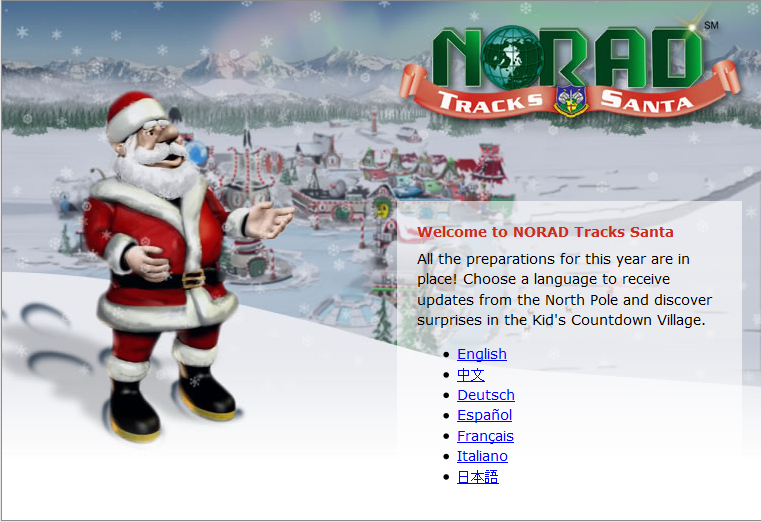 Track Santa on Xmas Eve[/caption]

Tech Tip #17: Don’t Know the Date? No Problem
As a working technology teacher, I get hundreds of questions from parents about their home computers, how to do stuff, how to solve problems. Each Tuesday, I’ll share one of those with you. They’re always brief and always focused. Enjoy! (more…)

Can Technology Help Teachers Plan?
Today’s post is from the CEO and creator of Holler for Mastro Differentiation Help for Teachers, Kasha Mastrodomenico. Kasha has a Baccalaureate in secondary
[caption id="attachment_786" align="alignright" width="320"]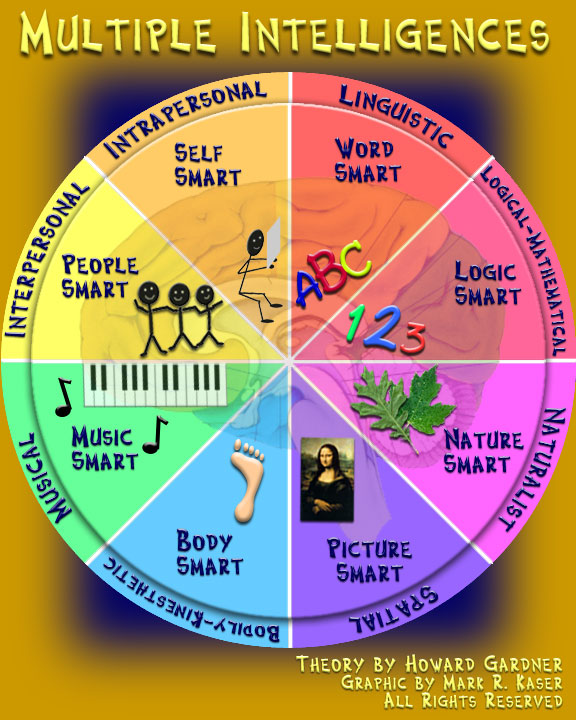 Multiple Intelligences and Teaching[/caption]
education and history and a Masters in Social Studies Secondary Education from the State University of NY (SUNY). She has taught middle school and high school, and is certified in Special Education. Along the way, she became a passionate advocate of multiple intelligences and differentiation in teaching and a presenter on both subjects in her county education network. Through these experiences, she came up with the idea to speed up the implementation of multiple intelligences for teachers so it can become an easy-to-use tool in all classroom units of inquiry. She is currently writing a book on differentiation and how to enable teachers to plan it quickly.
I know you’ll enjoy Kasha’s insights:
Is there really technology to help teachers plan?
My department and I were lucky enough to be asked to give a staff development presentation on how to differentiate in the classroom a few years back to Hall County School District in GA. I was a teacher there at the time. My section of the presentation was on how to differentiate activities. This is a brief overview of my presentation:
- Give four choices of activities to students the day before they are to do it that are focused on different multiple intelligences
- Give students the choice of how they want to work (self, partner, group)
- Create the groups so they are workable and make the copies
After they said it was really nice work and how great the activities and the idea of this type of differentiation was, they said it must take me forever and a day to plan and that it was not realistic. I was crushed. Then I started getting emails from the people that I had presented to asking for more activities and lessons. I even got chased down in the grocery store! I decided that I needed to create something that not only helped students but also helped teachers plan quickly.
A couple of years later I found myself with a web designer and created http://www.hollerformastro.com. My Grandma chose the name of my company so that my maiden name, Holler, was in it. The main part of the site is made up of two engines. One of the engines helps teachers do what I had presented about years ago and it helps them make those four choices of activities in less than 10 minutes! I even made sure that the rubrics were similar to each other for the consistency of grading but unique to each of the activities. The only thing that the teacher needs to do is choose four activities from the 50 project based learning activities provided based on multiple intelligences. They then type in the content they want the student to work with, giving as much information as they want. The last step is to click create. I couldn’t have made it any simpler. The other engine works similarly. It is an expository writing system that focuses on the small goal for students. The teacher chooses the levels of writing, from a topic sentence to a data based question essay, that they need for their class. They type in the question they want their students to write about and then press create.

#20: A Holiday Card in KidPix
Create a holiday card in KidPix and reinforce early writing skills while teaching mouse skills, toolbars and tool use: (more…)
Weekend Website #14: The Internet Start Page
Drop by every Friday to discover what wonderful website my classes and parents loved this week. I think you’ll find they’ll be a favorite of yours as they are of mine.
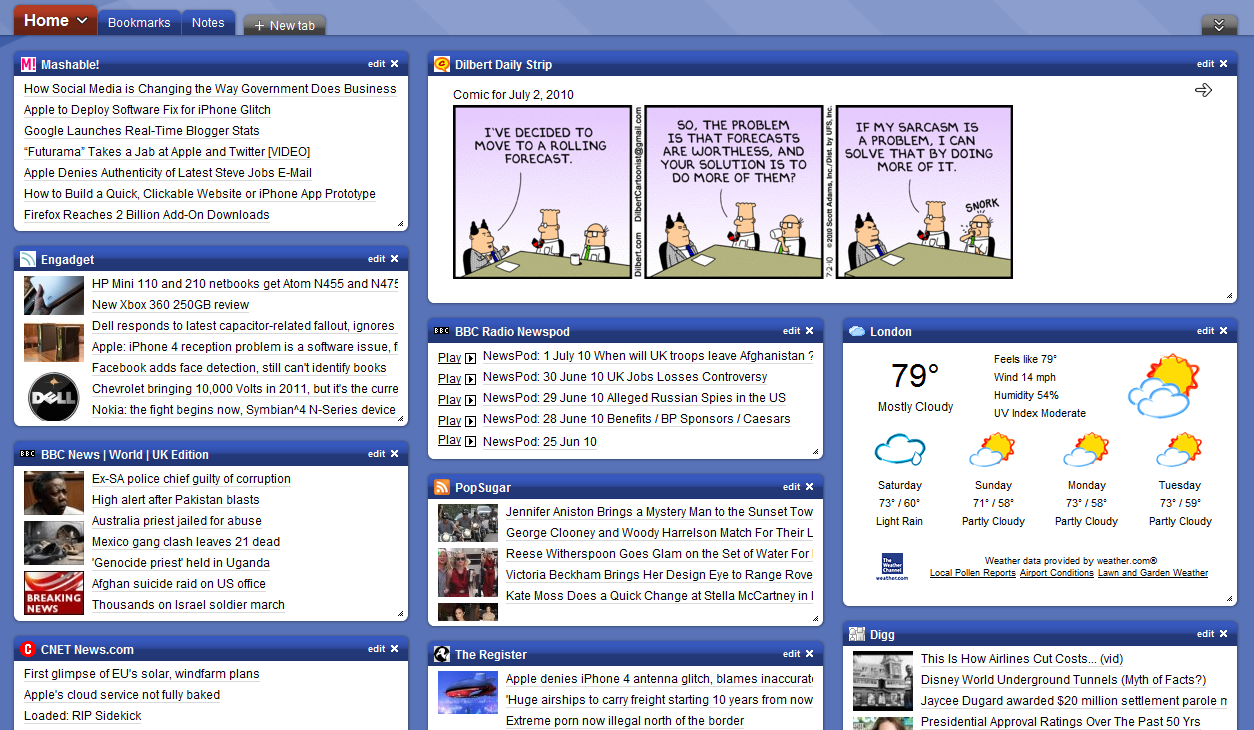

Using an Internet Start Page
This is a great idea for kids. Use one of these free start pages to put everything important there for your child that’s internet-based. Mine includes oft-used websites, blog sites, a To Do list, search tools, email, a calendar of events, pictures of interest, rss feeds of interest, weather, news, a graffiti wall and more. Yours will be different, more geared toward summer activities. Ask your child what s/he’d like there. Maybe sponge activities (internet sites that take just a few minutes to soak up empty time).
I used protopage.com (Protopage is your own personal page, which you can access from any computer or mobile phone), but you can use netvibes. Start pages are an outreach of the ever-more-popular social networking. Most search engines offer them also. They all have a huge library of custom fields to individualize any home page. And, they’re all simple. Don’t be intimidated.
When you get yours set up, on the To Do list, put what the child should do to start each computer time. This gives them a sense of independence, adultness, as they get started while you’re wrapping something else up.

#72: How to Check Your Math in Excel
This is one of the most popular lessons I teach to Excel beginners. It is relevant, instantly usable and makes sense from the beginning. Before you start this one, be sure to complete Project 70 and 71.
[gallery columns="2" ids="45219,45218"]–from 55 Technology Projects for the Digital Classroom
–5 lesson plans for spreadsheets
Jacqui Murray has been teaching K-8 technology for 15 years. She is the editor/author of over a hundred tech ed resources including a K-8 technology curriculum, K-8 keyboard curriculum, K-8 Digital Citizenship curriculum. She is an adjunct professor in tech ed, CSG Master Teacher, webmaster for four blogs, anAmazon Vine Voice book reviewer, Editorial Review Board member for Journal for Computing Teachers, CAEP reviewer, CSTA presentation reviewer, freelance journalist on tech ed topics, and a weekly contributor to TeachHUB. You can find her resources at Structured Learning.
updated 5-18-16

Tech Tip #16: Email That Document
As a working technology teacher, I get hundreds of questions from parents about their home computers, how to do stuff, how to solve problems. Each Tuesday, I’ll share one of those with you. They’re always brief and always focused. Enjoy!





