

Tech Tip #48: Quickly Switch Between Windows
As a working technology teacher, I get hundreds of questions from parents about their home computers, how to do stuff, how to solve problems. Each Tuesday, I’ll share one of those with you. They’re always brief and always focused. Enjoy! (more…)

School’s Back–Do Your Children Need Computers?
This is a question I get from parents all the time. Most parents want to get what their child needs as affordably as possible, but they don’t want to save a few bucks at the expense of their child. If that sounds like you, here are my suggestions:
- Start by talking to the classroom teacher. What are their expectations of the child? If they’re like the ones in my school, they will want him/her to have access to basic software and the internet for research, maybe email. That’s it.
- You’re wondering whether a desktop is good for your child, or do they need a laptop? There are lots of reasons why a laptop might be a good decision for your particular family dynamics, but in general terms, a desktop is fine for a younger child (K-5). They don’t need to take it to friend’s house for group projects much until they reach middle school, and I would not suggest gearing a more-expensive laptop decision around an occasional project. I guarantee, the teacher won’t.
- There are other reasons why a desktop is a good decision. It is more durable (it isn’t carried around, so can’t be dropped). If the monitor breaks, you don’t have to replace the entire computer–just the monitor. Because it’s cheaper, it can be replaced if your child somehow destroys it or part of it (this should be expected of new users). And, a desktop has a larger hard drive, more memory and more drives/ports for input devices. That makes it more adaptable to unexpected needs.
- Now you need to select which level of desktop your child requires. Does s/he need the basic $350 on sale version or the everything-in-it upgrade? My suggestion is to start simple. Basic. See what the child uses, what else he needs before making an expensive decision. Most kids are fine with the lower end of productivity. Some, though, want the works. You’ll know by the time you’re ready for an upgrade.
Once you’ve selected laptop vs. desktop computer, here’s what you’ll want to be sure it includes:
- MS Office or compatible (i.e., Google docs, Open Office). This will provide a word processor, a spreadsheet application, and presentation software.
- If your child must have MS Office and you are trying to fit the price into a budget, start with Office Web Apps, the free online version of Office. It’s compatible with MS Office, much like it but more limited. A good starter.
- MS Publisher is a great extra (though pricey). It enables students to create magazines, newsletters, trifolds, cover pages and more.
- Download FREE software such as Google Earth to enhance learning. (more…)

Teach Animal Adaptations with an MS Word Diagram
This project is part of a triptych that collaborates with a classroom unit on animals. The first was another diagram, that one to teach animal characteristics.
This one is a great project that mixes the visual with the written. Students loved collaborating to come up with the animal adaptations. Allow them to take ample time surveying the plethora of amazing animal pictures that represent the adaptations they selected. Overall a popular project that teaches a lot. Easily completed in 30 minutes. (more…)
Tech Tip #46: The Easiest Way to Explain Right and Left to (Little) Kids
As a working technology teacher, I get hundreds of questions from parents about their home computers, how to do stuff, how to solve problems. Each Tuesday, I’ll share one of those with you. They’re always brief and always focused. Enjoy! (more…)

31 Human Body Websites for 2nd-5th Grade
In my school, 2nd grade and 5th grade have units on the human body. To satisfy their different maturities, I’ve developed two lists of websites to complement this inquiry. I put them on the class internet start page so when students have free time, they can visit (check here for updates):
2nd -3rd Grade
[caption id="attachment_5364" align="alignright" width="212"]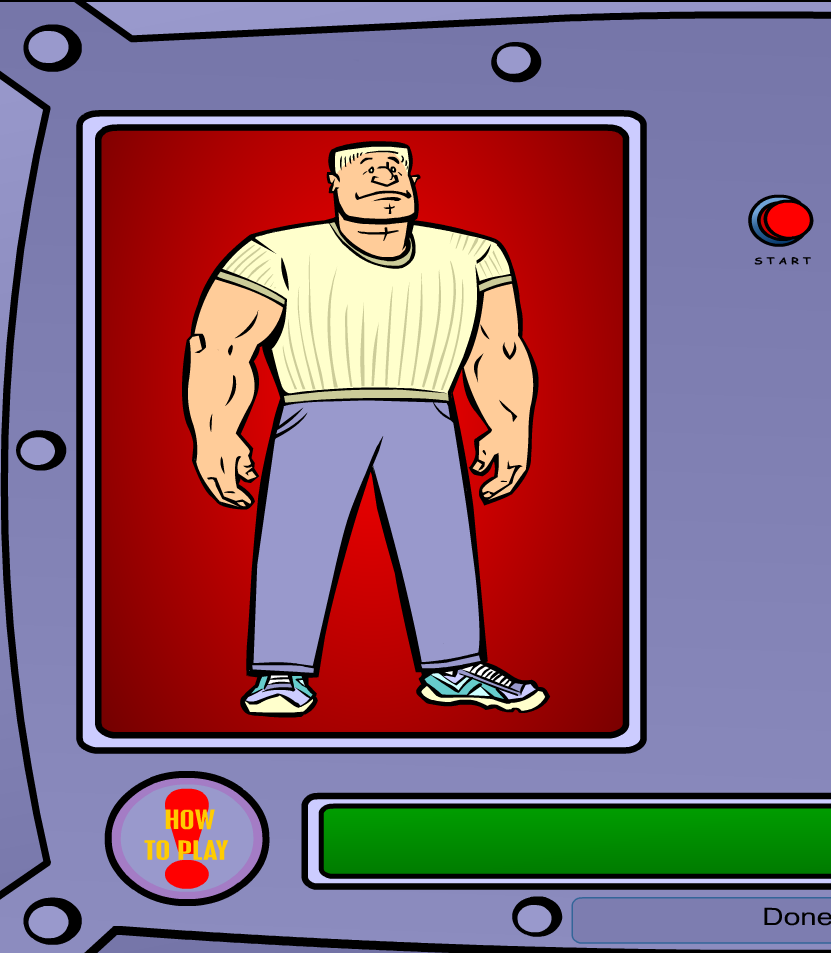 Place organs where they belong[/caption]
- Blood Flow
- Body Systems
- Build a Skeleton
- Can you place these parts in the correct place?
- Choose the systems you want to see.
- Find My Body Parts
- How the Body Works
- Human Body Games
- Human Body websites
- Human Body—by a 2nd grade class—video
- Human Body—videos on how body parts work
- Inside the Human Body: Grades 1-3
- Kids’ Health-My Body
- Matching Senses
- Muscles Game
- Nutrition Music and Games from Dole (more…)

Weekend Website #61: Brainy Widgets from Wolfram Alpha
Every Friday, I’ll send you a wonderful website (or more) that my classes and my parents love. I think you’ll find they’ll be a favorite of your students as they are of mine.
[caption id="attachment_5665" align="aligncenter" width="614"]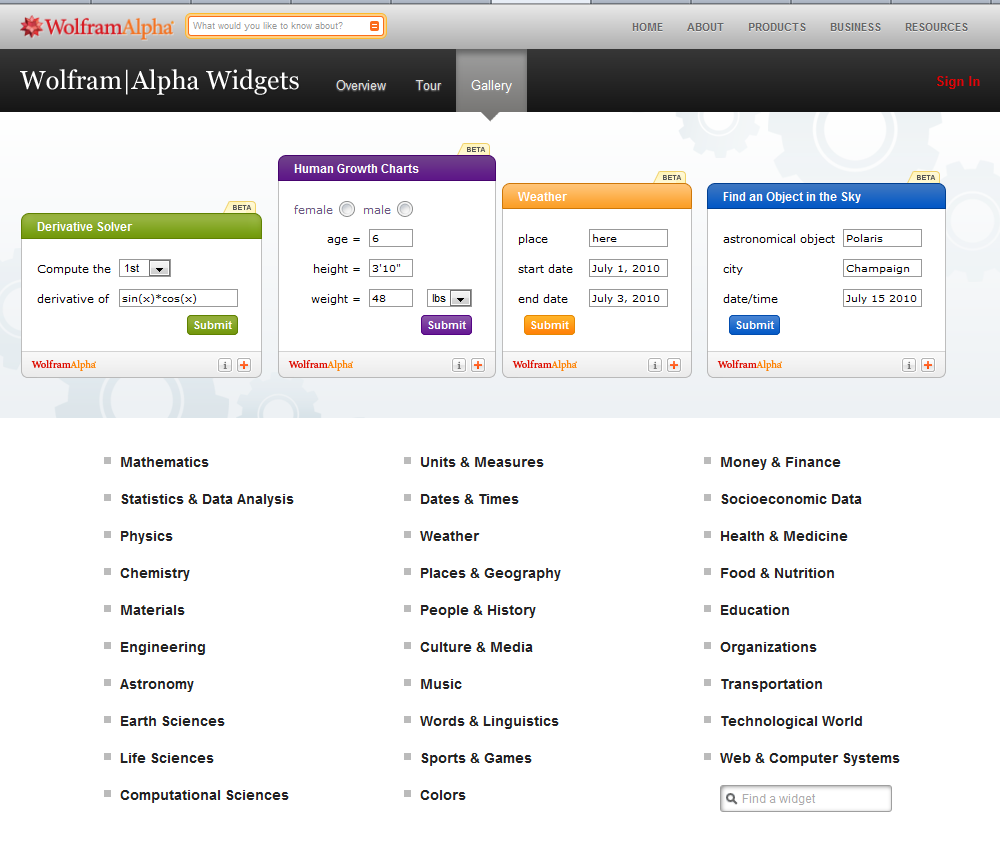 Educational widgets for your blog or website[/caption]
Tech Tip #47: Tool Tips
As a working technology teacher, I get hundreds of questions from parents about their home computers, how to do stuff, how to solve problems. Each Tuesday, I’ll share one of those with you. They’re always brief and always focused. Enjoy!
This week’s tip: How do I know what all those icons are for on the toolbar (or ribbon)?
Q: I’m supposed to find a tool on the toolbar, but there are so many and I have no idea what they are for? It’s just as bunch of pictures to me. Is there an easy way to figure this out?
A: To figure out what a tool does on the toolbar or 2007/10”s ribbon, hover your mouse over the tool (place the mouse above it without clicking). A tool tip will appear with a clue as to what it’s for.
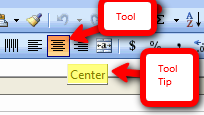
This works in any program with a toolbar or ribbon–MS Office, the internet, Photoshop, and more.
To sign up for Tech Tips delivered to your email, click here. (more…)

20 Websites to Learn Everything About Landforms
If your third grader has to write a report about landforms, try these websites (check here for updates to list):
- About Rivers www.42explore.com/rivers.htm
- Biomes/Habitats http://www.allaboutnature.com/biomes/
- Deserts http://www.42explore.com/deserts.htm
- Explore the Colorado http://www.desertusa.com/colorado/explorriver/du_explorrv.html
- Geography Activities—for teachers www.enchantedlearning.com/geography/
- Geography Game—Geospy kids.nationalgeographic.com/Games/GeographyGames/Geospy

- Geography Quiz Game www.quia.com/pop/114591.html

- Geography Reading Problems www.tv411.org/lessons/cfm/reading.cfm?str=reading&num=8&act=4&que=1
- GeoNet Game www.eduplace.com/geonet/
- Labeling Maps www.iknowthat.com/com/L3?Area=LabelMaps
- Landforms make a greeting www.geogreeting.com/main.html
- Landforms www.edu.pe.ca/southernkings/landforms.htm
- Landforms—matching games, etc. www.quia.com/jg/29.html
- Los Angeles River Tour http://www.lalc.k12.ca.us/target/units/river/tour/index.html
- Map skills www.tv411.org/lessons/cfm/reading.cfm?str=reading&num=8&act=3&que=1
- Mapping Game www.sheppardsoftware.com/states_experiment_drag-drop_Intermed_State15s_500.html
- Rivers Seen from Space http://www.athenapub.com/rivers1.htm
- The Colorado River http://www.desertusa.com/gc/gcd/du_glencaydam.html
- What’s on a Map www.tv411.org/lessons/cfm/reading.cfm?str=reading&num=8&act=2&que=1
- Zambezi River Tour http://www.on-the-matrix.com/africa/zambezi.asp

Weekend Website #60: Google Tools and Bloom’s Taxonomy
Every Friday, I’ll send you a wonderful website (or more) that my classes and my parents love. I think you’ll find they’ll be a favorite of your students as they are of mine.
[caption id="attachment_5658" align="aligncenter" width="614"]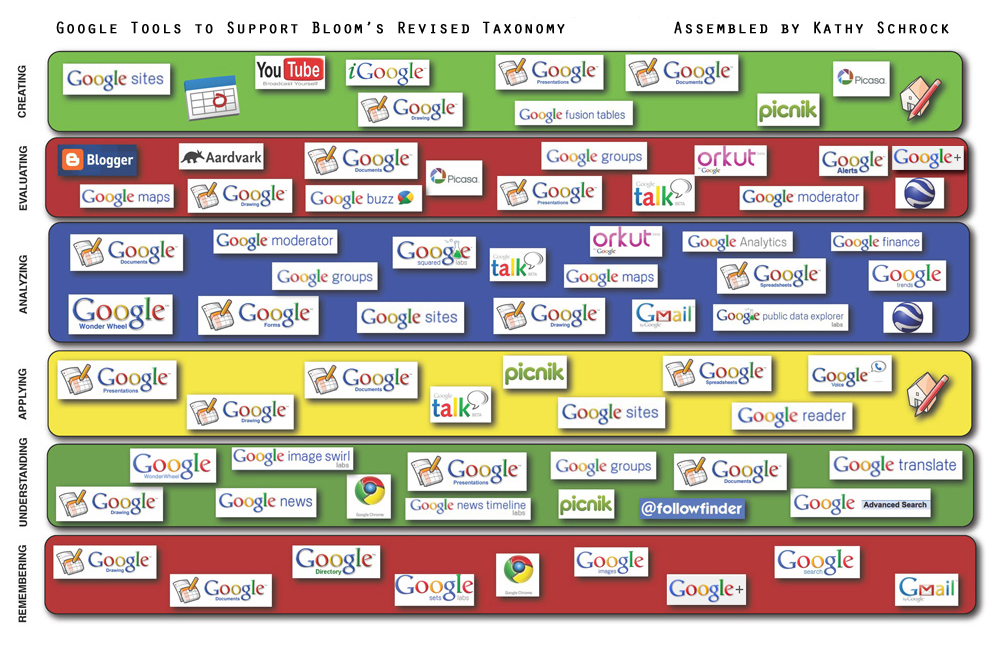 Support Blooms Taxonomy with Google Tools[/caption]
(more…)
Tech Tip #49: The Fifteen Second Slideshow
As a working technology teacher, I get hundreds of questions from parents about their home computers, how to do stuff, how to solve problems. Each Tuesday, I’ll share one of those with you. They’re always brief and always focused. Enjoy! (more…)





