
Category: Writing

How can schools detect your AI writing?
How do schools detect AI in student writing? It’s easier than it used to be. So what can students do to ensure their writing is assisted by AI, not written by it? The Ask a Tech Teacher team explains:

How can schools detect your AI writing?
If a teacher questions whether you used AI, a detector score may be only part of the concern. They may also ask about a source you cited or why your essay sounds different from your classroom work. Knowing what schools look for can help you review an assignment before you submit it.
This guide explains those checks and walks through a practical editing process: assess the draft, rebuild weak arguments from your notes, then work on wording and grammar. Writing tools can help with specific tasks along the way. Check your teacher’s rules first, since permission to correct spelling does not necessarily include permission to rewrite whole paragraphs. (more…)

Tech Tip #149 How to Teach Writing to Non-writers

Today’s tip: How to Teach Writing to Non-writers
Here are seven categories of tools that address specific learning styles, with suggestions:
Art: A picture is worth a thousand words–what better way for a writer to understand the intricacies of a story than to draw them. Excellent online drawing tools include Lunapic, Paint Studio, and Pixlr.
Audio: Audio “writing” is simply taping words rather than putting them on paper. They are consumed without eyes (great if you’re driving or watching TV), and appeal to learners who have difficulty with traditional writing methods. Three great options include Audacity, VoiceThread, and SonicPics.
Comics: A popular medium for blending art and writing is comics. Options include Bitstrips, Pixton, and Powtoons.
Desktop Publishing: Desktop publishing mixes a wide variety of media–pictures, text, audio, visual, color, and layout–to communicate a message. Good options are LucidPress and Canva.
Music: For some students, it’s all about music. Celine Dion’s popular Titanic song drenched millions of listeners in the debilitating emotion of a lost love. Nothing “examines complex ideas” better than music. Popular choice for composing music is GarageBand.
Slideshow: Slideshows have long been the alternative to the written report, used when an oral presentation was required. Most slideshows include bulleted draft text, images, sounds, videos, color, and movement. Three popular tools are PowerPoint, Google Slides and Haiku Deck.
Spreadsheet: For numbers-based communication, nothing turns data into information better than spreadsheets. Traditional options include MS Excel, Google Sheets, and Numbers.
Video: For students who aren’t writers and have difficulty presenting to a group, a video is unintimidating and stress-free. (more…)

World Letter Writing Day

Letter writing Lesson Plan
Kindergarten and 1st graders (and 2nd graders) can write increasingly complex letters like these with guidance and preparation:
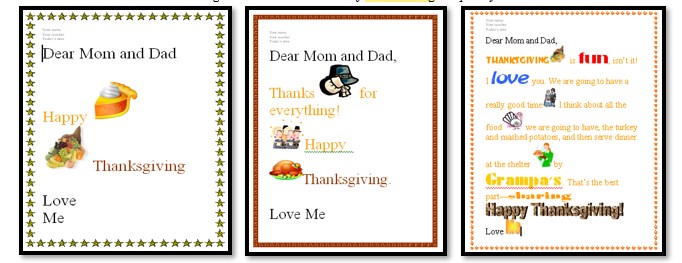
How? Follow these steps:
- Discuss letter writing skills such as:
- open with a greeting
- describe actions, thoughts, and feelings where required
- use temporal words to signal event order where required
- end with a closing
- In a word processing program like KidPix or a drawing program, for grade 2, type heading (name, teacher, date) and align it to the left.
- Have students type a letter to parents about why they are thankful (or another topic). Show 2nd graders how to select a font size 14-16 and adjust font look. Remind them that text wraps to next line—no need to push enter.
- As they type, reinforce age appropriate keyboarding skills such as elbows at your sides, hands on homerow, legs in front of your body.
- 2nd grade: Show them how to check grammar/spelling by clearing red/green squiggles.
- When done, work with neighbor to insure:
-
- sentence fluency
- good grammar and spelling
- proper letter writing style
Here’s a rubric appropriate for 2nd grade or higher: (more…)

From Messy Drafts To Better Essays: How Digital Writing Tools Help Students Write Smarter
The Ask a Tech Teacher International team has ideas on how digital writing tools help students plan, edit, cite, and polish essays without losing their own voice or thinking skills.
From Messy Drafts To Better Essays: How Digital Writing Tools Help Students Write Smarter

Source: https://unsplash.com/photos/person-typing-on-laptop-computer-3GZNPBLImWc
Once upon a time, essay writing was a lonely business. You opened a word processor, stared into the abyss, typed a sentence, erased it, and tried to make sense of your argument. Today’s students are certainly under the same pressures, yet the writing tools available to them have become very different.
Digital writing tools today offer outlining services, grammatical assistance, citation generators, clarification services, note-taking apps, and much more. This does not mean that students should entrust everything to the software. The smartest applications will function more like a partner in studying, pointing out weaknesses in the argument, suggesting ways to structure your ideas, and helping you improve your drafts without taking away your critical decision-making.
This is important because, under stress, students will compare sample essays, seek help in editing their work, or even try their luck looking for write my essay for me online services. One such service, called WriteMyEssay, could easily pop up among the results of your search; give it a try. (more…)

5 Favorite Activities to End the School Year
The end of the school year is a time when both students and teachers alike are distracted by thoughts of vacation, sleeping in, and no deadlines. For many, this means the last few weeks of school, learning limps to a grinding halt, but increasingly, teachers use this time to introduce curricular- and standards-aligned activities that “color outside the lines” — step away from the textbook to blend learning with dynamic activities that remind students why they want to be life-long learners. Many of these, educators would love to teach but “just don’t have time for“, even though they align well with broad goals of preparing students for college and career.
If you’re looking for meaningful lessons to wrap up your school year, here are my top picks:
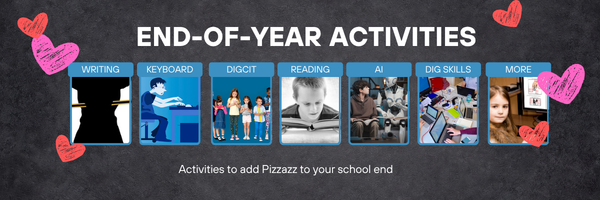
- Digital Passport
- Cool book reports
- Practice keyboarding
- Dig into cyberbullying
- Applied Digital Skills
Digital Passport
Common Sense Media’s award-winning Digital Passport is the gold-standard in teaching digital citizenship to grades 3-5 (or Middle School). This free-to-schools online program mixes videos, games, quizzes, and the challenge of earning badges to teach students the concepts behind digital citizenship:
- Communication
- Privacy
- Cyber-bullying
- How to search
- Plagiarism
It includes certificates of achievement, badges at the completion of units, and a classroom tracking poster to show how students are progressing.

4 Ways Students Can Plan Their Writing

Few people can sit down and start writing. Most of us hem and haw as we mentally walk through how to get from introduction to conclusion. It’s called ‘prewriting’ and students are no different. Where they diverge from you and I is they haven’t tested all the available methods for planning a story, constructing non-fiction, or building the evidence-based argument. It’s up to us–as their teachers–to introduce these alternatives so they can pick one best suited to their learning and communication style.
Disclaimer: These are presented in random order because what works for your students will depend upon the writing method used in your school, whether its the 6+1 Traits, Common Core Writing Standards, or the tried-and-true who-what-when-where-why.

Brainstorm/Mindmap
Brainstorming, also called ‘mindmapping’, is a collaborative visual approach to thinking through and presenting ideas. It enables students to come up with many ideas without worrying about whether it’s realistic. It’s great for collaborative writing, notetaking, or an individual effort.
Here are basics for brainstorming in the classroom:
- There are no wrong answers.
- Get as many ideas as possible.
- Don’t evaluate ideas–just record them.
- Build on the suggestions of others.
- Stress quantity over quality–get as many ideas as possible. Sort them later.
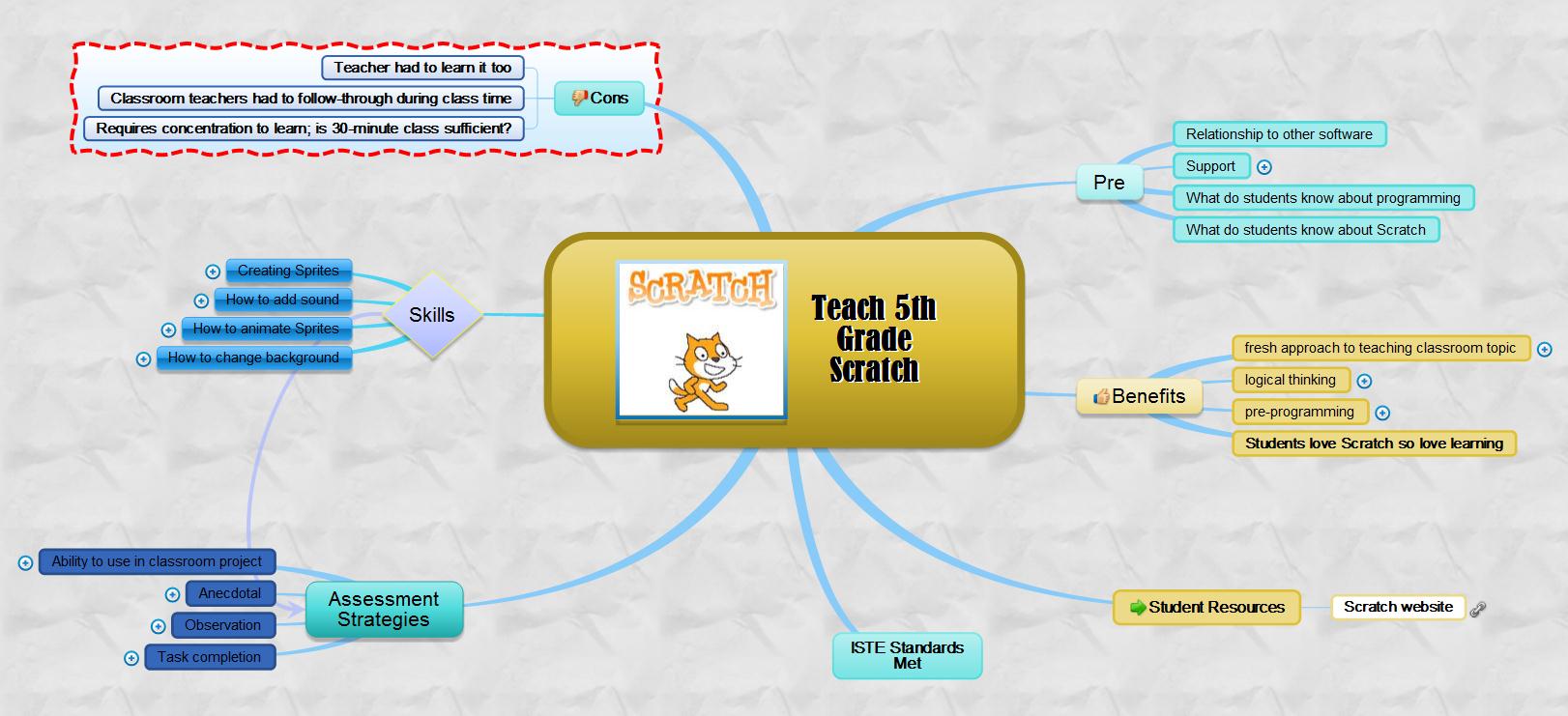
There are many online tools that facilitate this process. If you’re looking for a webtool, try one from this list. (more…)

Sure-fire Ways to Teach Vocabulary

Have you ever been around someone who knows exactly the right word when they talk? Don’t you conclude they’re smart? Capable? The one you want in your study group? How about the inverse–an individual struggling with language, maybe picks words that aren’t quite right or can’t come up with one at all. What do you conclude then?
Teachers have always taught ‘vocabulary’ using labels like word study, site words, Dolch, Hi-Frequency words. Common Core considers proper terminology part and parcel to preparing for college and career. They fall into three types:
- Tier 1: Words acquired through every day speech, usually learned in early grades
- Tier 2: Academic words that appear in textbooks, precise words that refine meaning, i.e. ‘sprint’ instead of ‘run’.
- Tier 3: Domain specific words tied to content, included in glossaries, highlighted in textbooks, and considered important to understanding content.

The ‘tier’ you focus on in your teaching depends upon student age and material being taught. Here are five ways technology will make the time you spend on this subject more effective, fun, differentiated, and authentic:
- Context clues
- SpellingCity
- Online graphic dictionaries
- Word clouds
- Vocabulary websites
Before we begin, let’s lay some groundwork. Vocabulary (or word study) isn’t done in a vacuum. You don’t pass out lists and have students memorize words and definitions (you don’t do that, do you?). If you used to, that’s changed with Common Core. Now, you are expected to integrate vocab into learning. Every time students run into a term they don’t get, you need to pause and help them decode it. It may be obvious from context, its parts (roots and affixes), but always–always—pay attention so students know unfamiliar words are not skipped. With Common Core, every nuance is important. It’s about uncovering knowledge.

National Handwriting Day

National Handwriting Day is celebrated on January 23rd. It is a day dedicated to encouraging people to embrace the art of writing by hand. This day was established to honor the birthday of John Hancock, one of the Founding Fathers of the United States, known for his prominent and stylish signature on the Declaration of Independence. Handwriting is considered a personal and unique form of expression, and National Handwriting Day aims to celebrate and preserve this traditional skill.
Articles on handwriting from Ask a Tech Teacher you might enjoy:
Check these out:
Is Handwriting So Last Generation
Is Handwriting So Last Generation–Redux
How to Create a Handwriting Workbook to Help Improve Penmanship

6 Online Resources About Letters

Here are resources to help you teach about letters (click here for updates to list):
- Alphabetimals–learn the alphabet with animal sounds
- Find the letter–easy, medium, hard
- Hands on Learning--20 letter websites
- Learn Letters with Max (video)
- Owl and Mouse Learn Letters
- Starfall Letters





