
Category: Digital Citizenship

National Bullying Prevention Month
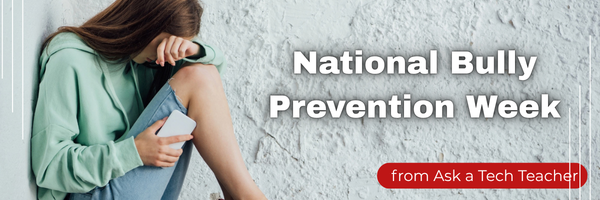
October is National Bullying Prevention Month. Bullying is no longer relegated to the playground or the neighborhood. It now regularly happens in the cyberworld. Kids don’t expect that and often don’t know how to handle it. In fact, according to StopBullying.gov, 52 percent of young people report being cyberbullied and over half of them don’t report it to their parents.
Everyone knows what bullying is — someone being taunted physically or mentally by others — and there are endless resources devoted to educating both students and teachers on how to combat bullying. But what about cyberbullying? Wikipedia defines “cyberbullying” as:
the use of information technology to repeatedly harm or harass other people in a deliberate manner
Cyberbullying occurs on not just social media like Twitter, Facebook, and topical forums, but multiplayer games and school discussion boards. Examples include mean texts or emails, insulting snapchats, rumors posted on social networking sites, and embarrassing photos or videos.

How serious is it? (more…)

Tech Ed Resources for your Class–Digital Citizenship
I get a lot of questions from readers about what tech ed resources I use in my classroom so I’m going to take a few days this summer to review them with you. Some are edited and/or written by members of the Ask a Tech Teacher crew. Others, by tech teachers who work with the same publisher I do. All of them, I’ve found well-suited to the task of scaling and differentiating tech skills for age groups, scaffolding learning year-to-year, taking into account the perspectives and norms of all stakeholders, with appropriate metrics to know learning is organic and granular.

Today: K-8 Digital Citizenship Curriculum
Overview
K-8 Digital Citizenship Curriculum––9 grade levels. 17 topics. 46 lessons. 46 projects.
A year-long digital citizenship curriculum that covers everything you need to discuss on internet safety and efficiency, delivered in the time you have in the classroom.
Digital Citizenship–probably one of the most important topics students will learn between kindergarten and 8th and too often, teachers are thrown into it without a roadmap. This book is your guide to what children must know at what age to thrive in the community called the internet. It blends all pieces into a cohesive, effective student-directed cyber-learning experience that accomplishes ISTE’s general goals to:
- Advocate and practice safe, legal, and responsible use of information and technology
- Exhibit a positive attitude toward using technology that supports collaboration, learning, and productivity
- Demonstrate personal responsibility for lifelong learning
- Exhibit leadership for digital citizenship

June is Internet Safety Month

June is National Internet Safety Month, thanks to a resolution passed in 2005 by the U.S. Senate. The goal is to raise awareness about online safety for all, with a special focus on kids ranging from tots to teens.
Here’s a short list of internet cautions I got from online efriends. I reprint it every year because it covers all the basics, avoids boring details, and gives kids (and adults) rules to live by:
Not everything you read online is true
It used to be anything we read in print was true. We could trust newspapers, magazines and books as reliable sources of information. It’s not the same with the web. Since anyone can become published, some of the stuff you’re reading online isn’t true. Even worse, some people are just rewriting stuff they read from other people online, so you might be reading the same false information over and over again. Even Wikipedia isn’t necessarily a reliable source. If you’re researching something online, consider the source. Some poorly written, random web page, isn’t necessarily a good source. However, if you find a .gov or .org site, the information has a better chance of being true. Always look at who owns the website and whether or not they have an agenda before considering whether or not certain information is true.
(more…)

5 Favorite Activities to End the School Year
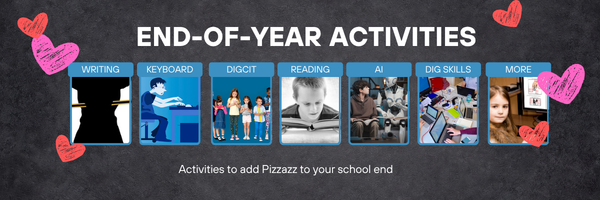
The end of the school year is a time when both students and teachers alike are distracted by thoughts of vacation, sleeping in, and no deadlines. For many, this means the last few weeks of school, learning limps to a grinding halt, but increasingly, teachers use this time to introduce curricular- and standards-aligned activities that “color outside the lines” — step away from the textbook to blend learning with dynamic activities that remind students why they want to be life-long learners. Many of these, educators would love to teach but “just don’t have time for“, even though they align well with broad goals of preparing students for college and career.
If you’re looking for meaningful lessons to wrap up your school year, here are my top picks:
- Digital Passport
- Cool book reports
- Practice keyboarding
- Dig into cyberbullying
- Applied Digital Skills
Digital Passport
Common Sense Media’s award-winning Digital Passport is the gold-standard in teaching digital citizenship to grades 3-5 (or Middle School). This free-to-schools online program mixes videos, games, quizzes, and the challenge of earning badges to teach students the concepts behind digital citizenship:
- Communication
- Privacy
- Cyber-bullying
- How to search
- Plagiarism
It includes certificates of achievement, badges at the completion of units, and a classroom tracking poster to show how students are progressing.

National Bullying Prevention Month

October is National Bullying Prevention Month. Bullying is no longer relegated to the playground or the neighborhood. It now regularly happens in the cyberworld. Kids don’t expect that and often don’t know how to handle it.
In October 2006, thirteen-year-old Megan Meier hung herself in her bedroom closet after suffering months of cyberbullying. She believed her tormentors’ horrid insults, never thought she could find a way to stop them, and killed herself. She’s not the only one. In fact, according to StopBullying.gov, 52 percent of young people report being cyberbullied and over half of them don’t report it to their parents.
Everyone knows what bullying is — someone being taunted physically or mentally by others — and there are endless resources devoted to educating both students and teachers on how to combat bullying. But what about cyberbullying? Wikipedia defines “cyberbullying” as:
the use of information technology to repeatedly harm or harass other people in a deliberate manner
Cyberbullying occurs on not just social media like Twitter, Facebook, and topical forums, but multiplayer games and school discussion boards. Examples include mean texts or emails, insulting snapchats, rumors posted on social networking sites, and embarrassing photos or videos.

How serious is it? (more…)

8 Projects to Teach Digital Citizenship–by Grade

Education has changed. No longer is it contained within four classroom walls or the physical site of a school building. Students aren’t confined by the eight hours between school bells or the struggling budget of an underfunded program. Now, education can be found anywhere — teaming up with students in Kenya, Skyping with an author in Sweden, or chatting with an astrophysicist on the International Space Station. Students can use Google Earth to take a virtual tour of a zoo or a blog to collaborate on class research.
Learning has no temporal or geographic borders and is available wherever students and teachers find an Internet connection. This vast landscape of resources is offered digitally, often free, but to take that cerebral trek through the online world, children must know how to do it safely, securely, and responsibly. This used to mean limiting access to the Internet, blocking websites, and layering rules upon rules hoping (vainly) to discourage students from using an infinite and fascinating resource. It didn’t work.
Best practices now suggest that instead of cocooning students, we teach them to be good digital citizens, confident and competent. Here are projects to teach kids authentically, blended with your regular lessons, the often complicated topic of becoming good digital citizens, knowledgeable about their responsibilities in an Internet world.


Digital Citizenship Resources–Lots of Them

Ask a Tech Teacher has a passel of online resources to help you introduce, teach, and reinforce digital citizenship to your students. Here’s our long list–and click here for updates if you arrive at this page late: (more…)

Digital Citizenship Week: What to Teach When–a video

Digital Citizenship Week — October 20-24, 2025
You can get a lot of great ideas from Common Sense Education on their Digital Citizenship Week page:
- Digital Citizenship Week calendars, with fun activities and suggested lessons for each day
- AI literacy resources, like AI foundations course for educators, and AI literacy lesson collection for students
- Webinars and events to help build your teaching practice and implement digital citizenship in your classroom
- Family engagement resources to share in your community
Here at Ask a Tech Teacher, we will offer three days of Digital Citizenship resources and lessons. I’ve provided links, but they won’t work until live:
- Digital Citizenship Week: What to Teach When–a video (this one)
- Digital Citizenship Resources–Lots of Them
- 8 Projects to Teach Digital Citizenship–by Grade
We’ll start with a great video (40 minutes) we use in training, available for free today to Ask a Tech Teacher readers. It is a reprint so you may have seen it last year. If not, enjoy!
Digital Citizenship: What to Teach When
Summary

National Bullying Prevention Month
October is National Bullying Prevention Month. Bullying is no longer relegated to the playground or the neighborhood. It now regularly happens in the cyberworld. Kids don’t expect that and often don’t know how to handle it. This longish article will address cyberbullies–those who bully online rather than in person:

Who are cyberbullies?
Cyberbullies are too often everyday kids with no idea of the damage they’re doing. Their profile is as disturbingly common as it is unremarkable:
- May be introverts, underdogs or underachievers.
- May have low self-esteem.
- Often feel like a victim themselves.
- May not know how to express anger in an appropriate manner.
- Would be unlikely to say to someone’s face what they say in cyberspace (especially if there’s a parent or teacher to witness it).
- Use the Internet as a way to “get even” or vent their frustrations.
- Often unwilling to take responsibility for their actions.

Almost 70% of cyberbullies also bully in real life. More general characteristics include: (more…)

From Social Apps to Classrooms: How the Telegram Hacked Case Can Inspire Cyber Awareness
Hacking, cracking, malware–all these are the reality of life on the internet. Here are a couple of ideas from the Ask a Tech Teacher team ripped from the headlines:

From Social Apps to Classrooms: How the Telegram Hacked Case Can Inspire Cyber Awareness
Telegram is one of the top social media apps globally, with over 1 billion monthly users. Features like encryption, message self-destruction, and Secret Chats have made it popular. Hackers have proactively learned how to hack this platform and succeeded in many cases. Some users lose accounts, others are frauded and others are exploited.
Educational institutions have a lesson to learn and proactively teach cyber awareness. Educators should teach students how to practice cyber safety and secure everyone. They can present real Telegram hack cases to inspire learners in social media cybersecurity.

Image credit: Unsplash
Lessons students can learn from Telegram hacked cases
Telegram security compromises happen through malware, phishing, hijacking, etc. These social media cybersecurity issues happen due to device security gaps. Such gaps may allow physical access or online malware infection. Weak default settings, like a lack of multifactor authentication, also make devices vulnerable.
Young users stay active online, and real hacking cases help them understand the seriousness. The first thing users should learn is the signs of the hacked Telegram account. Next, understand how to remove devices from Telegram. Another lesson is how to delete Telegram account if its security is compromised. No platform is entirely cybersecure as long as it is connected to the internet. (more…)





