

Summer Reading on Education

Summer is a great time to reset your personal pedagogy to an education-friendly mindset and catch up on what’s been changing in the ed world while you were teaching eight ten hours a day. My X friends gave me great suggestions, but first:
A comment on the selections: I did get more than I could list so I avoided books with hot-button subjects teachers are divided on and focused on positive and uplifting reading. Yes, there is a lot wrong with education around the world but I wanted a selection of books that would send me — and you — back to teaching in the fall with a can-do attitude for how to accomplish miracles with your next class of students.
Having said that, here’s a granular list of teacher-approved books to keep you busy this summer:
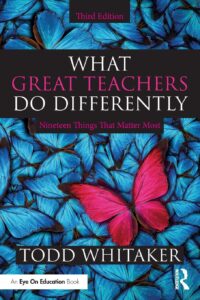
by Todd Whitaker
What are the beliefs and behaviors that set great teachers apart? In this internationally renowned bestseller, Todd Whitaker reveals 19 keys to becoming more effective in the classroom.
This essential third edition features new sections on why it’s about more than relationships, how to focus on a consistent, engaging learning environment, and the importance of choosing the right mode―business, parent, child―to improve your classroom management.
Perfect for educators at any level of experience, for independent reading or for schoolwide book studies, this practical book will leave you feeling inspired and ready to do the things that matter most for the people who matter most―your students.
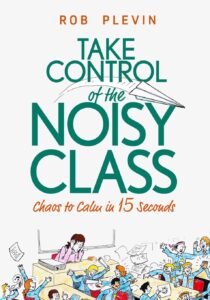
by Rob Plevin
You’ll discover:
- The simple six-step plan to minimise & deal with classroom behaviour problems
- How to gain trust & respect from tough, hard-to-reach students
- How to put an end to power struggles & confrontation
- How to have students follow your instructions… with no need to repeat yourself
- The crucial importance of consistency (and how to achieve it)
- Quick and easy ways to raise engagement and enjoyment in your lessons
- The ‘Clean Slate’ – a step by step method you can use to ‘start over’ with that particularly difficult group of students who won’t do anything you say.

Legal Risks and Obligations for Schools Using AI Tutors

Legal Risks and Obligations for Schools Using AI Tutors

AI tutors are quickly changing how students learn, offering personalized support across different subjects and formats. But as these tools become more common in schools, serious questions about their legal impact arise.
Who is responsible if an AI gives bad advice or shares sensitive student data? What happens when these systems enter specialized areas like medical training or behavioral support?
Many educators and administrators feel unprepared to manage these legal and ethical challenges effectively. Schools must now balance innovation with compliance, oversight, and long-term accountability.
This article will explore the legal risks and obligations schools face when integrating AI tutors into education. (more…)

Tech Ed Resources–K-12 Tech Curriculum
I get a lot of questions from readers about what tech ed resources I use in my classroom. I take time every summer to review them with you. Some are edited and/or written by members of the Ask a Tech Teacher crew. Others, by tech teachers who work with the same publisher I do. All of them, I’ve found, are well-suited to the task of scaling and differentiating tech skills for age groups, scaffolding learning year-to-year, offering inclusive solutions to the issue of tech tools–taking into account the perspectives of stakeholders, with appropriate metrics to ensure learning is organic and granular.
Today: K-12 Technology Curriculum
Overview
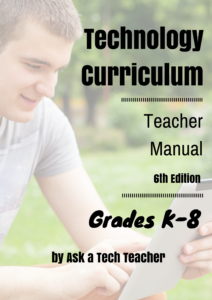
The K-12 Technology Curriculum is Common Core and ISTE aligned, and outlines what should be taught when so students have the necessary scaffolding to use tech for grade level state standards and school curriculum. You can purchase just the teacher manuals or student workbooks to serve a 1:1 environment, Google Classroom, and hybrid teaching situations.
Each grade-level PDF or print book (both are available) is between 175 and 252 pages and includes lesson plans, assessments, domain-specific vocabulary, problem-solving tips, Big Idea, Essential Question, options if primary tech tools not available, posters, reproducibles, samples, tips, enrichments, entry and exit tickets, and teacher preparation. Lessons build on each other kindergarten through 5th grade. Middle School and High School are designed for semester or quarter grading periods typical of those grade levels with topics like programming, robotics, writing an ebook, and community service with tech.
Most (all?) grade levels include keyboarding, digital citizenship, problem solving, digital tools for the classroom, and coding.
The curriculum is used worldwide by public and private schools and homeschoolers.
Who needs this
Tech teachers, tech coordinators, library media specialists, curriculum specialists
Classroom grade level teachers if your tech teacher doesn’t cover basic tech skills.

What’s Trending on Ask a Tech Teacher

In the past six months, I’ve posted dozens of topics ranging from tech ed trends to how-tos, problem solving, and pedagogic discussions. I like to step back a few times a year and determine what readers are most interested in. WordPress makes that easy with their statistics.
Here’s the run-down so far this year:

Blending Montessori and Technology: Finding the Right Balance in Early Childhood Education

Blending Montessori and Technology: Finding the Right Balance in Early Childhood Education
These days, it seems that all toddlers master how to swipe across a screen before they learn to tie their shoes. Technology is everywhere and is not leaving anytime soon. For parents and educators who follow or are interested in the Montessori approach, which emphasizes hands-on activity, self directed learning, and natural curiosity, this article will come in handy. Can the Montessori ideology and technology coexist? Is it possible for children to continue using tablets, phones, etc. without losing that tangible, earthy learning process?
The quick answer is yes. But it takes thoughtfulness, balance, and a profound grasp of why Montessori works in the first place.

What Montessori Is Really About
First and foremost, we must understand a bit more about the Montessori approach and where its heart is. Dr. Maria Montessori’s belief was in child-directed learning. Rather than being told what to learn and how to do it, children find out about their world through materials that are fashioned to meet their needs at various levels of development.
Montessori materials, most commonly known as Montessori toys, are hands-on tools used in many Montessori classrooms. These tools are not noisy or flashy, most of the time these are materials made of wood. They’re meant to help develop fine motor skills, improve concentration, problem solving skills, and help a child be self sufficient. While these materials can be entertaining, that is more of a bonus than their main purpose. For example a knobbed cylinder or a bead chain, each material has a unique function that guides a child to master a skill through repetition and exploration.
Technology should compliment and never replace these moments of learning. (more…)

Preparing for the College Interview
The College Interview is intimidating and usually only applies to the Ivy League schools. If you’re considering the US Naval Academy, it’s called a Blue and Gold Interview. They will put you through a rigorous test of thinking on your feet, fast, and without ‘umms’.
Here’s what you should know:
The B&G (Blue and Gold) Interview is one of several opportunities for the Naval Academy to insure they appoint candidates who will make it through the next nine years.
[caption id="attachment_2361" align="alignright" width="246"] Questions your B&G Officer may ask[/caption]
Few colleges invest the time and money in a personal in-home interview. For the Naval Academy, it’s a mandatory step, and an important nod in the approval process. The BGO (Blue and Gold Officer) knows you better than any other person involved in the selection process. His/Her opinion of you will weigh heavily as they review your application. Make sure by the time of this interview, you have developed a good rapport with yours. You chatted with him/her at several Academy Nights, emailed him/her at critical junctures in the application process, and updated him/her on your progress.
Here’s how it went for my daughter:
He arranges a coffee meeting at a local restaurant. You decide to wear khaki pants and a collared shirt—conservative, respectful, but not a tie-and-jacket-pretentiousness. His questions remind you of those at the Congressional Interview—why do you want to attend the Naval Academy? What will you do if they don’t select you? Nothing tricky. By now, you’ve passed the Naval Academy’s physical test so he commends you on that. His lone suggestion reminds you to continue increasing your SAT scores, currently at 1350. He suggests a review course. Your time restraints make this difficult: Although it’s senior year, you have eight classes (including four APs). You’ve dropped the violin lessons, practice time reserved for Orchestra at school (where you are the Concertmaster) and the Youth Symphony Sunday sessions (where you are 1st violin). You know yourself. If you overload your schedule, you implode. You’ve learned this from Freshman Year experiences. You do commit to taking advantage of the free Princeton Review SAT course offered at school for IB (International Baccalaureate) applicants.
All in all, a stress-free interview. It ends with you returning home to study Calculus. You send a thank-you note to your BGO, and sign it “Go Navy Beat Army!” You start checking the CIS website to see when it shows up as completed. Not yet, but it’s only been six hours….
–Taken from Building a Midshipman
This series delves into making the military part of college-career choices. All the links are there but some for future dates:
- 5 Must-do Skills to Accomplish During High School
- 5 Popular Excuses for Not Going to USNA
- 9 Secrets for Getting into a Service Academy
- 11 Ways to Become a Navy Officer and a Gentleman
- Apply for a Military Academy
- Average USNA Candidate
- ASVAB or a Service Academy? You Decide.
- College Bound: Take Inventory
- Didn’t get into a Military Academy? Try NAPS
- Goal Setting for a Fourteen-year-old
- Is a Military Academy Right for You?
- Leadership Traits Found in USNA Midshipmen
- Preparing for the College Interview
- OCS–an option
- STEM at USNA
- Successful USNA Graduates
- What Happens After USNA Graduation
- Why the USNA?
- You’re a Freshman and Interest in USNA
- You’re a Sophomore and Interested in USNA
- You’re a Junior and Interested in USNA
- You’re a Senior and Interested in USNA
- You Know You’re a Plebe if…

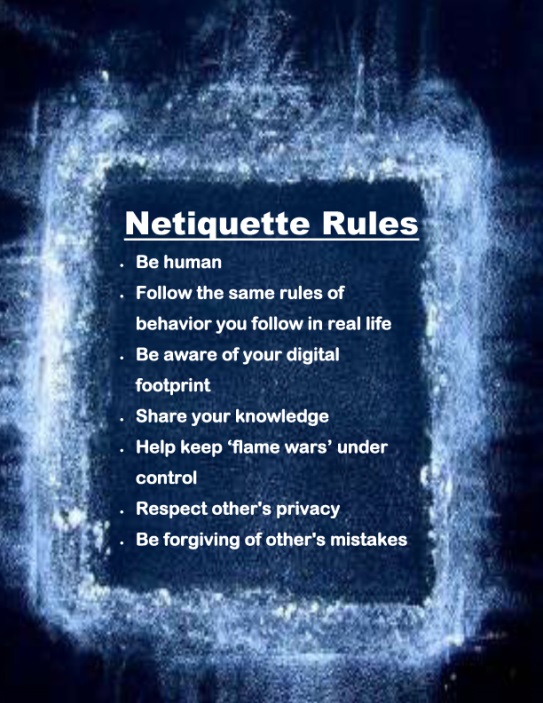
Tech Tip #73–7 tips for Netiquette
 In these 169 tech-centric situations, you get an overview of pedagogy—the tech topics most important to your teaching—as well as practical strategies to address most classroom tech situations, how to scaffold these to learning, and where they provide the subtext to daily tech-infused education.
Today’s tip: 7 Netiquette Tips
Category: Internet
Sub-category: MS Office, Keyboarding
Q: What are the most important netiquette tips for students when using the Internet?
A: Here’s a poster:
Sign up for a new tip each week or buy the entire 169 Real-world Ways to Put Tech into Your Classroom.
#digcit

Need Summer Activities? Try These
Last year, we posted books you might like to read this summer. Now, we’ll focus on what to accomplish with your summer. Here are popular AATT articles. Pick the ones that suit you:

How to Keep Learning Fresh Over the Summer
15 Skills To Learn this Summer and Use Next Year
6 Tech Activities for Your Summer School Program
12 Tech Tasks To End the School Year
Here’s How to Motivate Summer School Students
Seven Fun Math Activities for the Summer Break
How to Blend Learning with Play for a Kid-friendly Summer
6 Tech Activities for Your Summer School Program
15 Skills Teachers Can Learn this Summer and Use in Next Year’s Classroom
5 Apps to learn this summer
K-8 Digital Citizenship Curriculum
I get a lot of questions from readers about what tech ed resources I use in my classroom so I’m going to take a few days this summer to review them with you. Some are edited and/or written by members of the Ask a Tech Teacher crew. Others, by tech teachers who work with the same publisher I do. All of them, I’ve found well-suited to the task of scaling and differentiating tech skills for age groups, scaffolding learning year-to-year, taking into account the perspectives and norms of all stakeholders, with appropriate metrics to know learning is organic and granular.
Today: K-8 Digital Citizenship Curriculum
Overview
K-8 Digital Citizenship Curriculum—9 grade levels. 17 topics. 46 lessons. 46 projects. A year-long digital citizenship curriculum that covers everything you need to discuss on internet safety and efficiency, delivered in the time you have in the classroom.
Digital Citizenship–probably one of the most important topics students will learn between kindergarten and 8th and too often, teachers are thrown into it without a roadmap. This book is your guide to what children must know at what age to thrive in the community called the internet. It blends all pieces into a cohesive, effective student-directed cyber-learning experience that accomplishes ISTE’s general goals to:
- Advocate and practice safe, legal, and responsible use of information and technology
- Exhibit a positive attitude toward using technology that supports collaboration, learning, and productivity
- Demonstrate personal responsibility for lifelong learning
- Exhibit leadership for digital citizenship

June is Internet Safety Month

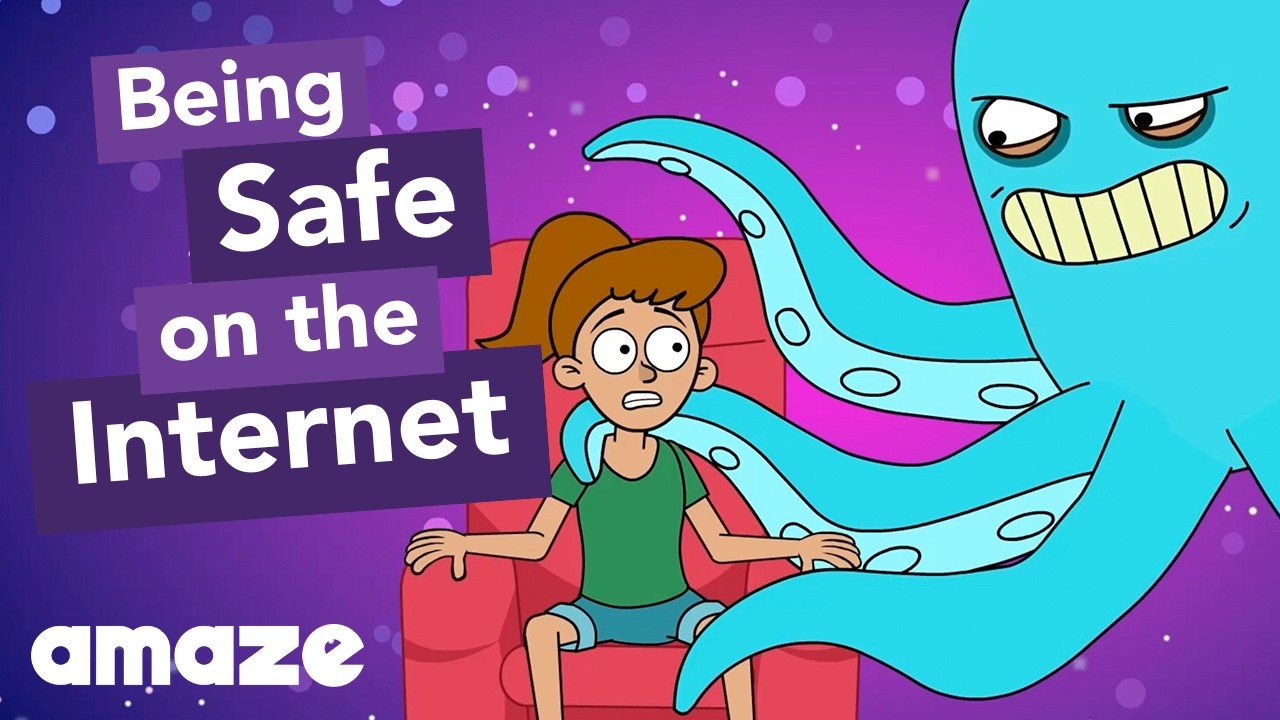
June is National Internet Safety Month, thanks to a resolution passed in 2005 by the U.S. Senate. The goal is to raise awareness about online safety for all, with a special focus on kids ranging from tots to teens.
Here’s a short list of internet cautions I got from an online efriend a few years ago. I reprint it every year because it covers all the basics, avoids boring details, and gives kids (and adults) rules to live by:
Not everything you read online is true
It used to be anything we read in print was true. We could trust newspapers, magazines and books as reliable sources of information. It’s not the same with the web. Since anyone can become published, some of the stuff you’re reading online isn’t true. Even worse, some people are just rewriting stuff they read from other people online, so you might be reading the same false information over and over again. Even Wikipedia isn’t necessarily a reliable source. If you’re researching something online, consider the source. Some poorly written, random web page, isn’t necessarily a good source. However, if you find a .gov or .org site, the information has a better chance of being true. Always look at who owns the website and whether or not they have an agenda before considering whether or not certain information is true.
(more…)





