
Category: Freebies/Discounts

Monday Freebies #3: How to Make Wallpaper
Today, I start a new program here on Ask a Tech Teacher. This year more than any before, classroom budgets have been cut making it more difficult than ever to equip the education of our children with quality teaching materials. I understand that. I teach K-8. To be sure you don’t miss any of these free lesson plans:
…and start each week off with a fully-adaptable K-8 lesson that integrates technology into core classroom subjects. Each has been tested on hundreds of students and includes step-by-step directions, as well as relevant ISTE national standards, tie-ins, extensions, troubleshooting and more. They’re all from the two-volume Technology Toolkit that integrates technology into classroom units of inquiry while insuring a fun, age-appropriate, developmentally–appropriate experience for students.
Eventually, you’ll get the entire book. If you can’t wait, you can purchase the curriculum here.
I love giving my material away for free. If everyone did, we would reach true equity in international education.
We’ll start with
#3: I Can Make My Own Wallpaper
Kids love personalizing their computer stations. Show them how to create their own wallpaper using internet pictures, pictures on the computer or their own photos or drawings (more…)

#39: Google Earth Board
Students select from a list of Wonders of the World (or locations put together in conjunction with the classroom teacher). They do brief research on it, locate it using Google Earth and make a short presentation to the class about it.
[gallery columns="2"]Jacqui Murray has been teaching K-18 technology for 30 years. She is the editor/author of over a hundred tech ed resources including a K-12 technology curriculum, K-8 keyboard curriculum, K-8 Digital Citizenship curriculum. She is an adjunct professor in tech ed, Master Teacher, webmaster for four blogs, an Amazon Vine Voice, CSTA presentation reviewer, freelance journalist on tech ed topics, contributor to NEA Today, and author of the tech thrillers, To Hunt a Sub and Twenty-four Days. You can find her resources at Structured Learning.

#10: Drawing in Photoshop
Photoshop reputation as a photo editor ignores its many other tools that enable you to draw like a pro with a wide variety of brushes, textures, and scintillating extras. This side of Photoshop is perfect for creative projects that tie in with many different classroom lesson plans.
[caption id="attachment_5413" align="aligncenter" width="576"]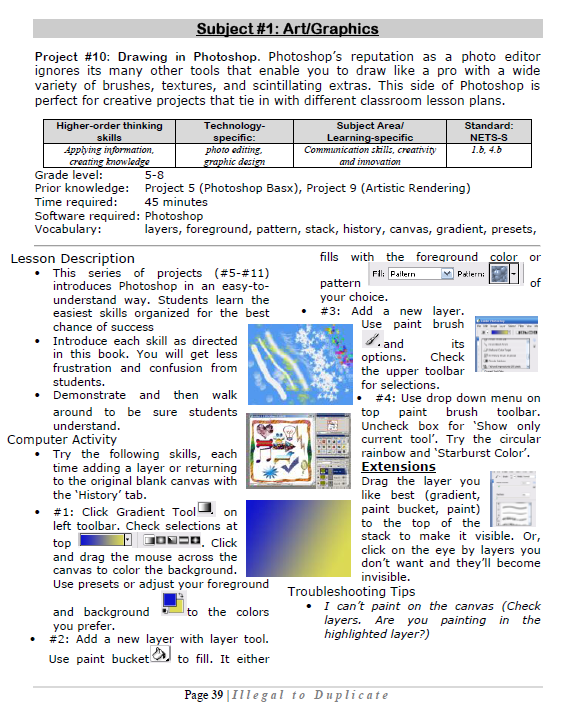 Photoshop basics[/caption]
#38: Introduction to Google Earth
Google Earth can be used for so many classroom activities. It is a favorite of even my kindergartners. I start by showing them how to pan in and out, drag to move the globe, change the perspective of the earth’s surface, use the built in tour or one I add on Calif. Missions or the solar system. I have fifth graders create a tour that the youngers then watch as a tie in. I also let them type in their address and visit their home, including street view.
Click on pages for a full size alternative. (more…)

#36: My First Report
Students type a report for their class on one of their units of inquiry (i.e., animals) using MS Word. Use this lesson to introduce MS Word, margins, page breaks, centering, fonts. Show students how to add pictures from the internet (using copy-paste), from the computer (using insert). Takes a few classes, depending upon how long the report is (more…)

#33: Grow Your Story
Use a first-grade or second-grade story. Show students how to add description to it, setting details, sensory details, characterization, so it sounds more mature and interesting. I use thought bubbles to make it more fun.
Click on them for a full size alternative. Or visit the original post on Ask a Tech Teacher (more…)
#30: A Cover Page in Publisher
Use the Quick Publication template to make a fast cover page for a report, project, etc, in the classroom. Pay attention to layout, grammar, spelling, design.
[caption id="attachment_5021" align="aligncenter" width="614"] computer lesson plan[/caption]
#101: Don’t Print Homework–Email it!
By third grade, students can email their homework to you rather than turn in all those pesky hard copies. No more lost work, no more dog-ate-their-homework, no more blaming their mom. They can use their own account or a parents. Once they learn how, it is automatic–and they love doing it this way. (more…)
#30: A Cover Page in Publisher
Use the Quick Publication template to make a fast cover page for a report, project, etc, in the classroom. Pay attention to layout, grammar, spelling, design.
[caption id="attachment_5021" align="aligncenter" width="614"] computer lesson plan[/caption]
#95: Teach About Inventions with PowerPoint
This is one of the most popular fourth grade projects in my curriculum. Students love the research and can’t believe how great the report is when presented with PowerPoint. (more…)





