
Category: 8th grade

#67: Teach PowerPoint in Elementary School
This is a wonderful project that shows students the joy of learning and research through PowerPoint. Be sure they’re comfortable with PowerPoint by completing several of the prior projects: (more…)

Weekend Website #45: Google Art Project
Every Friday I’ll send you a wonderful website that my classes and my parents love. I think you’ll find they’ll be a favorite of your students as they are of mine.
-
[caption id="attachment_4450" align="aligncenter" width="614"]
 Google Art Project[/caption]

(more…)

Tech Tip #34: My Program Froze
As a working technology teacher, I get hundreds of questions from parents about their home computers, how to do stuff, how to solve problems. Each Tuesday, I’ll share one of those with you. They’re always brief and always focused. Enjoy!
Q: I’m writing a very (very) important paper and all of a sudden, the screen is frozen. I can’t save it, or anything else. What do I do?
A: Programs do freeze for no reason sometimes, but not often (I’m assuming you take care of your computer–defrag, don’t download with abandon, update it occasionally). Before you declare a dog-ate-my-homework sort of catastrophe, try this: (more…)
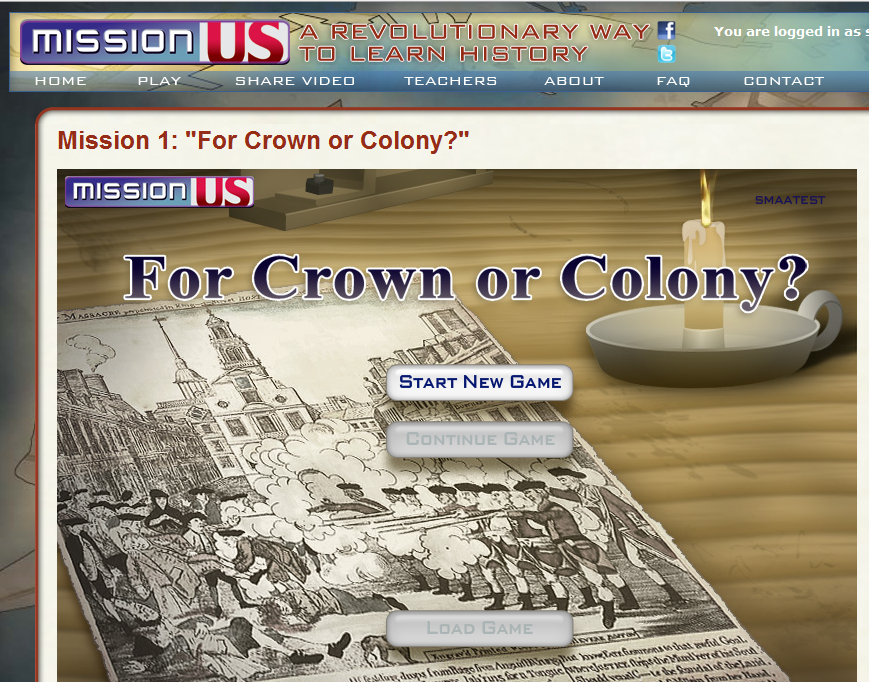
Weekend Website #44: Mission US
Every Friday I’ll send you a wonderful website that my classes and my parents love. I think you’ll find they’ll be a favorite of your students as they are of mine.
Tech Tip #35: My Program Closed Down
As a working technology teacher, I get hundreds of questions from parents about their home computers, how to do stuff, how to solve problems. Each Tuesday, I’ll share one of those with you. They’re always brief and always focused. Enjoy! (more…)
Tech Tip #32: My Taskbar Got Moved to the Side
As a working technology teacher, I get hundreds of questions from parents about their home computers, how to do stuff, how to solve problems. Each Tuesday, I’ll share one of those with you. They’re always brief and always focused. Enjoy! (more…)

#7: Fifth Grade Cropping in Photoshop
Before trying this lesson, start here and here and here, with background training on image editing. Don’t worry. It’s not hard–just the basics.
Ready? Let’s start with what Adobe Photoshop is–a grown-up KidPix, and the default photo-editing program for anyone serious about graphics. This series of projects (available in 55 Technology Projects for the Digital Classroom Volume I) introduces students to a traditionally-challenging program in an easy to understand way, each scaffolding to the next, thus avoiding the frustration and confusion inherent in most Photoshop training.
There are three ways to crop in Photoshop:

#27: Internet Skills for K-8: Blogs
Blogs are the most exciting educational tool to come along since… well, wikis, twitter and email. Without any effort on the teacher’s part, students become enthralled with writing. (more…)

Tech Tip #31: What’s Today’s Date
 As a working technology teacher, I get hundreds of questions from parents about their home computers, how to do stuff, how to solve problems. Each Tuesday, I’ll share one of those with you. They’re always brief and always focused. Enjoy! (more…)

#12: Create Simple Shapes in Excel
What’s the first thing you think of when I say, Excel. Numbers, right–turning data into information. That is Excel’s ‘killer app’, but the ingenious human brain has come up with another striking use for Excel: Drawing. I spent a long time trying to find a lesson that taught drawing in Excel and/or offered example. I finally gave up and created my own. (more…)





