
Category: 5th Grade

24 Keyboarding Websites for Summer
Did you promise that this summer, your child would learn to type with more than two fingers, keep his eyes off his hands, and learn to like keyboarding? Your teachers consider that important–Common Core requires
 students type between 1-3 pages at a sitting without giving up from boredom, frustration, fatigue. To do that requires a knowledge of where the keys are on the keyb oard and what habits faciliate speedy, accurate typing.
It doesn’t have to be rote drills, drudgery. There are a lot of options that make it fun. Here are 32. I think they’ll find a few they like:
- ABCYa–Keyboard challenge—grade level
- Alphabet rain game
- Barracuda game
- Big Brown Bear
- Bubbles game
- Dance Mat Typing
- Finger jig practice game
- Free typing tutor
- GoodTyping.com
- Keyboard practice—quick start
- Keyboarding practice
- Keyboarding—lessons
- Keyboarding—more lessons
- Keyboarding—must sign up, but free
- Keyboarding—quick start
- Keybr–Online practice
- NitroTyping
- Online typing lessons — more
- Touch Typing Progressive Program
- TuxTyping
- Typing Club
- Typing Defense—fun word practice
- TypingTest.com
- TypingWeb.com—a graduated course

#47: Tour the World—with a PowerPoint Slideshow
Use the research done for #40. Use a guidesheet to lay out what is on each slides, i.e., a cover, table of contents, what makes a geographic locations amazing (discuss this as a group), a map, and three locations from #40. Teach PowerPoint skills such as adding slides and text and pictures, animation, transitions, auto-forward, personalized backgrounds, adding music to multiple slides. Third graders may not be able to complete all skills.
[gallery order="DESC" columns="1"]
Dear Otto: How do I prevent printer pandemonium?
 Do you have a tech question?[/caption]
Dear Otto is an occasional column where I answer questions I get from readers about teaching tech. If you have a question, please complete the form below and I’ll answer it here. For your privacy, I use only first names.
Here’s a great question I got from Cheryl in Indiana:
It seems that my well-structured primary tech classrooms fall apart when it is time to print. Some students just keep pushing Print & end up printing multiple copies, 25 students scramble to the printer to collect their printouts. Total chaos! Any ideas?
I have a two-step solution to that:
- Teach students how to print. I take lesson time to show them the print box, the varied spots where things can be changed, and how to do it right. After that, I know it’s not lack of knowledge causing problems
- I don’t let them go to the printer. First, it gets to be the lab water cooler–everyone hanging out back there, chatting, while they wait for the stuff to print. That’s no good. Second, I’ can’t monitor that everything printed is appropriate if they’re taking papers from the printer. Third, if they print more than one, I want to chat with them about it.
- Consistent offenders aren’t allowed to print. I’ll email it to parents/teacher, but they lose the privilege

12 Great Simulations to Gamify Your Class

Here are 15 websites I’ve found that do an excellent job of using games to promote critical thinking, problem solving skills, and learning:
- Bridge Builder—learn how to design and test bridges
- Coffee Shop—run a coffee shop business
- iCivics—experience what it means to be part of a democracy
- Lemonade Stand—run a lemonade stand business
- Making History: The Great War—WWI strategy game
- Minecraft (links to MinecraftEdu—fee required)
- Mission US––students role play the American Revolution or the Civil War
- Past/Present—life as an American immigrant in the early 1900’s
- Science simulations—lots of choices at 7th grade level
- Second Life—simulates just about anything if you can find it
- SimTower—learn how to run a skyscraper as a business
Suggestions for using Bridge Builder:

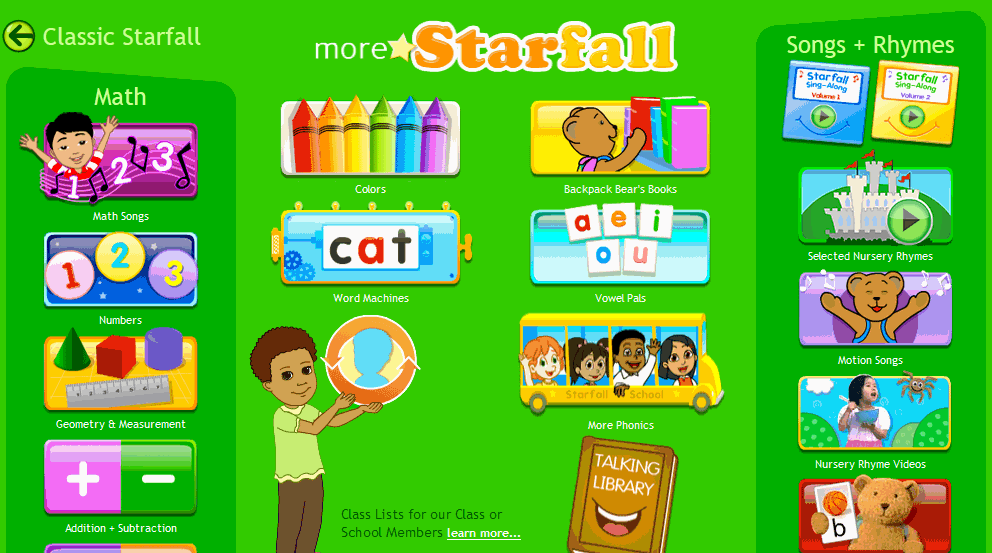
Weekend Website #125: Starfall Math
Every week, I share a website that inspired my students. Here’s one you may have missed. Starfall is a lot more than reading…

Dear Otto: Any Ideas for Tech Ed Benchmark Assessments?
Dear Otto is an occasional column where I answer questions I get from readers about teaching tech. If you have a question, please complete the form below and I’ll answer it here. For your privacy, I use only first names.
Here’s a great question I got from Lisa and Tamma:
My district is asking us to create assessments. I was wondering what you have included in them and how/when you administer them. Thanks!
Hi Lisa and Tamma
Dear Otto: How Can Students Keep Track of Passwords?
Do you have a tech question?[/caption]
Dear Otto is an occasional column where I answer questions I get from readers about teaching tech. If you have a question, please complete the form below and I’ll answer it here. For your privacy, I use only first names.
Here’s a great question I got from Kaylene in Ohio:
How do you teach students to keep track of the many usernames and passwords they will need when using all of the great web 2.0 tools? I personally use an encrypted Excel file, but what do you suggest for students in K-8?
Hi Kaylene
Great question. Here’s what I do for K-5: I have a binder by each station in the computer lab with a template for recording UN and PW for all accounts. This isn’t private (anyone could look in the binders), but most accounts don’t require any degree of security. The process is to get students used to tracking log-ins, that they have a source to check when they need a log-in. I do ask that each UN and PW be different so they acclimate to that and figure out a logic to accomplishing that which works for them. For example, they might come up with a sentence where they use the first letter of each word as the PW with some combination of number/symbol appended to the front or back.

Great Websites–Stories
Check out our latest addition of great websites–Stories. There are 45 websites for grades K-5, everything from audio to international to write your own. Enjoy!

5 Favorite Websites for K-5
One of the biggest problems I face as a technology teacher is the wealth of information out there for teachers, parents, students. I try to stay on top of it (as you who subscribe to my  Weekend Websites know), but there is so much more than I can cover with one-a-week.
So, this week, I’m giving you 5. You will love these. I find myself sharing them with colleagues in answer to their tech ed needs so decided it was time to share them with you also:
BrainPop offers a great group of games for science, math, social studies, and health–all easy to maneuver, age-appropriate and fun learning. The gamification of education is alive and well at BrainPop
This is a gorgeous eight-minute tour across America via biplane. It took my classes by storm.
Filled with Free video tutorials and interactive materials for your students. This is a website and an app with tutorials, over 10,000 lessons, ‘knowledge maps’ for chemistry and biology, even a how-to for creating video lessons.

Tech Tip #110: Sound Doesn’t Work?
As a working technology teacher, I get hundreds of questions from parents about their home computers, how to do stuff, how to solve problems. Each Tuesday, I’ll share one of those with you. They’re always brief and always focused. Enjoy!
Q: Headphones are so difficult. There’s always someone who can’t get theirs to work. I’ve tried the usual solutions, and still, we have problems. I know the sound works. What else can I do?
A: Another solution to the no-sound problem is to switch where headphones are plugged in. Sometimes, the front port on a CPU degrades and doesn’t work well anymore. Pick your reason–little kids jiggling jacks, overuse, leprechauns. The reason doesn’t matter. What matters is students can’t hear what’s going on.
Switch headphones to a different jack. In my case, since I always use the front jack so students can independently plug them in, I switch to the rear jack. Problem’s over. (more…)





