
Category: 1st

Tech Tip #21: How to Make a Small Webpage Window Big
As a working technology teacher, I get hundreds of questions from parents about their home computers, how to do stuff, how to solve problems. Each Tuesday, I’ll share one of those with you. They’re always brief and always focused. Enjoy! (more…)

Is Handwriting Like Camera Film–So Last Generation
Another problem for cursive in schools: Common Core is ‘silent’ on it, according to the Alliance for Excellence in Education. That’s like the Fat Lady warming up, but not sure when she’ll be performing.
Studies show one in three children struggle with handwriting. I’d guess more, seeing it first hand as a teacher. Sound bad? Consider another study shows that one in five parents say they last penned a letter more than a year ago.
Let’s look at the facts. Students hand-write badly, and don’t use it much when they grow up (think about yourself. How often do you write a long hand letter?). Really, why is handwriting important in this day of keyboards, PDAs, smart phones, spellcheck, word processing? I start students on MS Word in second grade, about the same time their teacher is beginning cursive. Teach kids the rudiments and turn them over to the tech teacher for keyboarding.
I searched for reasons why I was wrong. Here’s what I found:
- 1 in 10 Americans are endangered by the poor handwriting of
 physicians.
 - citizens miss out on $95,000,000 in tax refunds because the taxman can’t read their handwriting
- Poor handwriting costs businesses $200,000,000 in time and money that result in confused and inefficient employees, phone calls made to wrong numbers, and letters delivered to incorrect addresses.
Read on:
Schools: Less cursive, more keyboarding
BROWNSBURG, Ind., Aug. 28 (UPI) —
Officials in an Indiana school district said cursive writing lessons will be scaled down this year in favor of computer keyboarding.

Find Great Kids Websites
They’re user-friendly, kid-tested, organized by grade and topic. Just click this link to Great Kids Websites and scroll down until you find your grade and subject.
Send me an email with any websites you use with your students:

Track Santa Christmas Eve
Drop by every week to discover what wonderful website my classes and parents loved this week. I think you’ll find they’ll be a favorite of yours as they are of mine.
[caption id="attachment_4169" align="aligncenter" width="614"]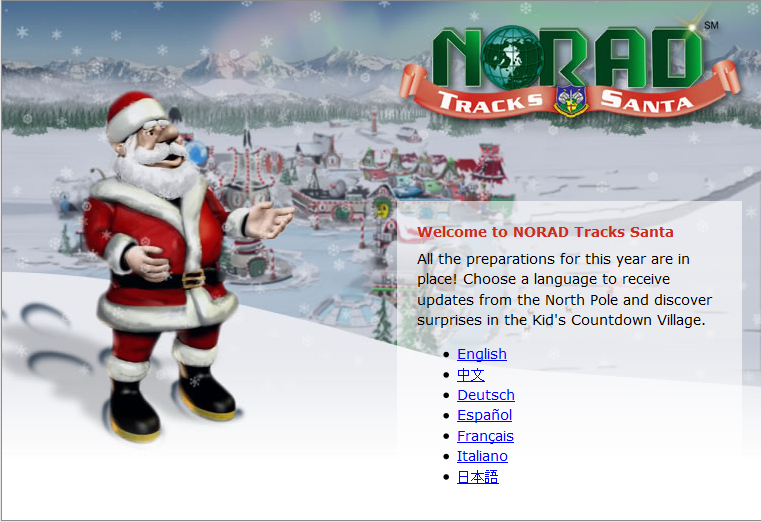 Track Santa on Xmas Eve[/caption]

Tech Tip #17: Don’t Know the Date? No Problem
As a working technology teacher, I get hundreds of questions from parents about their home computers, how to do stuff, how to solve problems. Each Tuesday, I’ll share one of those with you. They’re always brief and always focused. Enjoy! (more…)
Tech Tip #15: Save Early Save Often
As a working technology teacher, I get hundreds of questions from parents about their home computers, how to do stuff, how to solve problems. Each Tuesday, I’ll share one of those with you. They’re always brief and always focused. Enjoy! (more…)

18 Online Keyboard Sites for Kids
You want to practice 10-15 minutes two to three times a week. Even for kindergartners. Choose a fun software program–whichever will keep their attention when they’re young. I use Type to Learn Jr. in my school until half-way through first grade, but there are other good ones. For the older children, I use Type to Learn. I have great results with it. Students are challenged, intrigued, motivated by the prizes and the levels.
Another option is online typing sites. Typingweb is good. It’s a graduated program that keeps track of your progress. If you’re picking an online program as an alternative to software, it’s important to log in so the software remembers what your child has accomplished. If you’re going to use online sites as part of an overall typing practice curriculum, here are some other good sites to try:
- Keyboard challenge—adapted to grade level http://www.abcya.com/keyboard.htm
- Keyboard practice—quick start http://www.keybr.com/
- Keyboarding Fingerjig—6 minute test of ability http://www.jonmiles.co.uk/fingerjig.php
- Keyboarding for Kids http://webinstituteforteachers.org/~gammakeys/Lesson/Lesson1.htm
- Keyboarding practice http://www.usspeller.com/keytutor.html
- Keyboarding—alphabet rain game http://www.powertyping.com/rain.shtml (more…)

#26: Create a Storybook in KidPix
Create the drawings in KidPix for grades kindergarten and first. By second grade, you can have students insert them into PowerPoint as a slideshow for Open House. (more…)
#34: How to Teach Dolch Words with KidPix
Reinforce Dolch words and sentence structure with KidPix text tool and drawing options.
Before you start this project, be sure to go through How to KidPix I and How to KidPix II. (more…)

Tech Tip #61: How to Get Youngers to Use the Right Mouse Button
In my fifteen years of teaching and tutoring tech, I’ve seen everything–and come up with solutions for all of it. I’ll share those with you. My goal: That students (of all ages) feel empowered not frightened by technology, that it is fun not frustrating. These tips will get you there with you and your kids.





