
Author: Jacqui

Is Online Schooling a Good Fit for Teens?
Even before COVID burst on the scene and drove many schools into online versions of themselves, remote teaching had been gaining popularity. Driven by reasons like flexibility, personal needs, and accessibility, the positives associated with online schooling were convincing many to take a second look. The Ask a Tech Teacher team has done that with this article on–

Is Online Schooling a Good Fit for Teens?
Online education has become more than just an alternative. It’s a mainstream option for students looking for flexibility, independence, and a more personalized learning environment. For teenagers, high school is a critical time of development both academically and socially. As more families explore options like online high school in Washington state, it’s worth considering whether virtual schooling supports or hinders a teenager’s growth. (more…)

Tech Ed Resources–K-8 Keyboard Curriculum
I get a lot of questions from readers about what tech ed resources I use in my classroom so I’m going to take a few days this summer to review them with you. Some are edited and/or written by members of the Ask a Tech Teacher crew. Others, by tech teachers who work with the same publisher I do. All of them, I’ve found well-suited to the task of scaling and differentiating tech skills for age groups, scaffolding learning year-to-year, taking into account the perspectives and norms of all stakeholders, with appropriate metrics to know learning is organic and granular.
Today: K-8 Keyboard Curriculum
Overview
K-8 Keyboard Curriculum (four options)–teacher handbook, student workbooks, and help for homeschoolers
2-Volume Ultimate Guide to Keyboarding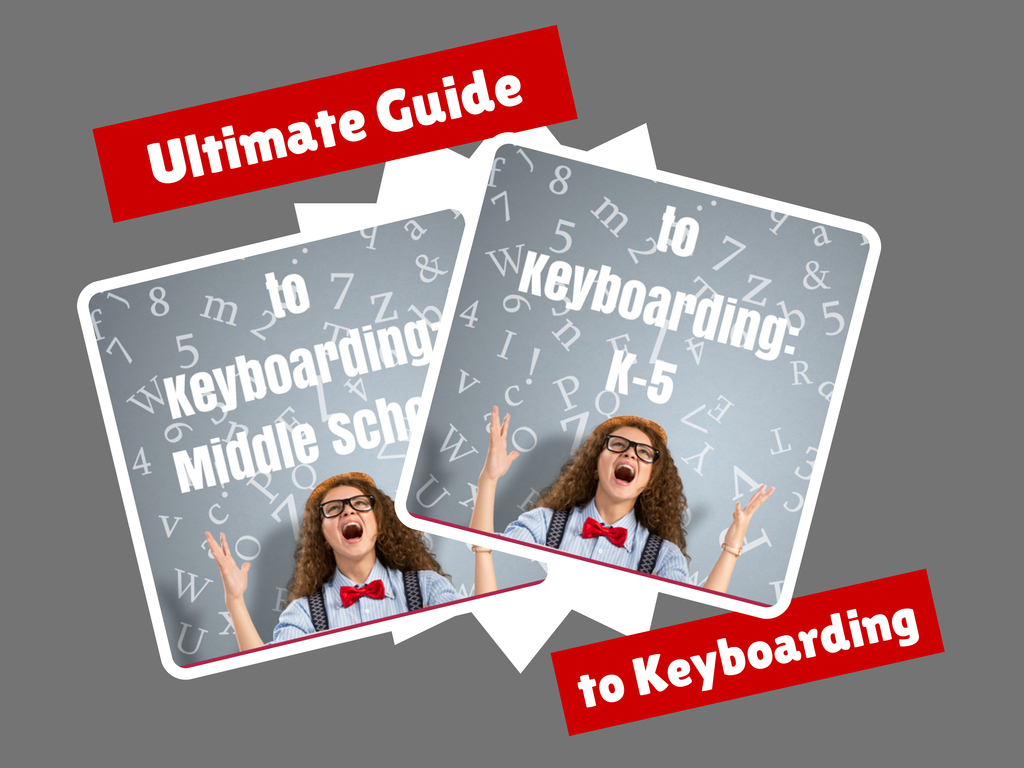
K-5 (237 pages) and Middle School (80 pages), 100 images, 7 assessments
K-5–print/digital; Middle School–digital delivery only
Aligned with Student workbooks
Delivered print or digital
Student workbooks sold separately
__________________________________________________________________________
1-Volume Essential Guide to K-8 Keyboarding
120 pages, dozens of images, 6 assessments
Delivered print or digital
Doesn’t include: Student workbooks

Tech Tip #88: Use Shortkeys with Students

In these 169 tech-centric situations, you get an overview of pedagogy—the tech topics most important to your teaching—as well as practical strategies to address most classroom tech situations, how to scaffold these to learning, and where they provide the subtext to daily tech-infused education.
TODAY’S TIP
Q: When tech gets difficult, my students stop trying. What do I do?
A: After well over a decade of teaching K-12, I know kids will try harder if it’s fun. The challenge for us teachers: How to make a multi-step skill that they may rarely use ‘fun’.
The answer is keyboard shortcuts–aka shortkeys. My students love them. I start in kindergarten with easy ones–like Alt+F4 to exit a program–and build each year. Throw in a few quirky ones and you’ve won their hearts and minds. Here’s a starter list:

Sign up for a new tip each week or buy the entire 169 Real-world Ways to Put Tech into Your Classroom.
What’s your favorite tech tip in your classroom? Share it in the comments below.

Photoshop Skills–Custom Shapes
 The program that says ‘pro’ more than any other is Adobe Photoshop. Believe it or not, there are a whole list of skills easy enough for a fifth grader (maybe even fourth, but I haven’t had time to test it on them yet).
Here are the basic skills fifth graders can learn in Photoshop if you’ve prepared them with basic computer skills. I’ve provided links but they aren’t live until publication:
- Photoshop artwork–already live
- Photoshop actions–already live
- Photoshop basics
- Photoshop filter and rendering tools
- Photoshop starters–auto-correct with the auto-correction tools–those quick fixes that make a photo look cleaner (coming up)
- Photoshop crop tool–with the lasso and the magic wand
- Photoshop clone tool– within a picture and to another picture
- Photoshop–change the background (put yourself in front of the Eiffel Tower or on top of Hoover Dam)
- Photoshop tools–add custom shapes
- Photoshop–start with Word (a little dated but still useful)
Get started
Custom shapes are great fun in Photoshop, and one of the simplest skills to learn. (more…)

Need a New Job? Here’s What You Do

You’ve been teaching for five years and love what you’re doing. You consider yourself darn lucky to be working with colleagues that are friends and a boss who always puts your needs first. Most of the teachers at your school have been there years — even decades — and you have no doubt that, too, will be you. So, you don’t bother to keep your resume up-to-date or expand your teaching skills other than what is required for your position. In short, you found the square hole that fits your square peg.
Until the day that changes. There are dozens of reasons, from new bosses who want to shake things up to your husband gets a job in a different state. The only good news: Your boss told you already, giving you time to job hunt for the new school year. For many schools, if they’re going to make staffing changes, early Spring is when they start looking for the new people. For you as a job hunting educator, this becomes the best time of year to find a job.
Digital portfolio sites
Rather than a two-page printed document that can be lost and serves only one user, a digital portfolio posts your resume online, in an easy-to-understand format. This makes it more available, transparent, robust, and quickly updated. This tells future bosses you can use technology as a tool and can give you an edge in a competitive job market. It organizes your qualifications, evidence, and background in one easy-to-reach online location. Interested parties can check it without bothering you and decide if the fit is good. You do nothing — which can save the disappoint of sending out a resume and getting nothing but silence back.
Here are suggestions for digital portfolio sites:

Teacher-Authors: What’s Happening on my Writer’s Blog–Online Images
A lot of teacher-authors read my WordDreams blog. In this monthly column, I share the most popular post from the past month. I last published on this topic on my ed blog in 2017. A lot has changed since then so it’s time for an update:

When I teach professional development classes, by far the topic that surprises attendees the most is the legal use of online images. And they’re not alone. On my blog, in teacher-author forums, and in the virtual meetings I moderate, there is much confusion about what can be grabbed for free from online sites and what must be cited with a linkback, credit, author’s name, public domain reference, or specific permission from the creator. When I receive guest posts that include pictures, many contributors tell me the photo can be used because they include the linkback.
That’s not always true. In fact, the answer to the question…
“What online images can I use?”
typically starts with…
It depends…
To try to understand this topic in a five-minute blog post or thirty-minute webinar is a prescription for failure. It is too big. Instead, I’ll summarize the top topics and if your interest is piqued, dig deeper.

Summer Reading on Education

Summer is a great time to reset your personal pedagogy to an education-friendly mindset and catch up on what’s been changing in the ed world while you were teaching eight ten hours a day. My X friends gave me great suggestions, but first:
A comment on the selections: I did get more than I could list so I avoided books with hot-button subjects teachers are divided on and focused on positive and uplifting reading. Yes, there is a lot wrong with education around the world but I wanted a selection of books that would send me — and you — back to teaching in the fall with a can-do attitude for how to accomplish miracles with your next class of students.
Having said that, here’s a granular list of teacher-approved books to keep you busy this summer:
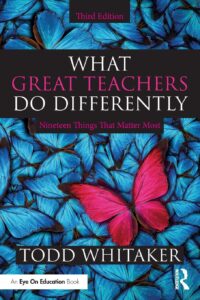
by Todd Whitaker
What are the beliefs and behaviors that set great teachers apart? In this internationally renowned bestseller, Todd Whitaker reveals 19 keys to becoming more effective in the classroom.
This essential third edition features new sections on why it’s about more than relationships, how to focus on a consistent, engaging learning environment, and the importance of choosing the right mode―business, parent, child―to improve your classroom management.
Perfect for educators at any level of experience, for independent reading or for schoolwide book studies, this practical book will leave you feeling inspired and ready to do the things that matter most for the people who matter most―your students.
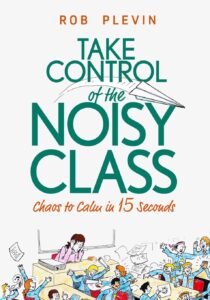
by Rob Plevin
You’ll discover:
- The simple six-step plan to minimise & deal with classroom behaviour problems
- How to gain trust & respect from tough, hard-to-reach students
- How to put an end to power struggles & confrontation
- How to have students follow your instructions… with no need to repeat yourself
- The crucial importance of consistency (and how to achieve it)
- Quick and easy ways to raise engagement and enjoyment in your lessons
- The ‘Clean Slate’ – a step by step method you can use to ‘start over’ with that particularly difficult group of students who won’t do anything you say.

Legal Risks and Obligations for Schools Using AI Tutors

Legal Risks and Obligations for Schools Using AI Tutors
AI tutors are quickly changing how students learn, offering personalized support across different subjects and formats. But as these tools become more common in schools, serious questions about their legal impact arise.
Who is responsible if an AI gives bad advice or shares sensitive student data? What happens when these systems enter specialized areas like medical training or behavioral support?
Many educators and administrators feel unprepared to manage these legal and ethical challenges effectively. Schools must now balance innovation with compliance, oversight, and long-term accountability.
This article will explore the legal risks and obligations schools face when integrating AI tutors into education. (more…)

What’s Trending on Ask a Tech Teacher
In the past six months, I’ve posted dozens of topics ranging from tech ed trends to how-tos, problem solving, and pedagogic discussions. I like to step back a few times a year and determine what readers are most interested in. WordPress makes that easy with their statistics.
Here’s the run-down so far this year:

Blending Montessori and Technology: Finding the Right Balance in Early Childhood Education
Blending Montessori and Technology: Finding the Right Balance in Early Childhood Education
These days, it seems that all toddlers master how to swipe across a screen before they learn to tie their shoes. Technology is everywhere and is not leaving anytime soon. For parents and educators who follow or are interested in the Montessori approach, which emphasizes hands-on activity, self directed learning, and natural curiosity, this article will come in handy. Can the Montessori ideology and technology coexist? Is it possible for children to continue using tablets, phones, etc. without losing that tangible, earthy learning process?
The quick answer is yes. But it takes thoughtfulness, balance, and a profound grasp of why Montessori works in the first place.

What Montessori Is Really About
First and foremost, we must understand a bit more about the Montessori approach and where its heart is. Dr. Maria Montessori’s belief was in child-directed learning. Rather than being told what to learn and how to do it, children find out about their world through materials that are fashioned to meet their needs at various levels of development.
Montessori materials, most commonly known as Montessori toys, are hands-on tools used in many Montessori classrooms. These tools are not noisy or flashy, most of the time these are materials made of wood. They’re meant to help develop fine motor skills, improve concentration, problem solving skills, and help a child be self sufficient. While these materials can be entertaining, that is more of a bonus than their main purpose. For example a knobbed cylinder or a bead chain, each material has a unique function that guides a child to master a skill through repetition and exploration.
Technology should compliment and never replace these moments of learning. (more…)





