
Author: Jacqui

Teacher-Authors: What’s Happening on my Writer’s Blog
A lot of teacher-authors read my writers blog. In this monthly column, I share a popular post from the past month:

There are many unethical practices (much to my dismay), but one caught my attention recently. Wiley, a 217-year-old scientific publisher–arguably the gold standard for scientific researchers and one I’ve submitted to–retracted more than 11,300 compromised articles and closed 19 scientific journal because of fraudulent data and materials. They did this because leaving such false research out in the world as legitimate under cover of the well-respected Wiley name threatened not only their legitimacy but the nearly $30 billion academic publishing industry.
Delving into Wiley’s problem unearthed many causes. One all agreed was a critical culprit was fake scientific papers from so-called “Paper Mills”, companies scientists use to appear reputable. Why is this so important? Money for one, but also a University requirement that their professors “publish or perish”.
When neuropsychologist Bernhard Sabel put his new fake-paper detector to work, he was “shocked” by what it found. After screening some 5000 papers, he estimates up to 34% of neuroscience papers published in 2020 were likely made up or plagiarized; in medicine, the figure was 24%. Science.org 2023
I’m not sure when it happened, but today, the questionable ethics of scientific publications has become “too big to ignore”. In fact, there’s an entire website devoted to tracking this. Check out Retraction Watch if you’re interested or just feeling too positive some day.
In this increasingly politicized world where everything comes down to “he said/she said”, I used to rely on science as my true north. I guess that changed.

Tech Tip #140: 10 Ways to Become a Better Geek

In these 169 tech-centric situations, you get an overview of pedagogy—the tech topics most important to your teaching—as well as practical strategies to address most classroom tech situations, how to scaffold these to learning, and where they provide the subtext to daily tech-infused education.
***
If you’re the tech teacher, this is a must. If you’re a classroom teacher trying to infuse your class with technology, here are ten steps to help you geek out:

Sign up for a new tip each week or buy the entire 169 Real-world Ways to Put Tech into Your Classroom.
What’s your favorite tech tip in your classroom? Share it in the comments below.

Teaching Digital Ethics Through Inclusive Medicaid Survey Simulations
Real world is the best way to teach digital citizenship and what is more real than paying bills. Check out this article from the Ask a Tech Teacher team on teaching digital ethics via their bills–in this case, family health issues:

Teaching Digital Ethics Through Inclusive Medicaid Survey Simulations
As digital citizenship and real-world simulations grow in popularity across classrooms, educators are looking for more meaningful ways to combine technical learning with civic responsibility. One innovative strategy is teaching students about digital ethics through the design of inclusive health survey simulations, specifically those inspired by Medicaid outreach.
This approach blends digital literacy, ethical data use, and healthcare equity into one dynamic learning experience that connects classroom learning with real-world impact. (more…)

How to teach the hard to teach class — the video.

How do you teach the hard to teach class? Differentiate
This video is from a series I taught for school districts. It is now available for free, here on Ask a Tech Teacher:
Summary
Strategies for teaching challenging classes include student involvement, differentiated instruction, and utilizing technology for engagement.
Highlights
- 📚 Student Input: Encourage students to provide input on learning goals.
- 🖥️ Tech Tools: Incorporate web-based tools for enhanced learning experiences.
- 🔄 Flipped Classroom: Reverse traditional teaching methods to engage students effectively.
- 💬 Back Channel Devices: Use platforms for real-time student feedback during lessons.
- 🤝 Collaboration: Work with other teachers on projects for a cohesive learning experience.
- ✍️ Active Participation: Transform students from passive consumers to active contributors.
- 🎨 Creative Assessment: Move away from static checklists and embrace dynamic evaluation methods.
Key Insights
- 🌍 Understanding Learning Styles: Recognizing that students learn differently allows for tailored teaching approaches. Emphasizing this can create a more inclusive classroom environment.
- 🔧 Encouraging Risk-Taking: Allowing students to explore and troubleshoot fosters independence and problem-solving skills, preparing them for real-world challenges.
- 🎯 Setting Big Goals: Establishing overarching goals rather than granular tasks helps students focus on the essential learning objectives.
- 💻 Emphasizing Digital Citizenship: Teaching students how to use digital tools responsibly equips them for future academic and professional environments.
- 🏆 Value of Mistakes: Demonstrating that mistakes are learning opportunities encourages resilience and promotes a growth mindset among students.
- 💡 Differentiation in Instruction: Adjusting lessons based on individual student needs can re-engage those who may struggle with traditional methods.
- 🕒 Flexibility in Time Management: Allowing students to spend a portion of their time on self-directed projects cultivates creativity and ownership over their learning.
–summarized by NoteGPT
This series includes videos on: (more…)

Gamification of Assessments: Fun or Flawed?

Gamification of Assessments: Fun or Flawed?
In recent years, the concept of gamification—the use of game elements in non-game contexts—has found its way into education and assessments. From leaderboards and badges to interactive quizzes and scenario-based missions, educators and testing platforms are increasingly integrating game mechanics into skills and language tests. The goal? To boost engagement, enhance motivation, and reduce test anxiety.
But as gamified assessments gain popularity, a critical question emerges: is this trend truly improving the way we evaluate knowledge and abilities, or is it just a flashy distraction from serious learning? The founders of the global assessment platform https://testizer.com will help us explore both sides of the coin. (more…)

22 Ways Any Teacher Can (and Should) Use Technology

Many (most?) states now administer yearly assessments online. If students haven’t used online testing tools before, this can be a daunting task. Having computer devices as optional education tools is a massive difference from requiring students to use them for graded assessments. This can be intimidating for both students and teachers.
The good news: It doesn’t take as much time and practice as you might think to prepare. What it does require is a techie mindset, the acceptance that technology is part of the daily landscape, that it be integrated into assignments, practice, modeling, homework, assessments, projects, portfolios, grading rubrics, expectations.
There are ways to get students in shape that won’t take much out of your already-packed day.
“The future of education will be shaped by technology and educators who use technology effectively will stand out from the crowd.” – Dr. Anil Singhal
Here are strategies that will make your teaching life easier, bump up your effectiveness with students, save time complying with state standards, and prepare students effectively. As you’re in grade-level teams, planning lessons for next year, include these. They will add spice to classes, build flexible learning paths, and contribute to sustainable, transformative learning. Once you start using tech in the classroom as a tool (not a separate activity), you will find students self-selecting it when given a choice, coming up with their own ways to make tech today’s adaptive answer:

Subscriber Special: Discount on Teacher Survival Kits

Every month, subscribers to our newsletter get a free/discounted resource to help their tech teaching. This month:
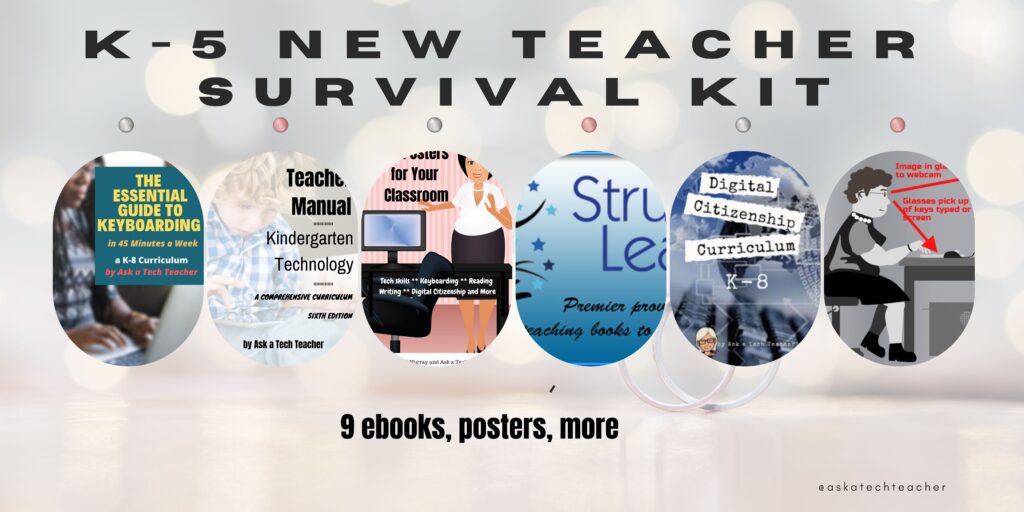
K-5 New Teacher Survival Kit
9 ebooks, 65 digital posters
August 7-August 10, 2024
Save 20% with this code:
3xar9wzu
A new teacher survival kit–for professionals new to teaching tech or expanding their pedagogy. It includes K-5 tech curriculum (problem solving, productivity software, critical thinking, share/publish, mouse skills, image editing, Google Earth, Photoshop, web tools, and more), keyboarding and digital citizenship curricula, classroom posters, tech ed tips and tricks, and posters.
You may be the Technology Specialist, the Coordinator for Instructional Technology, IT Coordinator, Technology Facilitator, Curriculum Specialist, Technology Director or the technology teacher for your school—tasked with finding the right computer project for each classroom unit. You have a limited budget, less software, and the drive to do it right no matter the roadblocks.
It’s your job to make sure your school complies with the requirements of Common Core State Standards, ISTE, your state requirements, and/or the IB guidelines that weave technology consistently into the fabric of all units of inquiry as a method of delivering quality education.
How do you reach your goal? The K-5 New Teacher Survival Kit.

10 Unexpected Truths About Teaching

The best rules for teaching aren’t found in a textbook, a teacher training class, or even the advice of older colleagues. It’s found inside of you, in your gut, your instinct, your intuition. Here are ten rules no one will teach you, but will get you through the darkest times in your teaching career:
- I HODL which is nothing like Yodel. It’s an acronym for Hold On for Dear Life. If I hang a sign around my neck saying, I’m HODLing. Leave me alone, everyone knows to avoid me.
- When coloring between the lines doesn’t work, I try a bigger paintbrush. What I mean is, when those multitudinous rules about genre writing bog my story down, it’s time to try breaking the rules.
- If something that used to work no longer does, change it. My husband used to kill flies by snapping them with his fingers. Then he got old(er), tired of his miss rate, and switched to a dishrag.
- Every once in a while, I sit in a hard chair and reflect. I don’t do this one often.
- I pick carefully who I trust about my teaching. That’s also my attitude toward boneless fish.
- For difficult days, I don my I Am a Teacher t-shirt, take half a baby aspirin, and howl at the detractors.
- Don’t get tricked into measuring what you can’t define. Know the problem. Investigate solutions. Ask for help if necessary.
- Take advantage of the most important of human freedoms: You have the ability to choose your attitude in a given set of circumstances. If others are frustrated, you can be positive, others angry, you can smile.
- Figure out your North star and stick with it. It doesn’t move. Don’t pretend it does.
- Help students see around corners.

Photoshop for Fifth Graders–Change Backgrounds

Here are the basic skills fifth graders can learn in Photoshop if you’ve prepared them with basic computer skills. I’ve provided links but they aren’t live until publication:
- Photoshop artwork–already live
- Photoshop actions–already live
- Photoshop basics #5
- Photoshop filter and rendering tools
- Photoshop starters–auto-correct with the auto-correction — quick fixes that make a photo look cleaner #6
- Photoshop crop tool–with the lasso and the magic wand #7
- Photoshop clone tool– within a picture and to another picture #8
- Photoshop–change the background (put yourself at the Eiffel Tower or on Hoover Dam)–published here
- Photoshop tools–add custom shapes–already live
- Photoshop–start with Word (a little dated but still useful)
Get Started
This one you already know how to do if you’ve been following along through the book. Because it is a must-have in a school environment, I’m going to step it out for you.
- Have your child or students open a photo of themselves in Photoshop
- Use the cropping tools learned here to crop themselves out of the background
- Go to select-inverse to select the individual rather than the background
- Edit-copy (this will copy the student’s cropped picture)
- Open a picture of the background they’ve chosen
- Edit and then paste the picture they cropped into the background
Imagine, putting your students in the historic events you study together, in the landforms they learn about in science, or the natural math that appears in nature. Now, with this Photoshop lesson, that’s all possible.
PS–If you don’t have Photoshop, try the free download called GIMP.
–from 55 Technology Projects for the Digital Classroom.

Here’s the sign-up link if the image above doesn’t work:
https://forms.aweber.com/form/07/1910174607.htm
“The content presented in this blog are the result of creative imagination and not intended for use, reproduction, or incorporation into any artificial intelligence training or machine learning systems without prior written consent from the author.”
Jacqui Murray has been teaching K-18 technology for 30 years. She is the editor/author of over a hundred tech ed resources including a K-12 technology curriculum, K-8 keyboard curriculum, K-8 Digital Citizenship curriculum. She is an adjunct professor in tech ed, Master Teacher, freelance journalist on tech ed topics, and author of the tech thrillers, To Hunt a Sub and Twenty-four Days. You can find her resources at Structured Learning.

USA Moon Landing July 20 1969

On July 20, 1969, Neil Armstrong was the first man to place foot on the moon. Commemorate that this year with an exciting collection of websites and apps that take your students to the Moon (click for updates to the list):
- Apollo 11: Countdown to Launch via Google Earth
- Apollo 11 VR
- Google Moon–see the Moon in 3D with your Google Earth app
- How we are going to the Moon–video
- If the Moon Were Only One Pixel…
- JFK Challenge — takes kids to the Apollo 11
- NASA’s Musical Playlist–88 million viewers of 188 songs
- Moon Phase Simulation Viewed from Earth and Space (interactive, elementary and middle school)—and associated Lesson Plan
- Observing the Moon in the Sky (interactive, elementary)
- Moonrise to Moonset (media gallery, elementary)

A wonderful tribute to this day–a poem by Denise Finn (reprinted with permission)–if you enjoy this, check out Denise’s blog: (more…)





