
Tag: Book Reviews

Book Review: K-8 Keyboard Curriculum
K-8 Keyboard Curriculum: The Essential Guide to Teaching Keyboarding in 45 Minutes a Week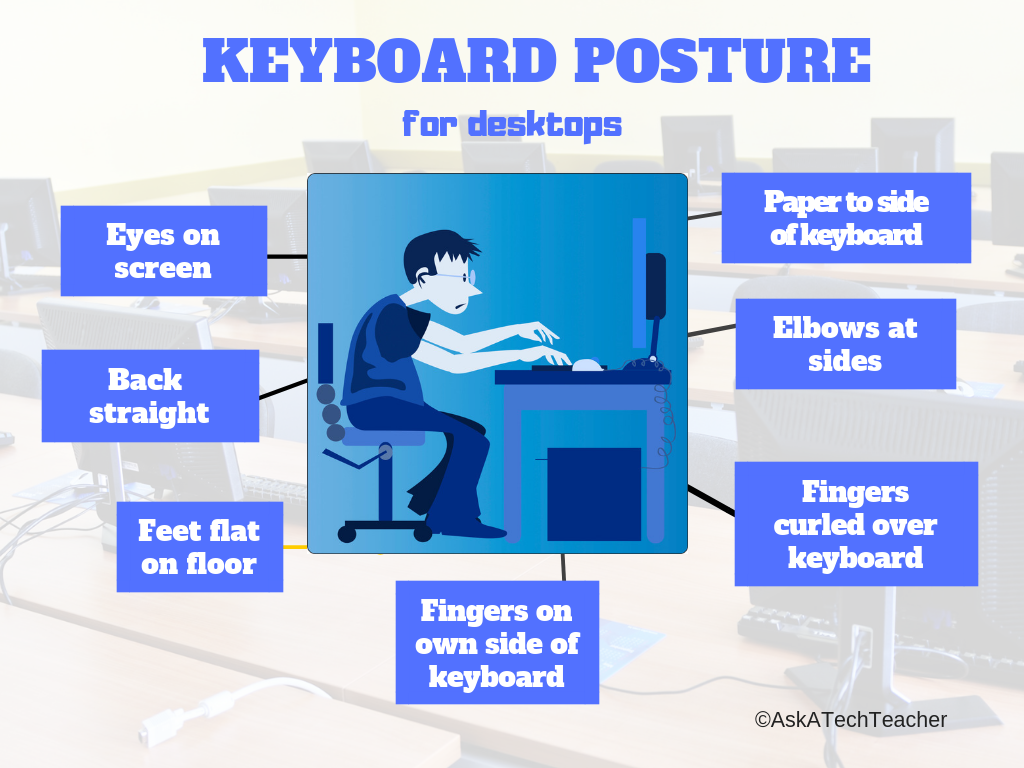
You may think it impossible to find an effective keyboarding curriculum for the skimpy forty-five minutes a week you can devote to keyboarding. You teach what you can, but it always seems to be the same lessons—hands on home row, good posture, eyes on the copy. You wonder if it’s making a difference, or if it matters.
Yes, it does and there is a way. It requires a plan, faithfully executed, with your eye relentlessly on the goal, but if you commit, it works. In this book, The Essential Guide to Teaching Keyboarding in 45 Minutes a Week: a K-8 Curriculum, I’ll share a unique keyboarding curriculum for K-8 that I’ve seen work on thousands of students. The book includes:
- A summary of the literature
- Answers to the most-asked questions like ‘Can youngers learn to keyboard—and should they?’
- The importance of the teacher to early keyboarders
The K-8 curriculum includes a lot more variety than keyboard exercises on installed software. Here’s a rundown of the pieces used:

Book Review: 19 Posters to Decorate Your Technology Lab
19 posters to Decorate Your Technology Lab is for new and experienced tech teachers to remind students of the basics of computer use. It includes keyboard tips, website usage, mouse control, how to solve common problems, parts of the computer, email netiquette, how to search, volunteer guidelines and more. As a Bonus: There’s a sample structure for a 45-minute tech class.
This is a must-have for new teachers, a time-saver for everyone.


Book Review: 55 Tech Projects for the Digital Classroom
With the school year almost back, I want to share some of the tech books I use in my classroom. I think you’ll enjoy them also. This one is a two-volume all-in-one for grades K-8. It includes a mixture of lessons that cover different skills, different subjects. Hope you like it!
Volume I is 219 pages and Volume II 235 pages, making this series an all-in-one K-8 toolkit for the lab specialist, classroom teacher and homeschooler, with a years-worth of simple-to-follow projects for K-8. Integrate technology into language arts, geography, history, problem solving, research skills, and science lesson plans and units of inquiry using teacher resources that meet NETS-S national guidelines and many state standards. The fifty-five projects are categorized by subject, program (software), and skill (grade) level.  Each project includes standards met in three areas (higher-order thinking, technology-specific, and NETS-S), software required, time involved, suggested experience level, subject area supported, tech jargon, step-by-step lessons, extensions for deeper exploration, troubleshooting tips and project examples including reproducibles. Tech programs used are KidPix, all MS productivity software, Google Earth, typing software and online sites, email, Web 2.0 tools (blogs, wikis, internet start pages, social bookmarking and photo storage), Photoshop and Celestia. Also included is an Appendix of over 200 age-appropriate child-friendly websites. Skills taught include collaboration, communication, critical thinking, problem solving, decision making, creativity, digital citizenship, information fluency, presentation, and technology concepts. In short, it’s everything you’d need to successfully integrate technology into the twenty-first century classroom. (more…)

Book Review: 55 Technology Projects for the Digital Classroom
My rating: 5 of 5 stars
The all-in-one K-8 toolkit for the lab specialist, classroom teacher and homeschooler, with a years-worth of simple-to-follow projects. Integrate technology into language arts, geography, history, problem solving, research skills, and science lesson plans and units of inquiry using teacher resources that meet NETS-S national guidelines and many state standards. The fifty-five projects are categorized by subject, program (software), and skill (grade) level. Each project includes standards met in three areas (higher-order thinking, technology-specific, and NETS-S), software required, time involved, suggested experience level, subject area supported, tech jargon, step-by-step lessons, extensions for deeper exploration, troubleshooting tips and project examples including reproducibles. Tech programs used are KidPix, all MS productivity software, Google Earth, typing software and online sites, email, Web 2.0 tools (blogs, wikis, internet start pages, social bookmarking and photo storage), Photoshop and Celestia. Also included is an Appendix of over 200 age-appropriate child-friendly websites. Skills taught include collaboration, communication, critical thinking, problem solving, decision making, creativity, digital citizenship, information fluency, presentation, and technology concepts. In short, it’s everything you’d need to successfully integrate technology into the twenty-first century classroom.

God is Back: How the Global Revival of Faith is Changing the World.
Here’s a book I think you’d enjoy. I discovered it through a fellow blogger, Yankee Sailor. It’s a testament to the strength America derives from our concept of religious freedom. That’s a freedom we take for granted, but few other nations in the world share that attitude:
 The Soft Power Of Religious Freedom
Posted by Yankee Sailor in Foreign Policy, Religion on 22Jun09.
Foreign Policy notes two British scholars find soft power in an unexpected place: (more…)
You Have Permission to Disrupt Class
Disrupting Class: How Disruptive Innovation Will Change the Way the World Learns
My rating: 4 of 5 stars
Clayton Christensen offers a believable and intuitive approach to fixing our staggering American educational system. In a nutshell: people learn in different ways (no surprise here; it’s a well-documented theory). Teachers too often teach one way (or two or three–the point being, teachers standardize. I understand. I’ve been a teacher most of my life. One of us and many of them in a classroom). His solution: Use 21st century technology and Web 2.0 to individualize lessons to suit needs. (more…)





