

#3: Windows Skills: Make Your Own Wallpaper

One of the best ways to get students interested in technology is allow them to personalize their work area. That starts with placing wallpaper of their choice on their desktop. (more…)


Teacher-Authors: What’s Happening on my Writer’s Blog
A lot of teacher-authors read my writers blog. In this monthly column, I share a popular post from the past month:

There are many unethical practices (much to my dismay), but one caught my attention recently. Wiley, a 217-year-old scientific publisher–arguably the gold standard for scientific researchers and one I’ve submitted to–retracted more than 11,300 compromised articles and closed 19 scientific journal because of fraudulent data and materials. They did this because leaving such false research out in the world as legitimate under cover of the well-respected Wiley name threatened not only their legitimacy but the nearly $30 billion academic publishing industry.
Delving into Wiley’s problem unearthed many causes. One all agreed was a critical culprit was fake scientific papers from so-called “Paper Mills”, companies scientists use to appear reputable. Why is this so important? Money for one, but also a University requirement that their professors “publish or perish”.
When neuropsychologist Bernhard Sabel put his new fake-paper detector to work, he was “shocked” by what it found. After screening some 5000 papers, he estimates up to 34% of neuroscience papers published in 2020 were likely made up or plagiarized; in medicine, the figure was 24%. Science.org 2023
I’m not sure when it happened, but today, the questionable ethics of scientific publications has become “too big to ignore”. In fact, there’s an entire website devoted to tracking this. Check out Retraction Watch if you’re interested or just feeling too positive some day.
In this increasingly politicized world where everything comes down to “he said/she said”, I used to rely on science as my true north. I guess that changed.

Tech Tip #140: 10 Ways to Become a Better Geek

In these 169 tech-centric situations, you get an overview of pedagogy—the tech topics most important to your teaching—as well as practical strategies to address most classroom tech situations, how to scaffold these to learning, and where they provide the subtext to daily tech-infused education.
***
If you’re the tech teacher, this is a must. If you’re a classroom teacher trying to infuse your class with technology, here are ten steps to help you geek out:

Sign up for a new tip each week or buy the entire 169 Real-world Ways to Put Tech into Your Classroom.
What’s your favorite tech tip in your classroom? Share it in the comments below.

Teaching Digital Ethics Through Inclusive Medicaid Survey Simulations
Real world is the best way to teach digital citizenship and what is more real than paying bills. Check out this article from the Ask a Tech Teacher team on teaching digital ethics via their bills–in this case, family health issues:

Teaching Digital Ethics Through Inclusive Medicaid Survey Simulations
As digital citizenship and real-world simulations grow in popularity across classrooms, educators are looking for more meaningful ways to combine technical learning with civic responsibility. One innovative strategy is teaching students about digital ethics through the design of inclusive health survey simulations, specifically those inspired by Medicaid outreach.
This approach blends digital literacy, ethical data use, and healthcare equity into one dynamic learning experience that connects classroom learning with real-world impact. (more…)

Tech Ed Resources for your Class–Survival Kits
I get a lot of questions from readers about what tech ed resources I use in my classroom so I’m going to take time this summer to review them with you. Some are edited and/or written by members of the Ask a Tech Teacher crew. Others, by tech teachers who work with the same publisher I do. All of them, I’ve found, are well-suited to the task of scaling and differentiating tech skills for age groups, scaffolding learning year-to-year, offering inclusive solutions to the issue of tech tools–taking into account the perspectives of stakeholders, with appropriate metrics to ensure learning is organic and granular.
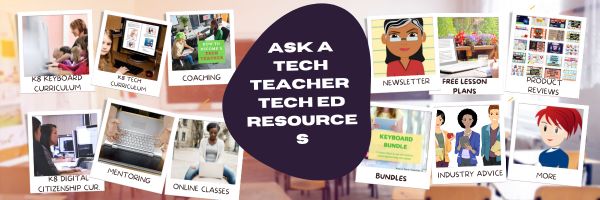
Today: K-12 Survival Kits
Overview
Collections of resources for specific teacher needs to address technology. Options include:
- K-5 All-in-one Tech Integration Kit
- K-5 New Teacher Survival Kit
- MS All-in-one Tech Integration Kit
- MS New Teacher Survival Kit
- Homeschool Tech Survival Kit
K-5 All-in-one Tech Integration Kit
Tech Ed Resources for your Class–Digital Citizenship
I get a lot of questions from readers about what tech ed resources I use in my classroom so I’m going to take a few days this summer to review them with you. Some are edited and/or written by members of the Ask a Tech Teacher crew. Others, by tech teachers who work with the same publisher I do. All of them, I’ve found well-suited to the task of scaling and differentiating tech skills for age groups, scaffolding learning year-to-year, taking into account the perspectives and norms of all stakeholders, with appropriate metrics to know learning is organic and granular.
Today: K-8 Digital Citizenship Curriculum
Overview
K-8 Digital Citizenship Curriculum––9 grade levels. 17 topics. 46 lessons. 46 projects.
A year-long digital citizenship curriculum that covers everything you need to discuss on internet safety and efficiency, delivered in the time you have in the classroom.
Digital Citizenship–probably one of the most important topics students will learn between kindergarten and 8th and too often, teachers are thrown into it without a roadmap. This book is your guide to what children must know at what age to thrive in the community called the internet. It blends all pieces into a cohesive, effective student-directed cyber-learning experience that accomplishes ISTE’s general goals to:
- Advocate and practice safe, legal, and responsible use of information and technology
- Exhibit a positive attitude toward using technology that supports collaboration, learning, and productivity
- Demonstrate personal responsibility for lifelong learning
- Exhibit leadership for digital citizenship

How to teach the hard to teach class — the video.

How do you teach the hard to teach class? Differentiate
This video is from a series I taught for school districts. It is now available for free, here on Ask a Tech Teacher:
Summary
Strategies for teaching challenging classes include student involvement, differentiated instruction, and utilizing technology for engagement.
Highlights
- 📚 Student Input: Encourage students to provide input on learning goals.
- 🖥️ Tech Tools: Incorporate web-based tools for enhanced learning experiences.
- 🔄 Flipped Classroom: Reverse traditional teaching methods to engage students effectively.
- 💬 Back Channel Devices: Use platforms for real-time student feedback during lessons.
- 🤝 Collaboration: Work with other teachers on projects for a cohesive learning experience.
- ✍️ Active Participation: Transform students from passive consumers to active contributors.
- 🎨 Creative Assessment: Move away from static checklists and embrace dynamic evaluation methods.
Key Insights
- 🌍 Understanding Learning Styles: Recognizing that students learn differently allows for tailored teaching approaches. Emphasizing this can create a more inclusive classroom environment.
- 🔧 Encouraging Risk-Taking: Allowing students to explore and troubleshoot fosters independence and problem-solving skills, preparing them for real-world challenges.
- 🎯 Setting Big Goals: Establishing overarching goals rather than granular tasks helps students focus on the essential learning objectives.
- 💻 Emphasizing Digital Citizenship: Teaching students how to use digital tools responsibly equips them for future academic and professional environments.
- 🏆 Value of Mistakes: Demonstrating that mistakes are learning opportunities encourages resilience and promotes a growth mindset among students.
- 💡 Differentiation in Instruction: Adjusting lessons based on individual student needs can re-engage those who may struggle with traditional methods.
- 🕒 Flexibility in Time Management: Allowing students to spend a portion of their time on self-directed projects cultivates creativity and ownership over their learning.
–summarized by NoteGPT
This series includes videos on: (more…)

Gamification of Assessments: Fun or Flawed?

Gamification of Assessments: Fun or Flawed?
In recent years, the concept of gamification—the use of game elements in non-game contexts—has found its way into education and assessments. From leaderboards and badges to interactive quizzes and scenario-based missions, educators and testing platforms are increasingly integrating game mechanics into skills and language tests. The goal? To boost engagement, enhance motivation, and reduce test anxiety.
But as gamified assessments gain popularity, a critical question emerges: is this trend truly improving the way we evaluate knowledge and abilities, or is it just a flashy distraction from serious learning? The founders of the global assessment platform https://testizer.com will help us explore both sides of the coin. (more…)

#7: Fifth Grade Cropping in Photoshop
 Here are the basic skills fifth graders can learn in Photoshop if you’ve prepared them with basic computer skills. I’ve provided links but they aren’t live until publication:
- Photoshop artwork–live
- Photoshop actions–live
- Photoshop basics #5 live
- Photoshop filter and rendering tools
- Photoshop starters–auto-correct with the auto-correction — live quick fixes that make a photo look cleaner #6
- Photoshop crop tool–Live
- Photoshop clone tool– within a picture and to another picture #8
- Photoshop–change the background–live
- Photoshop tools–add custom shapes–live
- Photoshop–start with Word –live (a little dated but still useful)
Before trying this lesson, start here. Don’t worry. It’s not hard–just the basics.
Getting Started
Ready? Let’s start with what Adobe Photoshop is–a grown-up KidPix, and the default photo-editing program for anyone serious about graphics. This series of projects (available in 55 Technology Projects for the Digital Classroom Volume I) introduces students to a traditionally-challenging program in an easy to understand way, each scaffolding to the next, thus avoiding the frustration and confusion inherent in most Photoshop training.
There are three ways to crop in Photoshop:





