
Category: Business

New Blog Directory–and it’s free!
A friend started a free blog directory that includes categories for writers and teacher-authors. I’ve added both of my blogs, Ask a Tech Teacher and WordDreams. It’s free, just getting going. If you’re looking for another way to market your books and/or teaching resources, here’s how you sign up:

https://mohamadkarbi.com/2020/11/23/blog-directory/
Why the Blog Directory?
- Find blogs of a specific category; and/or find bloggers of similar interests.
- Drive more traffic to your blog and enhance its SEO. Search engines like to crawl websites in such directories*.
- I believe it’s the first of kind for bloggers by a blogger. And unlike others, it’s human moderated directory.
- It’s FREE!
How to submit your blog?

World Backup Day–Once a Year
 March 31st is called World Backup Day. At least once a year, backup your data files to an external drive (like a flash drive). This is one that isn’t connected to your local computer so can’t be compromised if you get a virus. It’s good to always backup data to cloud drives or a different drive on your computer but once a year, do the entire collection of data files to what is called an ‘air gap’ drive–one that is separated from any internet connection.
How to do this
There are various ways to back up your data. You can back up your data to an external device or you can back up your data to a cloud-based backup service, or back up your data to both an external device and a cloud backup service. You might even make more than one backup to external storage devices and keep the two copies in different places (providing protection and access to your data even if one of the backup devices is destroyed or inaccessible. Preserving your valuable documents and images for future access and use requires planning, as well as the use of automatic backup services.

How Readilearn grew from one woman’s dream to an exciting education resource
Norah Colvin, educator, writer, and consultant, is the brilliance behind the exciting education website, readilearn. It started as her dream and is now a go-to resource provider for the first three years of a child’s learning journey. I’ve gotten to know Norah Colvin online through her pithy posts about teaching. Every time I leave her blog, I come away better for having stopped by. I think if we lived near each other–or taught in the same District–we’d be fast friends. Norah used her deep knowledge on teaching to create resources for professionals in this field. I’m a big supporter of teacher-authors (anyone out there? I’d love to host you here) and asked her to share her expertise with my readers:
***
 Thank you very much for inviting me to write a guest post on your blog, Jacqui. I am delighted. I always enjoy your wonderful suggestions for using technology in the classroom and wish I was still there to implement them. I have often said that I was born too soon. I arrived a little too early to enjoy the richness of technology that is now available to teachers in the classroom.
That’s not to say that I was slow to get involved with technology when it became available; I was just already well into my adult years.
Even before I purchased my first personal computer in 1985, an Apple IIe, I had tinkered with electronics kits to try to get an understanding of how computers worked. I think there were cables and switches and various things to turn on and off a series of LED lights. At the same time, I was absorbed by the games we played on an Atari 2600, which was ostensibly purchased for my son, in 1984.
The purchase of the Apple IIe replaced my use of a typewriter, and I slowly adapted to using it for composing as well as ‘typing up’ work and stories that I had written, edited, revised and rewritten by hand. I loved using Publisher and thought the dot matrix images, now considered so primitive, were just wonderful. I taught myself BASIC and made some simple activities for children in my classroom to use. I also began using it to prepare lessons and activities, though I still made most by hand.
I had one computer in my classroom in 1985 and two in 1986. I was flabbergasted when I returned to the classroom in the early naughties, after a few years’ break, to find that most classrooms were lucky if they had two computers. While change may have been slow in the first twenty years of computers in the classroom, implementation intensified as the internet became more accessible and reliable.
You may be wondering why I would provide this information in the introduction to a post about readilearn, an online collection of teaching resources for the first three years of school. But to me, it is a simple progression, a culmination of my life’s work. It allows me to combine activities I love with my passion for learning and education.



International Blog Delurking Week–Get Involved!
 Believe it or not, there is an International Blog Delurking Week that traditionally takes place in the first full week of January. It’s an opportunity for bloggers to find out who quietly reads their blog without commenting. As Melissa the founder of this event says:
“…there is a huge discrepancy between the number of readers in actuality and the number of readers I actually know are reading. Or a tongue-twister like that.”
Yep, I noticed I missed that week. I was still getting the year started! But Melissa also says you can run it anytime you want so I’m taking advantage of that codicil.
OK, another yep–comments are always closed on this blog. So here’s what I’d love you to do:
- Follow Ask a Tech Teacher (sign up in the sidebar)
- Sign up for my newsletter
- Like and Follow us on Facebook
- Follow us on Twitter
If you do, you’ll probably find one of us over at your social media, checking things out in your corner of the tech ed world. We love a good road trip!

Technology and Writing: A Conversation with Vicki Davis
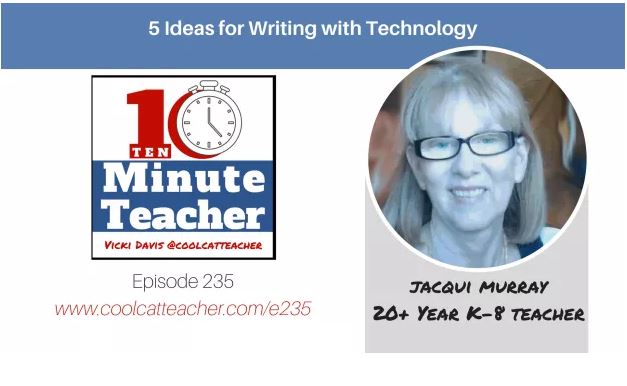
Vicki Davis is a teacher, author, podcaster, tweeter, blogger, international presenter, and so much more. I admire her podcasts and posts so was honored when she invited me to chat with her on her podcast, the 10-Minute Teacher. The topic is one dear to my heart: How to use technology to teach writing in creative ways.
Click the image below to access her post where you can listen to the podcast or read the transcript–whichever works better for you. Or scroll down a bit more and you’ll find the podcast embedded:
Vicki’s bio

New Year Brings Changes
I’ve noticed that the same people subscribe to both my weekly newsletter on Tech Tips and Websites. That means they get two emails a week in their email box from me, in what is probably already a cluttered, overcrowded bit of virtual real estate. That inspired me to make a change.
I’m going to merge the two lists and send one email a week that includes both a Weekly Tech Tip and a Weekly Website. No need to resubscribe though you may get a notification that you’ve been added to a list that will sound something like “Weekly Tech Tips and Websites”. Here’s the new link:

I’ll still have a separate newsletter for resource announcements. Here’s that link:

Here’s to a wonderful, busy, productive, fulfilling new year!
Jacqui Murray has been teaching K-8 technology for 15 years. She is the editor/author of over a hundred tech ed resources including a K-8 technology curriculum, K-8 keyboard curriculum, K-8 Digital Citizenship curriculum. She is an adjunct professor in tech ed, CSG Master Teacher, webmaster for four blogs, an Amazon Vine Voice book reviewer, CAEP reviewer, CSTA presentation reviewer, freelance journalist on tech ed topics, and a weekly contributor to TeachHUB. You can find her resources at Structured Learning.

7 Must-have Tools for Ed Conferences
 It’s summer, time for teachers to recharge their cerebral batteries. That could mean reading, going on field trips, spending time with online PLNs, or taking calls from family members who usually end up at voice mail. For many, it means attending conferences like ISTE and NEA to learn how the heck to integrate technology into their lesson plans. If you aren’t a veteran conference attendee, you may wonder what you should bring. That’s a fair questions considering learning is no longer done sitting in auditoriums nodding off to the wisdom of a guest speaker behind a podium. Now, you might be asked to scan a QR code and visit a website, access meeting documents online, interact digitally, or use a backchannel device to share your real-time thoughts with the presenter. Besides a toothbrush and aspirin, what should you take to your upcoming conference? Here are five tools that will make you look and act like the Diva of Digital:
Waze
Some conferences take multiple buildings spread out over several blocks, and depending upon the number of attendees (ISTE last year had about 13,000), your hotel may not be around the corner from the Hall. Install Waze on your smartphone or iPad (here’s my review of Waze).
Conference App
Most educational conferences have one. I find these more useful than the conference website. They are geared for people who are manipulating digital device one-handed, half their attention on the phone and the rest on traffic, meaning: they’re simple and straight-forward. Test drive it so you know where the buttons are, then use it to find meeting rooms, changes in schedules, and updates.

My #GoDaddyNightmare
 For those of you who are trying to visit my resource site, StructuredLearning.net, it’s down. I’ve talked with Go Daddy, addressed their issues. Money’s there, bank’s on my side, fault is somewhere besides me, everything’s straightened out, and still it may take them 24 hours to re-activate my site. F****. It’s not just me; it’s my entire group of cooperative teacher publishers. F** F***.
I’ve explained that, and they explained I’m in the queue.
Until then, feel free to visit my Teachers Pay Teachers store for your tech ed needs. I apologize for the technical difficulties. Sigh.





