
Category: 6th grade

Dear Otto: What’s a good student email program?
 Dear Otto is an occasional column where I answer questions I get from readers about teaching tech. If you have a question, please complete the form below and I’ll answer it here. For your privacy, I use only first names.
Here’s a great question I got:
I am fairly new to teaching technology ~ the previous computer teachers at my school did not set up student email accounts ~ I have about 200 students, PreK – 8. Is there an easy way to accomplish this?
Thank you!
We use Google Apps for 6-8, nothing for younger. I wondered what others were doing so I polled my PLNs. Overall, most schools use Google Apps if they have students emailing.
I used to teach grades 3-5 how to email (and probably should do so again in 5th grade–I’ve put that on my ToDo list). Here’re the screen shots of that lesson.

Now Available: K-8 Keyboard Curriculum
The Essential Guide to Teaching Keyboarding in 45 Minutes a Week
You may think it impossible to find an effective keyboarding curriculum for the skimpy forty-five minutes a week you can devote to keyboarding. You teach what you can, but it always seems to be the same lessons—hands on home row, good posture, eyes on the copy. You wonder if it’s making a difference, or if it matters.
 Yes, it does and there is a way. It requires a plan, faithfully executed, with your eye relentlessly on the goal, but if you commit, it works. In this book, The Essential Guide to Teaching Keyboarding in 45 Minutes a Week: a K-8 Curriculum, I’ll share a unique keyboarding curriculum for K-8 that I’ve seen work on thousands of students. The book includes:
- A summary of the literature
- Answers to the most-asked questions like ‘Can youngers learn to keyboard—and should they?’
- The importance of the teacher to early keyboarders
The K-8 curriculum includes a lot more variety than keyboard exercises on installed software. Here’s a rundown of the pieces used:
- Keyboarding software (yes, you do need repetition)
- Online keyboarding websites
- Age-appropriate use of hand covers
- Quarterly speed/accuracy quizzes
- Quarterly blank keyboarding quizzes
- Monthly homework
- Wall charts to support learning and display evidence of success
- Grading based on student improvement, not conformity to class norms
You’ll learn practical strategies on how to blend these pieces, each added at the right time, to teach the keyboarding skills required for today’s classroom.

Tech Tip #24: How to Open A New Word Doc Without the Program
As a working technology teacher, I get hundreds of questions from parents about their home computers, how to do stuff, how to solve problems. Each Tuesday, I’ll share one of those with you. They’re always brief and always focused. Enjoy!
Q: I can’t find the Word icon that opens MS Word. What do I do?
A: Let’s say you looked on your desktop and the Word icon that usually opens MS Word has disappeared. These things happen and always at the worst time. You might have pinned it to the start menu but what if you didn’t?
No problem. All you have to do is right click on the desktop and pick New Word Doc. That’s what it does–opens a new Word doc for you without going through opening the program first.

Snazzy.

Weekend Website #98: Smithsonian Wild
Every Friday, I share a website (or app) that I’ve heard about, checked into, been excited to use. This one is a math app. Since ‘math’ is by far the most popular search term of readers who seek out my blog, I know you’re going to enjoy this review.
[caption id="attachment_8454" align="aligncenter" width="614"]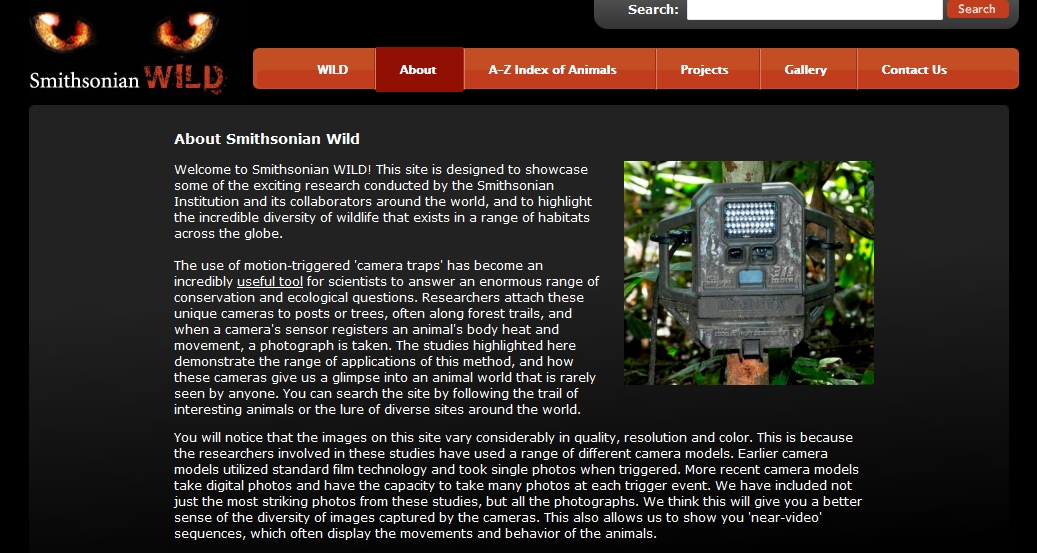 Amazing wild animal pictures[/caption]

#10: Drawing in Photoshop
Photoshop reputation as a photo editor ignores its many other tools that enable you to draw like a pro with a wide variety of brushes, textures, and scintillating extras. This side of Photoshop is perfect for creative projects that tie in with many different classroom lesson plans.
[caption id="attachment_5413" align="aligncenter" width="576"]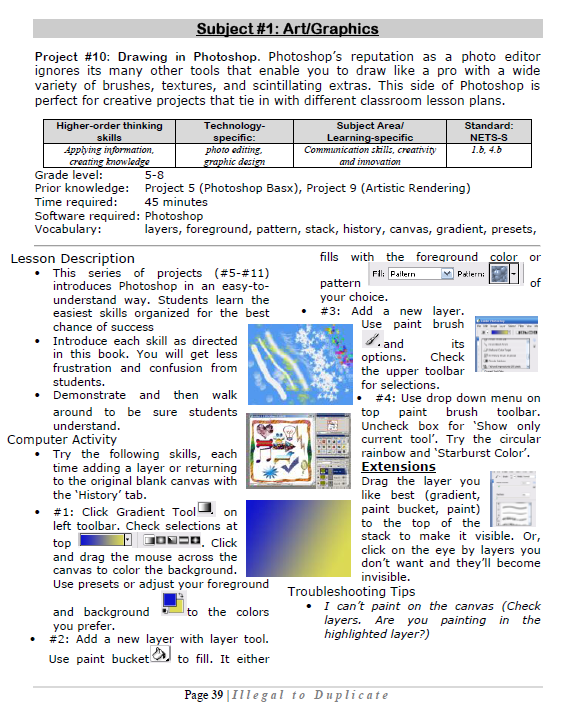 Photoshop basics[/caption]

#17: A Holiday Story in MS Word for Grades 2-7
Reinforce fiction writing–characters, plot, setting, climax–with a short story in MS Word. Then use color, borders, pictures to enhance the words. (more…)
#24: A Holiday Newsletter in Publisher for Elementary School
This is another great holiday project for 5th graders (see the holiday calendar here). Publisher templates lay out the columns, headings, articles. All students must do is fill in with their topics and pictures. Be sure that they delete the extra pages at the end before printing. (more…)

#23: A Holiday Calendar in MS Publisher for Elementary School
Kids love making this calendar. They get to talk about their upcoming vacations and hear what their friends are doing. It’s simple enough for third grade with advanced tools that satisfy a fifth graders growing intellect. (more…)

Easy Photo Editing in MS Word
Before we get into Photoshop, we’ll start with a program your fifth grader is most likely comfortable with: MS Word. For basic image editing, Word does a pretty good job, so we’ll start with a project using Word’s tools:
- Open a blank document in MS Word. Insert a picture with multiple focal points (see sample). (more…)





