
Year: 2025

Subscriber Special: Discounted Room and School Licenses

Every month, subscribers to our newsletter get a free/discounted resource to help their tech teaching.
June 4th-6th:
Buy any K-8 School License
get 2 free print books of the grade level you purchased with this code:
2FREEPRINTBOOKS
(Please note: domestic or freight-forwarders only–no international shipping)
Usually, you get one desk copy for each grade level included in your school license. Between June 4th-6th get two per grade level. That’s enough for a team to each have one.
To take advantage of this special, purchase from Structured Learning with PayPal or a PO. Email us (admin at structuredlearning dot net) with your proof of purchase and the code: 2FREEPRINTBOOKS. We’ll send the extra books.
What is a school license?
Benefits of a School License
- provide an overarching curriculum map for using technology in your school
- provide access to full text PDF from every digital device in your school, 24 hours a day. This maximizes productivity and student independence.
- enable flexible learning paths as students work at their own pace, with the ability to review or work ahead as needed
- share tech-in-ed pedagogy to infuse your school with technology
- enable teachers to vertically integrate with core grade-level teachers
- provide multiple authentic and organic formative and summative assessments
- provide free online Help via Ask a Tech Teacher (staffed by educators who use SL resources).
Benefits of School License for Students
- provide easy access to monthly lessons, how-tos, rubrics, project samples, practice quizzes, grade-level expectations, homework, images, and checklists (grade level Scope and Sequence and the Ready to Move On monthly keyboard workbooks lists, for example)
- provide full color instructions that can be zoomed in on for greater detail
- allow a convenient place to take lesson notes (using a PDF annotator)
- encourage students to be independent in their learning, work at their own pace. This is great both for students who need more time and those who ‘get it’ and want to move on
- enable a quick way to spiral up for quick learners or back to earlier resources for student needing to scaffold their learning
- prepare students for the rigor of end-of-year summative testing

#4: Photoshop for Fifth Graders: The First Step is Word
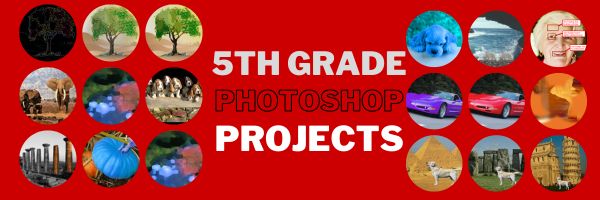
Here are the basic skills fifth graders can learn in Photoshop if you’ve prepared them with basic computer skills. I’ve provided links but they aren’t live until publication:
- Photoshop artwork–already live
- Photoshop actions–already live
- Photoshop basics
- Photoshop filter and rendering tools
- Photoshop starters–auto-correct with the auto-correction tools–those quick fixes that make a photo look cleaner (coming up)
- Photoshop crop tool–with the lasso and the magic wand
- Photoshop clone tool– within a picture and to another picture
- Photoshop–change the background (put yourself in front of the Eiffel Tower or on top of Hoover Dam)
- Photoshop tools–add custom shapes
Getting Started
Before we get into Photoshop, we’ll start with a program your fifth grader is most likely comfortable with: MS Word. For basic image editing, Word does a pretty good job, so we’ll start with a project using Word’s tools. Each version of Word has slightly different tools so adapt your lesson to what is available in your school. Plus, if you’re using a different word processor (i.e., Google Docs), adapt this to its tools:
- Open a blank document. Insert a picture with multiple focal points (see samples).
- Duplicate the image once for each focal point.
- Click one image to activate toolbar.
- Crop each duplicate to show just one of the focal points available in the Picture toolbar
- Use other tools available on the toolbar. This will vary, but may include
- add a border
- wrap
- change background
- Rotate picture creatively.
- Resize and move to fit on page
- Test picture effects available
- If you use pictures from the internet, be sure they’re royalty free.

What You Might Have Missed in May–What’s up in June

Here are the most-read posts last month:
- May is Homeschooling Awareness Month
- Tech Teacher Appreciation Week
- 20+ Online Resources for Screenshots, Screencasts, Screenshares
- Happy Mother’s Day!
- How to Set Yourself Up for Success Toward a Career in Electrical and Computer Engineering
- Top Grant Sources to Bring Technology to Under-Resourced Classrooms
- 17 Video Creation Online Tools
- Tech Tips to End the School Year
- 50 Websites About Animals
- Photoshop Artwork

Here’s a preview of what’s coming up next month (our publications will be slower in summer to reflect readers): (more…)

Teacher-Authors: What’s Happening on my Writer’s Blog
In this monthly column, I share the most popular post from the past month on my writing blog, WordDreams, for the teacher-authors in the group:

My virtual book tour to introduce my latest prehistoric fiction, Badlands, Book 2 of the trilogy, Savage Land, has finally ended. I am thrilled with the wonderful support from so many readers and authors! It was much more complicated than any prior book launch and not without mistakes on my part (some of you know what I’m talking about). But I met lots of new readers and writers and remain convinced that blog hops are a great way to introduce new books.

I launched my first Indie book, To Hunt a Sub, via a blog hop because I didn’t know what else to do. It worked well enough (there’s a learning curve) that I used the same approach for each of my subsequent books.
If you’re thinking of doing the same, take note:
- It requires an active blog (opening a blog for purposes of a blog hop doesn’t work well–I’ve seen it tried)
- It requires aggressive participation in hosts’ posts by interacting with visitors
- It requires that you pay lots of attention to visitors and commenters on your own blog posts leading up to the launch
Why a blog rather than Facebook or an online event? I really have no success with any social media other than blogs. I can’t think of the last time I had a new subscriber to my FB or Twitter account.

- If the goal was to get noticed, it worked. I received awards for the Top New Release in Biographical Fiction and later, in Classic Historical Fiction. Those lasted a few days, each
- I also received over 35 reviews, many attributable to the blog hosts, others to KU exposure. There were some spirit-lifting comments like this one that absolutely made it all worth it:
Jacqui Murray does a masterful job of blending prehistoric history with real life events. The emerging human civilization with its daily challenges of finding food and shelter against a wild and unpredictable environment is amazing. … A fantastic thriller. –Grace Blair (more…)
Photoshop Skills Fifth Graders Can Do
The program that says ‘pro’ more than any other is Adobe Photoshop. Believe it or not, there are a whole list of skills easy enough for a fifth grader (maybe even fourth, but I haven’t had time to test it yet).
Over the next months, in this series, I’ll show you how to teach Photoshop skills appropriate for fifth grade and up. The list includes:
- Photoshop artwork–already live
- Photoshop actions–already live
- Photoshop basics
- Photoshop filter and rendering tools
- Photoshop starters–auto-correct with the auto-correction tools–those quick fixes that make a photo look cleaner (coming up)
- Photoshop crop tool–with the lasso and the magic wand
- Photoshop clone tool– within a picture and to another picture
- Photoshop–change the background (put yourself in front of the Eiffel Tower or on top of Hoover Dam)
- Photoshop tools–add custom shapes
- Photoshop–start with Word (a little dated but still useful)
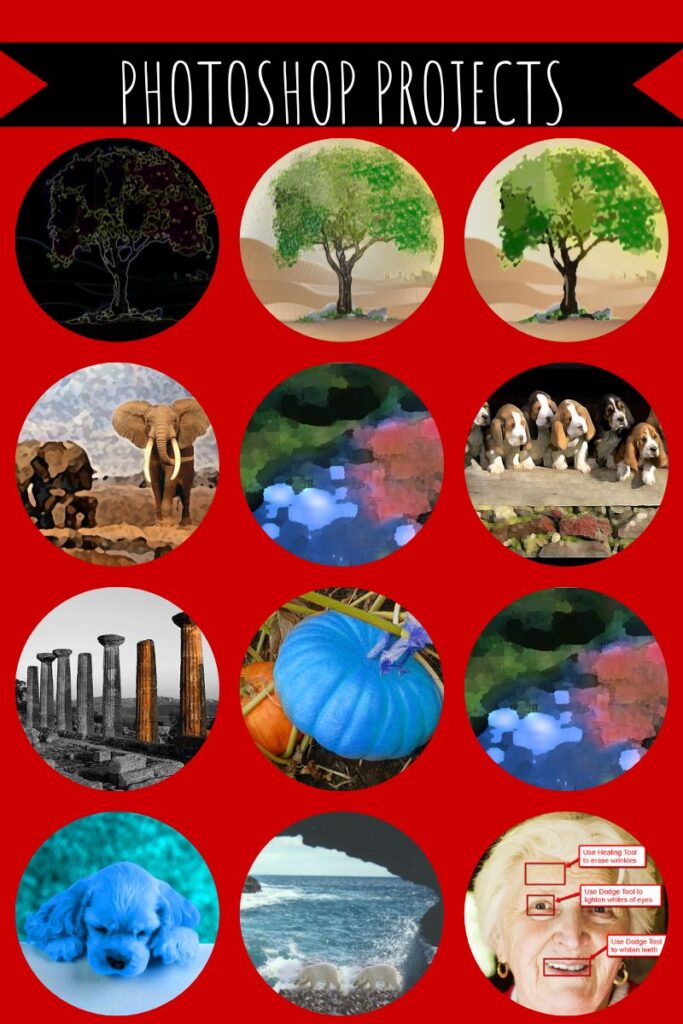
I’ve provided links, but they aren’t live until publication. These can be adapted to other art programs like Canva. Here are examples of the type of project students can create: (more…)

Happy Memorial Day!

I’m taking Memorial Day (the last Monday in May here in the USA) to honor our soldiers. Hang the American flag and call my two soldier children. Say hi, how are you. When are you coming home to visit? (more…)

Photoshop Artwork
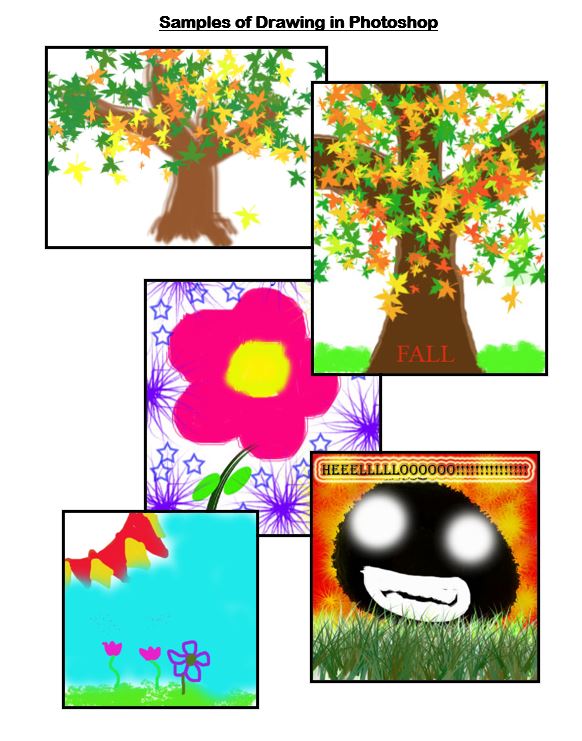
Photoshop reputation as a photo editor ignores its many other tools that enable you to draw like a pro with a wide variety of brushes, textures, and scintillating extras. This side of Photoshop is perfect for creative projects that tie in with many different classroom lesson plans.
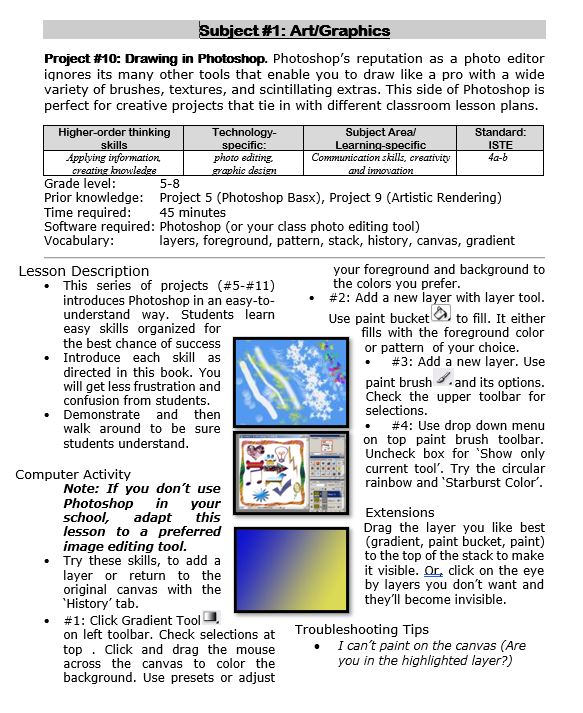
 Want more Photoshop projects available in this project book? Check these out, then click the link below:

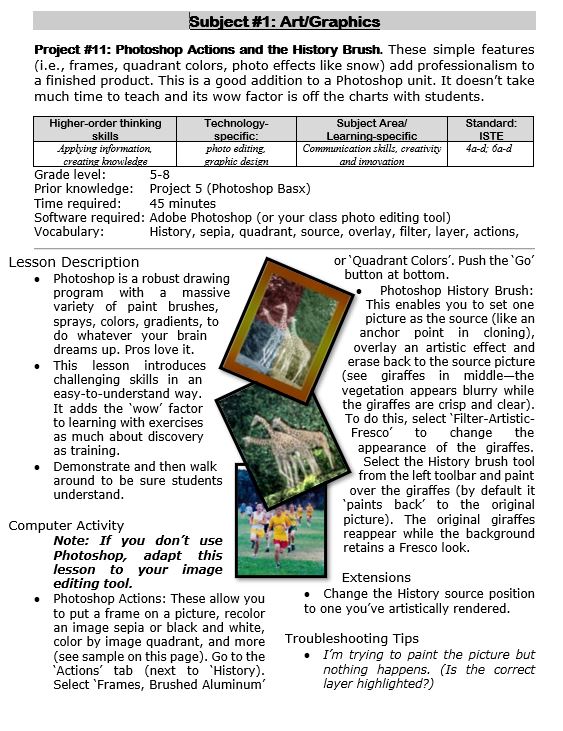
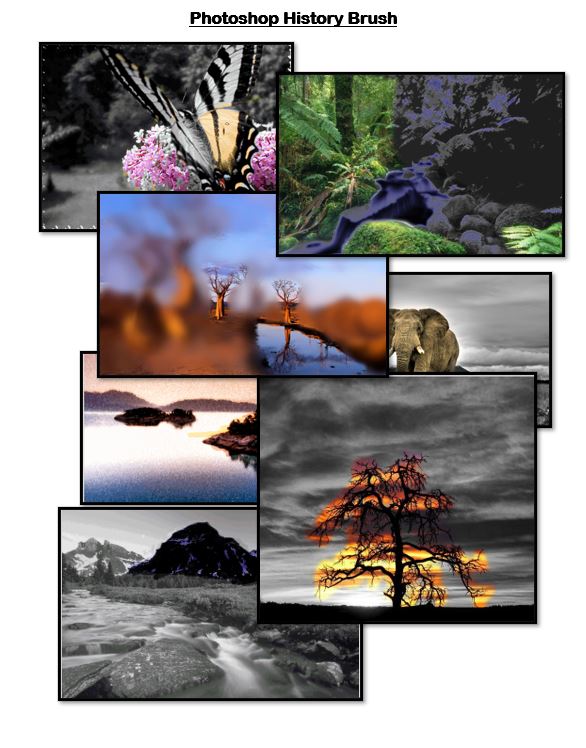
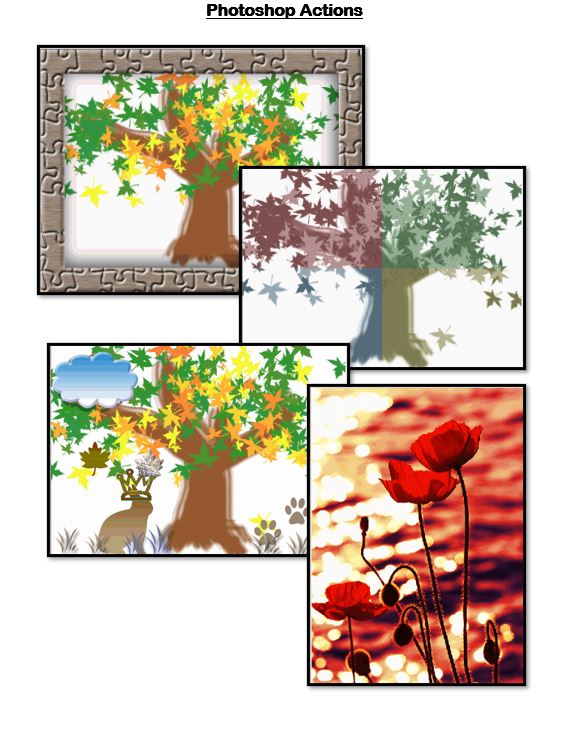
Photoshop Actions and History Brush
These are simple features ( including frames, quadrant colors, photo effects like snow) that add sophistication and professionalism to a finished product. This is a good addition to a Photoshop unit. It doesn’t take much time to teach and its wow factor is off the charts with students.

#29: A Slideshow for Third Graders

By fourth grade, my students are so good at PowerPoint, I don’t even teach it in fifth grade (I move on to Photoshop). They’ve learned enough to get them through school. Here’s how I do that: (more…)

50 Websites About Animals

Here are 50 animal websites for grades K-5, everything from Dinosaurs to the wildly popular Wolfquest (click here for updates):
- 3D Toad—3D science study
- Adaptations—game
- Animal Adaptations
- Animal games
- Animal Games II
- Animal games II
- Animal Games III
- Animal Habitats
- Animal homes
- Animal homes
- Animal Homes II
- Animal Homes III
- Animal puzzle games–cool
- Animals
- Animals—San Diego Zoo Videos
- Barnaby and Bellinda Bear
- Bembo’s Zoo
- Build a habitat
- Build a habitat II
- Butterfies and habitats
- Classify animals
- Cockroach—virtual
- Dino collection
- Dino Fossils then and now
- Dino Games
- Dino Games II
- Dinosaurs
- Dinosaurs II
- Dinosaurs IV
- Dinosaurs V
- Dinosaurs VI
- Endangered species collection
- Food chain
- Food Chains
- Frog habitat
- Google Earth—African Animals
- Google Earth—endangered animals
- Habitat Game
- Habitats—create one
- Habitats—match them
- Life Cycles
- Life—the Game–colorful
- Ocean Currents—video from NASA
- Ocean Safari
- Ocean Tracks
- Video Safari
- Virtual Cockroach
- Virtual Farm
- Virtual Zoo
- Wolfquest—simulation–DL





