

End-of-Year Maintenance: 19 Steps To A Speedier Computer
 This week, I’m sharing three holiday activities that will get your computers, technology, and social media ready for the new year. Here’s what you’ll get:
-
A note: The links won’t work until the articles publish!
Today: 19 Steps to a Speedier Computer
There are two ‘speed’ problems that arise when using computers:
- the computer itself is slow, for lots of reasons
- you are slow–meaning: You have too much to do. We’ll deal with this later…
Here’s what you need to do:
End-of-year Maintenance: Image and Back-up Digital Devices
 This week, I’m sharing three holiday activities that will get your computers, technology, and social media ready for the new year. Here’s what you’ll get:
- Update Your Online Presence
- Backup and Image your computer
- 19 Ways to Speed Up Your Computer
-
A note: The links won’t work until the articles publish!
Today: Image and Backup Your Digital Devices
Two critical maintenance tasks that lots of people skip are:
- image your computer
- back up your documents
Image your computer
Every computer must be reformatted eventually. Every time you download from a website or open an email attachment or update one of your online tools or software, you collect digital dust and grunge that affects the speed and efficiency of your computer. Performing the cleanup items suggested in 19 Ways to Speed Up Your Computer helps, but eventually not enough. The only way to return your computer to its original zippy youthful self is by reformatting.
End of Year Maintenance: Update Your Online Presence
 This week, I’ll share three holiday activities that will get your computers, technology, and social media ready for the new year. Here’s what you’ll get:
A note: The links won’t work until the articles publish!
Today: Update Your Online Presence
For most teachers I know, life zooms by, filled with lesson planning, meetings, classes, collaborations with their grade-level team, parent meetings, and thinking. There are few breaks to update/fix/maintain the tech tools that allow us to pursue our trade.
But, that must happen or they deteriorate and no longer accomplish what we need them to do. Cussing them out does no good. Buying new systems takes a long time and doesn’t fix the problem that the old one wasn’t kept up. If they aren’t taken care of, we are left wondering why our teacher blog or website isn’t accomplishing what it does for everyone else, why our social media Tweeple don’t answer us, and why our TPT materials languish. There’s a short list of upkeep items that won’t take long to accomplish. The end of the calendar year is a good time to do these:

New Year, New Mindset

Every year, I make New Year resolutions and ignore them. I don’t promise to fulfill them. I don’t even check my progress and revise as needed. I make-and-forget, check it off the New Year’s To Do list and move on.
This year, I’m trying something different: resolutions that aren’t quantified, that won’t take extra time from my too-busy schedule. Resolutions that will, instead, are more about my teaching mindset. Here’s my list:
I will learn one new tech tool a month
There are so many. I get massive lists of webtools, websites, apps, extensions, and links in my inbox, mostly proclaimed as “the tool I can’t do without”. Every month, I’ll pick one and try it.
Just to be clear: Today’s tech ed tools aren’t like they used to be. The ones I’m interested in are easy-to-use, intuitive, easily differentiated for varied student needs, and free or inexpensive. Anything that requires a time commitment to learn and buckets of creativity to use is off the list. My schedule is too packed for that sort of commitment. And, I’ll unpack them with the students, authentically, as part of a project we’re doing. An example: I use Padlet to curate and share projects. Instead, I’ll use Tozzl at least once.
To get me started, would you add a comment with your favorite tool — the one I should start with in January.

16 Holiday Websites and 13 Projects For Your Students
 Need a few websites to fill in sponge time? Here are Holiday websites that will keep students busy while teaching them:
- 12 Days of Christmas
- Christmas puzzles and games
- Christmas—history—fun video
- Gift Hunt–updated version of 12 Days of Christmas–just as much fun
- Holiday Crossword
- Holiday Elf Games
- Holiday Hangman II
- Holiday music II–sing along with the music–the site provides the words
- Holiday—find the word
- Holiday—Math Facts
- Holiday—North Pole Academy
- Holidays around the world
- Holidays–various
- Penguin Show
- Phone call from Santa
- Santa Tracker

Have Santa Call Your Kids
 DialMyCalls (an AATT sponsor) has a special Christmas offer for kids:
Free Santa Calls To Your Family This Christmas
This Christmas we have a great gift for everyone! Whether you’re an existing DialMyCalls user or not, you can take advantage of our completely free phone call from Santa. Imagine the look on your child’s face when they receive a personalized phone call from Santa with his or her name on it!
- Simply select your child’s name and the message from Santa you want sent on this link.
- Pick the time, date and phone number you want the call sent to.
- We create a personalized message and send the call when you want it sent!
- Each household can send up to 3 free calls from Santa Claus.
- Additional Santa Calls may be purchased for a small fee.
What an amazing gift to any child for Christmas!

Empatico-Build Global Awareness in Students
This website appears to be silent. We’ll check back later…
Every day it seems, the world gets smaller. Studies show that 244 million people worldwide live in a country other than their birthplace. Doesn’t sound like a lot? In fact, it’s a 44% increase from the year 2000. Where it used to be sufficient to teach students how to thrive in their home country, that falls woefully short in a world where the internet reaches everyone, anywhere, where geopolitical borders have little effect on international activities, where the customs and culture of a country have a significant impact on student learning. Today’s challenge is to teach kids how to accept other worlds without judging, preaching, or rejecting.
I’ve been on the hunt–for a long time–for resources that help students develop global awareness and perspective-taking while learning to reject the judgmental attitudes that seem to fester unchecked among those who don’t know the truth. Enter Empatico, an initiative of The KIND Foundation, with a goal of connecting 1 million students in twenty-five countries from disparate socio-economic backgrounds.

Their thinking is that the more empathetic children become, the more in tune they can be with the needs of their peers, the more they will collaborate and find creative solutions to global problems. Developed by teachers and using a free online learning tool, students broaden their worldview through meaningful interactions with peers across the globe. Teachers are provided everything necessary–lesson plans, materials lists, a video conferencing platform, and more–to make this happen. Activities range from 2-3 hours, spread over multiple meetings (called ‘Short Spark Activities’) to 8-12 hours (called ‘Longer Fire Activities’).

10 ways to use QR Codes for Hour of Code
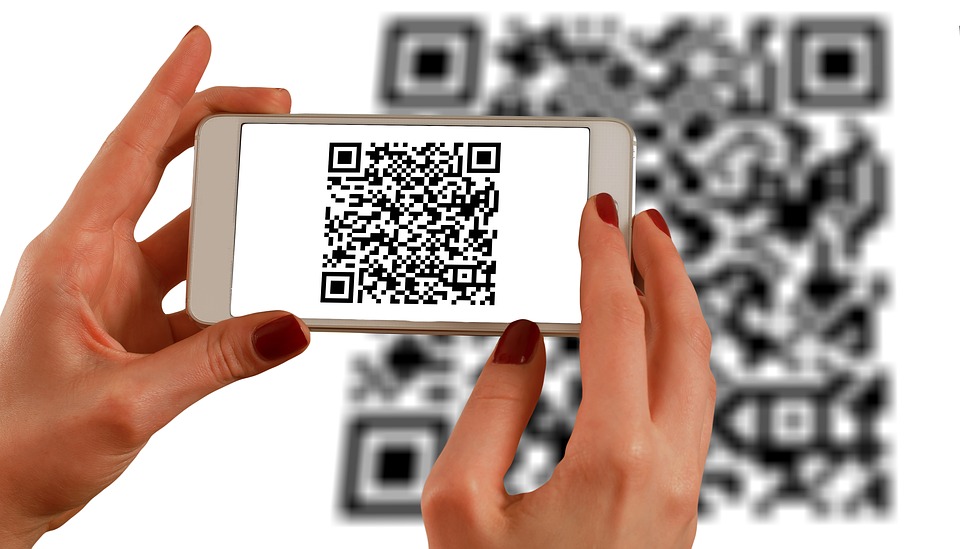 Every year in December, Hour of Code inspires thousands — tens of thousands — of students to fall in love with problem-solving, coding, and programming. Like a favorite web-based game, students are presented with a problem (for example, get your bot to say On vacation!) and are challenged to use the tools available to solve it. There are endless examples, from games to robots to programming. No teacher can fail to find one exactly right for their students.
A good option that introduces coding at its most basic level is QR Codes. QR (standing for ‘Quick Response’) Codes are one of those snazzy tech tools that grabbed the imagination years ago of students and just won’t let go. I’m not sold on them. They take too long to set up, require a whole separate app to read, and tell the same information that can be communicated in more common ways. But students like them which is why I want to use them.
But students like them which is why I want to use them.

10 Projects to Kickstart Hour of Code
Coding–that geeky subject that confounds students and frightens teachers. Yet, kids who can code are better at logical thinking and problem solving, more independent and self-assured, and more likely to find a job when they graduate. In fact, according to Computer Science Education, by 2020, there will be 1.4 million coding jobs and only 400,000 applicants.
December 4-10, Computer Science Education will host the Hour Of Code–a one-hour introduction to coding, programming, and why students should love it. It’s designed to show that anyone can learn the basics to be a maker, a creator, and an innovator.
Here are ten projects (each, about one hour in length) you can use in your classroom to participate in this wildly popular event:

Happy Thanksgiving Week to All!
 I’m taking next week off. I’ll be preparing for my daughter’s holiday visit from her home in DC and my son who’s visiting from virtually from Okinawa Japan. I am so excited to see both of them!
I’ll be back November 27th. Any emergencies–drop me a line at askatechteacher@gmail.com.
Jacqui Murray has been teaching K-18 technology for 15 years. She is the editor/author of over a hundred tech ed resources including a K-8 technology curriculum, K-8 keyboard curriculum, K-8 Digital Citizenship curriculum. She is an adjunct professor in tech ed, CSG Master Teacher, webmaster for four blogs, an Amazon Vine Voice book reviewer, CAEP reviewer, CSTA presentation reviewer, freelance journalist on tech ed topics, and a weekly contributor to TeachHUB. You can find her resources at Structured Learning.





